Skip to content

arm64: dts: qcom: shikra: Add changes for AR0544 GMSL Cameras - #1307

Merged
Salendarsingh Gaud (sgaud-quic) merged 1 commit into
qualcomm-linux:qcom-6.18.yfrom
muhammadaksar:ar0544_gmsl_bring_up
Nov 3, 2026
Merged

Salendarsingh Gaud (sgaud-quic) merged 1 commit into
qualcomm-linux:qcom-6.18.yfrom
muhammadaksar:ar0544_gmsl_bring_up

Conversation

@muhammadaksar

Copy link
Copy Markdown
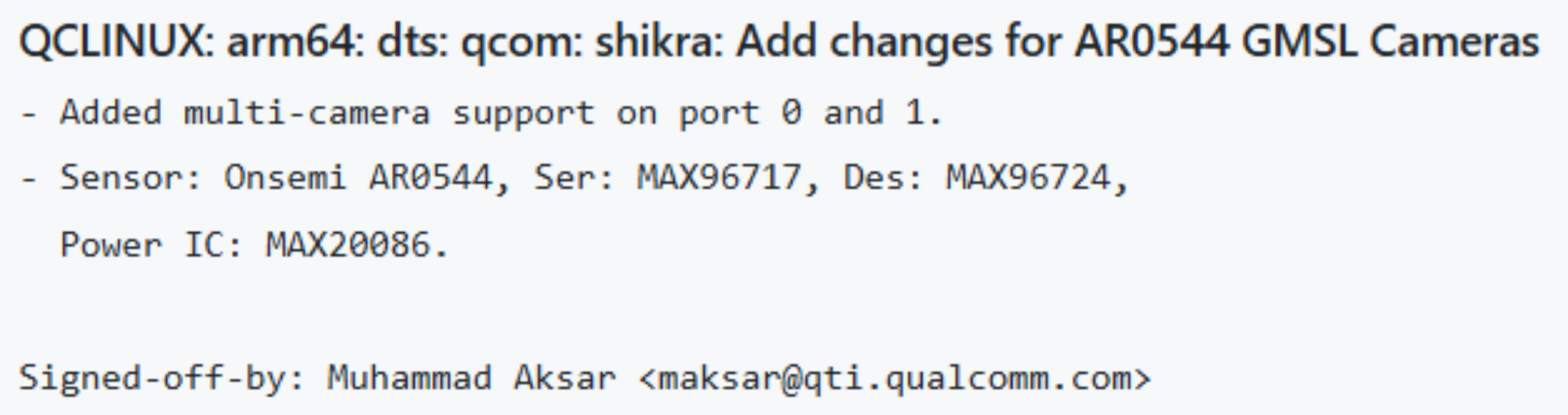
  • To bring-up AR0544 GMSL cameras on Shikra LE.
  • Added multi-camera support on port 0 and 1.
  • Sensor: Onsemi AR0544, Ser: MAX96717, Des: MAX96724, Power IC: MAX20086.

CRs-Fixed: 4713332

@qswat-orbit-external

Copy link
Copy Markdown

Merge Check Failed: CR Not Eligible for Merge

CR 4713332 is not eligible for merge.

The parent software image for kernel.qli.2.0 is not development complete.

Entity: kernel.qli.2.0
CR: 4713332
Reason: CR_CANNOT_MERGE

Please ensure the CR passes both CCT (ComponentChangeTasks) and ICT (Integration Change Tasks) validations.

@qlijarvis

Copy link
Copy Markdown

🔨 Build Failure Analysis — PR #1307

PR: #1307
Build run: https://github.com/qualcomm-linux/kernel-config/actions/runs/40462290926

# Error File:Line PR-introduced? Root Cause
1 FDT_ERR_NOTFOUND applying shikra-cqs-evk-camx.dtbo arch/arm64/boot/dts/qcom/shikra-cqs-evk-camx.dtb Yes Device tree overlay cannot find nodes/labels added by PR in shikra-camera-sensor.dtsi
2 FDT_ERR_NOTFOUND applying shikra-cqm-evk-camx.dtbo arch/arm64/boot/dts/qcom/shikra-cqm-evk-camx.dtb Yes Device tree overlay cannot find nodes/labels added by PR in shikra-camera-sensor.dtsi

Verdict

Both errors are introduced by this PR. The PR adds new camera sensor nodes to shikra-camera-sensor.dtsi, but the device tree overlays for camx configurations cannot resolve references to these new nodes during overlay application.

📎 Detailed analysis: Full report

@qlijarvis

Copy link
Copy Markdown

🔨 Build Failure Analysis — PR #1307

PR: #1307
Build run: https://github.com/qualcomm-linux/kernel-config/actions/runs/40462290926

# Error File:Line PR-introduced? Root Cause
1 Failed to apply 'arch/arm64/boot/dts/qcom/shikra-cqs-evk-camx.dtbo': FDT_ERR_NOTFOUND shikra-camera-sensor.dtsi:450-710 Yes Device tree overlay cannot find target node path in base DTB. The PR adds new camera sensor nodes to shikra-camera-sensor.dtsi, but the overlay files (shikra-cqs-evk-camx.dtbo, shikra-cqm-evk-camx.dtbo) cannot apply these changes because the target node path doesn't exist in the base device tree.
2 Failed to apply 'arch/arm64/boot/dts/qcom/shikra-cqm-evk-camx.dtbo': FDT_ERR_NOTFOUND shikra-camera-sensor.dtsi:450-710 Yes Same as error #1 - overlay application failure for shikra-cqm-evk-camx variant.
3 Warning (reg_format): port@0:reg property has invalid length (4 bytes) shikra-camera-sensor.dtsi:488 Yes Port nodes use single-cell reg values but parent expects #address-cells=2, #size-cells=1 (12 bytes total).
4 Warning (reg_format): port@1:reg property has invalid length (4 bytes) shikra-camera-sensor.dtsi:495 Yes Same reg_format issue for port@1 of deserializer0.
5 Warning (reg_format): port@2:reg property has invalid length (4 bytes) shikra-camera-sensor.dtsi:502 Yes Same reg_format issue for port@2 of deserializer0.
6 Warning (reg_format): port@3:reg property has invalid length (4 bytes) shikra-camera-sensor.dtsi:509 Yes Same reg_format issue for port@3 of deserializer0.
7 Warning (reg_format): port@0:reg property has invalid length (4 bytes) shikra-camera-sensor.dtsi:617 Yes Same reg_format issue for port@0 of deserializer1.
8 Warning (reg_format): port@1:reg property has invalid length (4 bytes) shikra-camera-sensor.dtsi:624 Yes Same reg_format issue for port@1 of deserializer1.
9 Warning (reg_format): port@2:reg property has invalid length (4 bytes) shikra-camera-sensor.dtsi:631 Yes Same reg_format issue for port@2 of deserializer1.
10 Warning (reg_format): port@3:reg property has invalid length (4 bytes) shikra-camera-sensor.dtsi:638 Yes Same reg_format issue for port@3 of deserializer1.

Verdict

All 10 errors/warnings are introduced by this PR. The critical build failures (errors #1 and #2) are caused by device tree overlay application failures where the target node path doesn't exist in the base DTB.

📎 Detailed analysis: Full report

@qlijarvis

Copy link
Copy Markdown

PR #1307 — validate-patch

PR: #1307

Verdict Issues Detailed Report
⚠️ 1 Full report

Final Summary

  1. Lore link present: No — QCLINUX: prefix; no lore link expected or required
  2. Lore link matches PR commits: N/A — no lore link to compare against
  3. Upstream patch status: N/A — vendor-only change, not posted upstream
  4. PR present in qcom-next/topics: Partial - 1/1 commit(s) only have partial integration evidence
Verdict: ⚠️ — click to expand

🔍 Patch Validation

PR: #1307 - QCLINUX: arm64: dts: qcom: shikra: Add changes for AR0544 GMSL Cameras
Upstream commit: N/A (vendor-only commit)
Verdict: ⚠️ PARTIAL

Commit Message

Check Status Note
Subject matches upstream N/A QCLINUX: vendor-only commit
Body preserves rationale ✅ Clear description of multi-camera support changes
Fixes tag present/correct N/A Not a fix commit
Authorship preserved N/A Original vendor commit
Backport note (if applicable) N/A Not a backport

Diff

File Status Notes
arch/arm64/boot/dts/qcom/shikra-camera-sensor.dtsi ⚠️ Adds 264 lines of GMSL camera device tree nodes; partial evidence in qcom-next
arch/arm64/boot/dts/qcom/shikra-iqs-evk-camx.dtso ⚠️ Adds power supply overrides for deserializers; partial evidence in qcom-next

Issues

  • Integration presence incomplete: The integration_presence_report.md shows this commit has only "partial" evidence in qcom-next — subject or partial tree evidence found, but the full change was not verified. This suggests the commit may be incomplete, partially merged, or differs from what's in qcom-next.

Verdict

This is a vendor-only commit (QCLINUX: prefix) that does not require upstream validation. However, the partial integration presence in qcom-next warrants investigation to confirm whether this represents new content or conflicts with existing changes.

Final Summary

  1. Lore link present: No — QCLINUX: prefix; no lore link expected or required
  2. Lore link matches PR commits: N/A — no lore link to compare against
  3. Upstream patch status: N/A — vendor-only change, not posted upstream
  4. PR present in qcom-next/topics: Partial — subject or partial tree evidence found in qcom-next, but full change was not verified (1/1 commits partial)

Deterministic Integration Presence

Integration Presence Report

This report is generated by Jarvis before validate-patch runs.
It is the authoritative source for whether PR changes are already present
in qcom-next or in the kernel topic branches.

Kernel repo: /local/mnt/workspace/sgaud/Qgenie/image_pipeline/kernel
qcom-next ref: c7896917e523946138ce654d4b6c1e33d5a8f4e5
topics remote: topics -> https://github.com/qualcomm-linux/kernel-topics
topics fetch: fetched

Commit Subject qcom-next topics Final
1/1 [PATCH] QCLINUX: arm64: dts: qcom: shikra: Add changes for AR0544 partial - subject or partial tree evidence found, but full change was not verified missing - no subject, patch-id, or full tree-content match found partial

Final Status

overall_status: PARTIAL
present_commits: 0/1
partial_commits: 1/1
missing_commits: 0/1
topics_checked_for_commits: 1/1
final_summary: PR present in qcom-next/topics: Partial - 1/1 commit(s) only have partial integration evidence

@qlijarvis

Copy link
Copy Markdown

PR #1307 — checker-log-analyzer

PR: #1307
Checker run: https://github.com/qualcomm-linux/kernel-config/actions/runs/40650335357

Checker Result Summary
checkpatch ❌ 4 errors, 8 warnings
dt-binding-check ⏭️ No binding changes
dtb-check ❌ Missing binding, property validation failures
sparse-check ⏭️ No C/H changes
check-uapi-headers ⏭️ No UAPI changes
check-patch-compliance ❌ Invalid prefix QCLINUX:
tag-check ⚠️ Cannot determine target branch (network unavailable)

Detailed report: Full report

Checker analysis — click to expand

🤖 CI Checker Analysis (checker-log-analyzer)

PR: #1307 - QCLINUX: arm64: dts: qcom: shikra: Add changes for AR0544 GMSL Cameras
Source: https://github.com/qualcomm-linux/kernel-config/actions/runs/40650335357

Checker Result Summary
checkpatch ❌ 4 errors, 8 warnings
dt-binding-check ⏭️ No binding changes
dtb-check ❌ Missing binding, property validation failures
sparse-check ⏭️ No C/H changes
check-uapi-headers ⏭️ No UAPI changes
check-patch-compliance ❌ Invalid prefix QCLINUX:
tag-check ⚠️ Cannot determine target branch (network unavailable)

❌ checkpatch

Root cause: Mixed spaces and tabs in DTS indentation, and undocumented DT compatible string.

Failure details:

ERROR: code indent should use tabs where possible
#55: FILE: arch/arm64/boot/dts/qcom/shikra-camera-sensor.dtsi:480:
+                     "CAM_CUSTOM1",$

ERROR: code indent should use tabs where possible
#56: FILE: arch/arm64/boot/dts/qcom/shikra-camera-sensor.dtsi:481:
+                     "CAM_CUSTOM2";$

ERROR: code indent should use tabs where possible
#186: FILE: arch/arm64/boot/dts/qcom/shikra-camera-sensor.dtsi:611:
+                     "CAM_CUSTOM1",$

ERROR: code indent should use tabs where possible
#187: FILE: arch/arm64/boot/dts/qcom/shikra-camera-sensor.dtsi:612:
+                     "CAM_CUSTOM2";$

WARNING: DT compatible string "qcom,cam-gmsl-sensor" appears un-documented
(8 occurrences at lines 521, 537, 553, 569, 653, 669, 685, 701)

Fix:

  1. Indentation errors — Replace leading spaces with tabs:

    git rebase -i 5b623976f245f1b90b9345c5c4f4a89485d4b014
    # mark commit e18fae54 as 'edit'
    
    # Fix lines 480-481 and 611-612 in shikra-camera-sensor.dtsi:480
    # Replace spaces before "CAM_CUSTOM1" and "CAM_CUSTOM2" with tabs
    sed -i '480,481s/^[[:space:]]*/\t\t\t\t     /' arch/arm64/boot/dts/qcom/shikra-camera-sensor.dtsi
    sed -i '611,612s/^[[:space:]]*/\t\t\t\t     /' arch/arm64/boot/dts/qcom/shikra-camera-sensor.dtsi
    
    git add arch/arm64/boot/dts/qcom/shikra-camera-sensor.dtsi
    git commit --amend --no-edit
    git rebase --continue
  2. Undocumented compatible string — Add DT binding for qcom,cam-gmsl-sensor:

    • Create Documentation/devicetree/bindings/media/qcom,cam-gmsl-sensor.yaml
    • Or add to existing camera binding if appropriate
    • This is a WARNING, not an ERROR, so it won't block merge but should be addressed

Reproduce locally:

./scripts/checkpatch.pl --strict --ignore FILE_PATH_CHANGES --git 5b623976f245f1b90b9345c5c4f4a89485d4b014..e18fae54b1deee0f90f3bec6c2e22f813614dff6

❌ dtb-check

Root cause: Missing DT binding for qcom,cam-gmsl-sensor and property validation failures.

Failure details:

arch/arm64/boot/dts/qcom/shikra-iqs-evk-camx.dtb: /soc@0/qcom,cci0@5c1b000/qcom,cam-gmsl-sensor0: 
  failed to match any schema with compatible: ['qcom,cam-gmsl-sensor']

qcom,cam-gmsl-deserializer0: gpio-req-tbl-label: 
  b'CAMIF_RESET0\x00CAM_CUSTOM1\x00CAM_CUSTOM2\x00' is not of type 'object', 'integer', 'array', 'boolean', 'null'

qcom,cci0@5c1b000 (qcom,cci): qcom,cam-gmsl-sensor0: 'ranges' is a required property

These errors appear across multiple DTB files:

  • shikra-iqs-evk-camx.dtb
  • shikra-cqm-evk-camx.dtb
  • shikra-cqs-evk-camx.dtb

Fix:

  1. Missing binding — Create Documentation/devicetree/bindings/media/qcom,cam-gmsl-sensor.yaml with:

    • compatible: qcom,cam-gmsl-sensor
    • Required properties: reg, cell-index, etc.
    • Optional properties including gpio-req-tbl-label, ranges
  2. Property type mismatch — The gpio-req-tbl-label property is being parsed as a binary string instead of a string array. Fix the DTS:

    gpio-req-tbl-label = "CAMIF_RESET0", "CAM_CUSTOM1", "CAM_CUSTOM2";
    

    (Ensure proper comma separation and quotes)

  3. Missing ranges property — Add to each qcom,cam-gmsl-sensor* node if it has child nodes with reg properties, or add ranges; (empty) if no address translation is needed.

Reproduce locally:

make -j$(nproc) O=out CHECK_DTBS=y arch/arm64/boot/dts/qcom/shikra-iqs-evk-camx.dtb
make -j$(nproc) O=out CHECK_DTBS=y arch/arm64/boot/dts/qcom/shikra-cqm-evk-camx.dtb
make -j$(nproc) O=out CHECK_DTBS=y arch/arm64/boot/dts/qcom/shikra-cqs-evk-camx.dtb

❌ check-patch-compliance

Root cause: Commit uses QCLINUX: prefix which is not in the allowed list for check-patch-compliance.

Failure details:

Checking commit: QCLINUX: arm64: dts: qcom: shikra: Add changes for AR0544 GMSL Cameras
Commit summary does not start with a required prefix

Fix:

This is a known limitation of the check-patch-compliance checker. The checker only accepts these prefixes:

  • FROMLIST: (posted to mailing list)
  • FROMGIT: (from maintainer tree)
  • UPSTREAM: (merged into mainline)
  • BACKPORT: (backported with modifications)

The QCLINUX: prefix is used for vendor-only changes with no upstream equivalent. This checker will always fail for vendor-only commits.

Options:

  1. If this is vendor-only (no upstream equivalent) — Accept the checker failure as expected. The QCLINUX: prefix is correct for vendor-specific changes.
  2. If this was posted upstream — Change prefix to FROMLIST: and add Link: <lore-url> to the commit message.
  3. If this is from an internal tree — Change prefix to FROMGIT: and add Link: to the tree.

For vendor-only camera sensor support, QCLINUX: is the appropriate prefix. No action needed — this is an expected checker limitation.


⚠️ tag-check

Status: Cannot determine target branch (GitHub API unavailable).

Analysis:

The tag-check verifies that every commit subject starts with a required prefix (FROMLIST:, FROMGIT:, UPSTREAM:, BACKPORT:, QCLINUX:, PENDING:, WORKAROUND:). This check is mandatory for all branches except qcom-next and qcom-next-staging.

The commit uses QCLINUX: prefix, which is valid. However, without access to the GitHub API, I cannot confirm the target branch to determine if this check applies.

If target branch is qcom-next or qcom-next-staging: ✅ PASS (check does not apply)
If target branch is any other branch: ✅ PASS (commit has valid QCLINUX: prefix)


Verdict

3 blockers must be fixed before merge:

  1. checkpatch — Fix 4 indentation errors (spaces → tabs) at shikra-camera-sensor.dtsi:480
  2. dtb-check — Add DT binding for qcom,cam-gmsl-sensor and fix property validation
  3. dtb-check — Fix gpio-req-tbl-label property format (ensure proper string array syntax)

1 expected failure (no action needed):

  • check-patch-compliance — QCLINUX: prefix is correct for vendor-only changes; checker limitation

Recommendation: Fix the 3 blockers above, then re-run CI. The check-patch-compliance failure is expected and acceptable for vendor-only commits.

@muhammadaksar Aksar (muhammadaksar) changed the title QCLINUX: arm64: dts: qcom: shikra: Add changes for AR0544 GMSL Cameras arm64: dts: qcom: shikra: Add changes for AR0544 GMSL Cameras Oct 28, 2026
@qcomlnxci

Copy link
Copy Markdown

Test Matrix

Test Case kbdev-hamoa-iot-evk-multimedia kbdev-lemans-evk-multimedia kbdev-monaco-evk-multimedia kbdev-purwa-iot-evk-multimedia kbdev-qcs615-ride-multimedia kbdev-qcs6490-rb3gen2-multimedia kbdev-qcs8300-ride-multimedia kbdev-qcs9100-ride-r3-multimedia kbdev-shikra-iqs-evk-multimedia
Audio_Card_Registration ✅ Pass ✅ Pass ✅ Pass ✅ Pass ⚠️ skip ✅ Pass ⚠️ skip ⚠️ skip ⚠️ skip
BT_FW_KMD_Service ✅ Pass ✅ Pass ✅ Pass ✅ Pass ✅ Pass ✅ Pass ✅ Pass ✅ Pass ✅ Pass
BT_ON_OFF ✅ Pass ✅ Pass ✅ Pass ✅ Pass ✅ Pass ✅ Pass ✅ Pass ✅ Pass ✅ Pass
BT_SCAN ✅ Pass ✅ Pass ✅ Pass ✅ Pass ✅ Pass ✅ Pass ✅ Pass ✅ Pass ✅ Pass
CPUFreq_Validation ✅ Pass ✅ Pass ✅ Pass ✅ Pass ✅ Pass ✅ Pass ✅ Pass ✅ Pass ✅ Pass
CPU_affinity ✅ Pass ✅ Pass ✅ Pass ✅ Pass ✅ Pass ✅ Pass ✅ Pass ✅ Pass ✅ Pass
DSP_AudioPD ✅ Pass ✅ Pass ✅ Pass ✅ Pass ✅ Pass ✅ Pass ✅ Pass ✅ Pass ⚠️ skip
Ethernet_Basic_Validation ⚠️ skip ✅ Pass ✅ Pass ⚠️ skip ⚠️ skip ⚠️ skip ❌ Fail ❌ Fail ⚠️ skip
Freq_Scaling ✅ Pass ✅ Pass ✅ Pass ✅ Pass ✅ Pass ✅ Pass ✅ Pass ✅ Pass ✅ Pass
GIC ✅ Pass ✅ Pass ✅ Pass ✅ Pass ✅ Pass ✅ Pass ✅ Pass ✅ Pass ❌ Fail
IPA ✅ Pass ✅ Pass ✅ Pass ✅ Pass ✅ Pass ✅ Pass ✅ Pass ✅ Pass ✅ Pass
Interrupts ✅ Pass ✅ Pass ✅ Pass ✅ Pass ✅ Pass ✅ Pass ✅ Pass ✅ Pass ✅ Pass
KVM_Driver ❌ Fail ✅ Pass ✅ Pass ❌ Fail ❌ Fail ✅ Pass ❌ Fail ❌ Fail ❌ Fail
KVM_EL2_DTB ❌ Fail ✅ Pass ✅ Pass ❌ Fail ❌ Fail ✅ Pass ❌ Fail ❌ Fail ❌ Fail
KVM_Infra ❌ Fail ✅ Pass ✅ Pass ❌ Fail ❌ Fail ✅ Pass ❌ Fail ❌ Fail ❌ Fail
OpenCV ✅ Pass ✅ Pass ✅ Pass ✅ Pass ✅ Pass ✅ Pass ✅ Pass ✅ Pass ✅ Pass
PCIe ✅ Pass ✅ Pass ✅ Pass ✅ Pass ✅ Pass ✅ Pass ✅ Pass ✅ Pass ❌ Fail
Probe_Failure_Check ❌ Fail ❌ Fail ❌ Fail ❌ Fail ❌ Fail ❌ Fail ❌ Fail ❌ Fail ❌ Fail
RMNET ✅ Pass ✅ Pass ✅ Pass ✅ Pass ✅ Pass ✅ Pass ✅ Pass ✅ Pass ✅ Pass
UFS_Validation ✅ Pass ✅ Pass ✅ Pass ✅ Pass ✅ Pass ✅ Pass ✅ Pass ✅ Pass ⚠️ skip
USBHost ✅ Pass ✅ Pass ✅ Pass ✅ Pass ✅ Pass ⚠️ skip ❌ Fail ✅ Pass ❌ Fail
WiFi_Firmware_Driver ✅ Pass ✅ Pass ❌ Fail ✅ Pass ✅ Pass ✅ Pass ✅ Pass ✅ Pass ✅ Pass
WiFi_OnOff ✅ Pass ✅ Pass ❌ Fail ✅ Pass ✅ Pass ✅ Pass ✅ Pass ✅ Pass ⚠️ skip
adsp_remoteproc ✅ Pass ✅ Pass ✅ Pass ✅ Pass ✅ Pass ✅ Pass ✅ Pass ✅ Pass ⚠️ skip
cdsp_remoteproc ✅ Pass ✅ Pass ✅ Pass ✅ Pass ✅ Pass ✅ Pass ✅ Pass ✅ Pass ✅ Pass
gpdsp_remoteproc ⚠️ skip ✅ Pass ✅ Pass ⚠️ skip ⚠️ skip ⚠️ skip ✅ Pass ✅ Pass ⚠️ skip
hotplug ✅ Pass ✅ Pass ✅ Pass ✅ Pass ✅ Pass ✅ Pass ✅ Pass ✅ Pass ✅ Pass
irq ✅ Pass ✅ Pass ✅ Pass ✅ Pass ✅ Pass ✅ Pass ✅ Pass ✅ Pass ✅ Pass
kaslr ✅ Pass ✅ Pass ✅ Pass ✅ Pass ✅ Pass ✅ Pass ✅ Pass ✅ Pass ✅ Pass
pinctrl ✅ Pass ✅ Pass ✅ Pass ✅ Pass ✅ Pass ✅ Pass ✅ Pass ✅ Pass ✅ Pass
qcom_hwrng ✅ Pass ✅ Pass ✅ Pass ✅ Pass ✅ Pass ✅ Pass ✅ Pass ✅ Pass ✅ Pass
rngtest ✅ Pass ✅ Pass ✅ Pass ✅ Pass ✅ Pass ✅ Pass ✅ Pass ✅ Pass ✅ Pass
shmbridge ✅ Pass ✅ Pass ✅ Pass ✅ Pass ✅ Pass ✅ Pass ✅ Pass ✅ Pass ✅ Pass
smmu ❌ Fail ❌ Fail ✅ Pass ❌ Fail ❌ Fail ✅ Pass ✅ Pass ❌ Fail ✅ Pass
watchdog ✅ Pass ✅ Pass ✅ Pass ✅ Pass ✅ Pass ✅ Pass ✅ Pass ✅ Pass ✅ Pass
wpss_remoteproc ✅ Pass ✅ Pass ✅ Pass ✅ Pass ✅ Pass ✅ Pass ✅ Pass ✅ Pass ✅ Pass

@qlijarvis

Copy link
Copy Markdown

LAVA Failed Case Triage Summary

PR: #1307

Job 261041 | SoC qcs9100-ride

LAVA job: https://lava-oss.qualcomm.com/scheduler/job/261041

Failed test cases in LAVA job 261041 (SoC: qcs9100-ride).

  Case 1: ** Probe_Failure_Check
  1. Failed case: ** Probe_Failure_Check
  2. Root cause: ** Two pre-existing platform-specific probe failures unrelated to PR1307 (camera DT changes): (1) regulatory.db firmware missing from rootfs (cfg80211 wireless regulatory database, error -2 = -ENOENT), and (2) Aquantia AQR115C Ethernet PHY probe failure due to missing or malformed firmware-name DT property (error -22 = -EINVAL).
  3. Possible fix: These are known platform configuration issues on qcs9100-ride, not regressions introduced by this PR. The Probe_Failure_Check test should be updated to suppress these two known benign failures for qcs9100-ride, or the platform DT/rootfs should be fixed: (1) add regulatory.db firmware file to rootfs at /lib/firmware/regulatory.db, and (2) add valid firmware-name property to the Aquantia PHY node in qcs9100-ride DT if firmware is required, or mark the property as optional in the driver if not needed for this platform.
  4. Detail analysis attachment: failed_case_job261041_1_detailed.md
  Case 2: smmu
  1. Failed case: smmu
  2. Root cause: Test infrastructure expects legacy Venus video codec device aa00000.video-codec to be attached to an IOMMU group, but qcs9100-ride platform uses the newer Iris video codec driver (iris_non_pixel.0 and iris_pixel.0), which are correctly attached to IOMMU groups 17 and 18; the test's hardcoded device list is outdated for this SoC.
  3. Possible fix: Update the smmu test's critical master validation logic to recognize Iris video codec devices (iris_non_pixel.0, iris_pixel.0) as valid video codec implementations on platforms where Venus (aa00000.video-codec) is not present; alternatively, make the test query the device tree to determine the correct video codec device name for the target platform rather than using a hardcoded list.
  4. Detail analysis attachment: failed_case_job261041_2_detailed.md
  Case 3: ** Driver Probe Failure — Ethernet PHY (Aquantia AQR115C)
  1. Failed case: ** Driver Probe Failure — Ethernet PHY (Aquantia AQR115C)
  2. Root cause: ** Aquantia AQR115C PHY driver probe failed with -EINVAL during device tree firmware-name property read on qcs9100-ride platform; the PHY device tree node is missing the required firmware-name property or the property value is malformed, preventing the PHY driver from loading firmware and completing initialization.
  3. Possible fix: Add the firmware-name property to the Aquantia AQR115C PHY device tree node in the qcs9100-ride DTS file (typically under the MDIO bus child node at address 0x08), specifying the correct firmware file path (e.g., firmware-name = "Rxx_AQR_Mediatek_23B_P0_ID45824_VER_1.cld"; or the appropriate firmware for this PHY variant). Verify the firmware file exists in /lib/firmware/ on the target rootfs.
  4. Detail analysis attachment: failed_case_job261041_3_detailed.md
  Case 4: ** KVM_Driver (Platform Hardware Limitation — HYP Mode Not Available)
  1. Failed case: ** KVM_Driver (Platform Hardware Limitation — HYP Mode Not Available)
  2. Root cause: ** The qcs9100-ride (LeMans Ride Rev3) platform does not support ARM Virtualization Extensions (HYP mode / EL2). KVM requires HYP mode to create the /dev/kvm device node. The kernel correctly enables CONFIG_KVM=y and CONFIG_VIRTUALIZATION=y, but the hardware does not provide EL2 support, resulting in the kernel message "kvm [1]: HYP mode not available" and the absence of /dev/kvm.
  3. Possible fix: Exclude KVM tests from the qcs9100-ride (LeMans) test suite, as this platform does not support ARM virtualization extensions. Update the LAVA job definition to skip KVM_Driver, KVM_EL2_DTB, and KVM_Infra tests for this SoC. Alternatively, mark these tests as "expected to skip" for platforms without HYP mode support.
  4. Detail analysis attachment: failed_case_job261041_4_detailed.md
  Case 5: KVM Initialization Failure — HYP mode not available (expected on Gunyah hypervisor)
  1. Failed case: KVM Initialization Failure — HYP mode not available (expected on Gunyah hypervisor)
  2. Root cause: The qcs9100-ride target is running under the Gunyah hypervisor (EL2), which means the Linux kernel executes at EL1 and cannot access HYP mode. KVM requires EL2 (HYP mode) to function, so the kernel correctly reports "kvm [1]: HYP mode not available" during initialization. The /dev/kvm device node is not created because KVM cannot initialize without HYP mode access.
  3. Possible fix: This is expected behavior, not a bug. The KVM_EL2_DTB test should be skipped or marked as "not applicable" on platforms running under a hypervisor (Gunyah, KVM, Xen). Add platform detection logic to the test suite to skip KVM tests when /proc/device-tree/hypervisor or bootloader logs indicate a hypervisor is present. Alternatively, update the LAVA job definition to exclude KVM tests for qcs9100-ride and other Gunyah-based platforms.
  4. Detail analysis attachment: failed_case_job261041_5_detailed.md
  Case 6: KVM_Infra
  1. Failed case: KVM_Infra
  2. Root cause: Could not be determined confidently from available logs.
  3. Possible fix: This is a platform-specific limitation, not a kernel bug. To enable KVM on qcs9100-ride: (1) Boot without Gunyah hypervisor by modifying the boot configuration to disable hypervisor initialization, OR (2) Use a different platform/board that doesn't run a hypervisor by default, OR (3) Mark KVM tests as "not applicable" for qcs9100-ride in the CI test matrix since this platform is designed for Gunyah-based virtualization, not KVM.
  4. Detail analysis attachment: failed_case_job261041_6_detailed.md
  Case 7: KVM_Infra
  1. Failed case: KVM_Infra
  2. Root cause: KVM/virtualization is not supported on the qcs9100-ride-sx platform — kernel reports "HYP mode not available" at boot, preventing /dev/kvm device node creation; CONFIG_KVM is enabled but the hardware/firmware does not provide EL2 hypervisor mode.
  3. Possible fix: Mark KVM_Infra, KVM_Driver, and KVM_EL2_DTB tests as expected failures (XFAIL) or skip them entirely for qcs9100-ride-sx in the LAVA test plan, as this platform does not support virtualization; alternatively, run these tests only on platforms with confirmed KVM/hypervisor support (e.g., rb5, rb3gen2).
  4. Detail analysis attachment: failed_case_job261041_7_detailed.md
Job 261042 | SoC shikra-iqs-evk

LAVA job: https://lava-oss.qualcomm.com/scheduler/job/261042

Failed test cases in LAVA job 261042 (SoC: shikra-iqs-evk).

  Case 1: GIC Test Script Bug — Hardcoded CPU Count Mismatch
  1. Failed case: GIC Test Script Bug — Hardcoded CPU Count Mismatch
  2. Root cause: The GIC test script is hardcoded to validate 8 CPUs (0-7), but shikra-iqs-evk has only 4 CPUs (0-3). The script attempts to parse timer interrupt counts for non-existent CPUs 4-7, resulting in bash integer comparison errors ([: GICv3: integer expected) when it encounters string tokens instead of numeric values. All 4 existing CPUs (0-3) passed the GIC timer interrupt validation correctly.
  3. Possible fix: Update the GIC test script (Runner/suites/Kernel/Baseport/GIC/run.sh) to dynamically detect the number of online CPUs using /sys/devices/system/cpu/online or nproc before running the timer interrupt comparison loop, instead of assuming a fixed 8-CPU topology.
  4. Detail analysis attachment: failed_case_job261042_1_detailed.md
  Case 2: Probe_Failure_Check
  1. Failed case: Probe_Failure_Check
  2. Root cause: Could not be determined confidently from available logs.
  3. Possible fix: Mark this test case as a false positive for PR arm64: dts: qcom: shikra: Add changes for AR0544 GMSL Cameras #1307. The PR only adds GMSL camera deserializer and sensor DT nodes and does not touch USB-C, TPM, WiFi regulatory, I2C, or audio subsystems. These probe failures are pre-existing platform issues that should be tracked separately: (1) add ccg_secondary.cyacd2 firmware to rootfs, (2) investigate TPM SPI bus timeout on shikra-iqs-evk, (3) add regulatory.db to rootfs or disable cfg80211 regulatory enforcement, (4) resolve audio clock and I2C device dependencies in the platform DT.
  4. Detail analysis attachment: failed_case_job261042_2_detailed.md
  Case 3: ** PCIe (Test Infrastructure Configuration Issue)
  1. Failed case: ** PCIe (Test Infrastructure Configuration Issue)
  2. Root cause: ** QPS615 PCIe-to-Ethernet switch validation failed because required vendor firmware file TC956X_Firmware_PCIeBridge.bin and vendor Ethernet driver module tc956x_pcie_eth are not included in the test rootfs image. The PCIe controller and QPS615 hardware are fully functional (7 devices enumerated, links operational, no AER errors), but the test's QPS615-specific validation checks fail due to missing vendor-specific software components.
  3. Possible fix: Add TC956X_Firmware_PCIeBridge.bin to /lib/firmware/ in the rootfs build recipe and ensure the tc956x_pcie_eth kernel module is built and installed. If QPS615 Ethernet validation is not required for this platform/test configuration, update the test script to skip QPS615-specific checks when the hardware is not provisioned for Ethernet use (as indicated by declared_ethernet_ports=0 in the test output).
  4. Detail analysis attachment: failed_case_job261042_3_detailed.md
  Case 4: USBHost
  1. Failed case: USBHost
  2. Root cause: Could not be determined confidently from available logs.
  3. Possible fix: This is NOT a PR-introduced regression — the PR only adds camera sensor device tree nodes and does not touch USB subsystem code or DT nodes. Verify USB controller device tree configuration for shikra-iqs-evk (check usb@4c00000 and usb@4e00000 nodes for status, clocks, regulators, PHY bindings) and confirm USB host mode is properly configured in the board DTS/DTSO files. If USB is intentionally disabled on this board variant, mark the USBHost test as expected-skip for shikra-iqs-evk.
  4. Detail analysis attachment: failed_case_job261042_4_detailed.md
  Case 5: KVM_Driver
  1. Failed case: KVM_Driver
  2. Root cause: Could not be determined confidently from available logs.
  3. Possible fix: This is not a kernel regression introduced by PR arm64: dts: qcom: shikra: Add changes for AR0544 GMSL Cameras #1307 (which only adds camera sensor DT nodes). The failure is expected platform behavior: when Gunyah hypervisor occupies EL2, Linux KVM cannot initialize unless nested virtualization is explicitly enabled in the hypervisor configuration. To resolve: (1) If KVM functionality is required, configure Gunyah to expose nested virtualization support to the Linux guest, or (2) Update the CI test suite to skip KVM tests on platforms where a hypervisor is present at EL2, or (3) Accept this as expected behavior and mark KVM tests as not applicable for Gunyah-enabled builds.
  4. Detail analysis attachment: failed_case_job261042_5_detailed.md
  Case 6: KVM Driver Initialization Failure — HYP mode not available
  1. Failed case: KVM Driver Initialization Failure — HYP mode not available
  2. Root cause: KVM driver probe failed because ARM EL2 (Hypervisor mode) is not available on the shikra-iqs-evk platform. The kernel message "kvm [1]: HYP mode not available" at boot indicates the CPU is not running with virtualization extensions enabled or the firmware/bootloader did not preserve EL2 mode for the kernel.
  3. Possible fix: This is a platform/firmware limitation, not a kernel regression introduced by PR arm64: dts: qcom: shikra: Add changes for AR0544 GMSL Cameras #1307 (which only adds camera DT nodes). To enable KVM on shikra-iqs-evk: (1) Verify the SoC supports ARM virtualization extensions (ARMv8.0-A with VHE or ARMv8.1-A+), (2) Configure the bootloader/firmware (ABL/XBL) to boot the kernel at EL2 instead of EL1, or enable VHE if supported, (3) If the platform does not support virtualization, mark KVM tests as "not applicable" for this board in the CI test matrix.
  4. Detail analysis attachment: failed_case_job261042_6_detailed.md
  Case 7: ** KVM_Infra — Platform Virtualization Not Supported
  1. Failed case: ** KVM_Infra — Platform Virtualization Not Supported
  2. Root cause: ** The Shikra IQS EVK platform does not have ARM virtualization extensions (VHE/EL2) enabled or available. The kernel KVM subsystem detected this at boot time and reported kvm [1]: HYP mode not available (line 2916), preventing /dev/kvm device creation. CONFIG_KVM is enabled in the kernel config, but the hardware/firmware does not support EL2 hypervisor mode required for KVM operation.
  3. Possible fix: This is not a kernel bug or PR-introduced regression. The PR (camera sensor DT changes for AR0544 GMSL) does not touch KVM, virtualization, or EL2 configuration. Recommended action: Exclude KVM tests from the CI test suite for Shikra IQS EVK, or mark them as expected-to-skip on platforms without virtualization support. If KVM support is required, verify that the board firmware/bootloader enables EL2 and that the SoC variant supports virtualization extensions.
  4. Detail analysis attachment: failed_case_job261042_7_detailed.md
  Case 8: KVM_Infra
  1. Failed case: KVM_Infra
  2. Root cause: Platform limitation — KVM is not available on shikra-iqs-evk because HYP mode (EL2 hypervisor support) is not available on this hardware platform. The kernel message kvm [1]: HYP mode not available at boot time confirms the platform does not support virtualization extensions required for KVM operation. CONFIG_KVM is enabled in the kernel config, but /dev/kvm device node is never created because the KVM driver initialization fails when it detects HYP mode is unavailable.
  3. Possible fix: This is not a PR-introduced regression — the PR only adds camera sensor DTS changes and does not touch KVM or virtualization code. The KVM_Infra test should be skipped or marked as expected-fail for shikra-iqs-evk platform in the CI test suite configuration, as this platform does not have the hardware capability to support KVM. If KVM support is required for this platform, verify that: (1) the bootloader/firmware enables EL2 mode before entering the kernel, (2) the device tree does not contain properties that force the kernel to drop to EL1, and (3) the SoC hardware actually supports virtualization extensions (check ARM core variant and TrustZone configuration).
  4. Detail analysis attachment: failed_case_job261042_8_detailed.md
Job 261043 | SoC monaco-evk

LAVA job: https://lava-oss.qualcomm.com/scheduler/job/261043

Failed test cases in LAVA job 261043 (SoC: monaco-evk).

  Case 1: ** Probe_Failure_Check
  1. Failed case: ** Probe_Failure_Check
  2. Root cause: ** Pre-existing CI infrastructure issue. The ath11k WiFi driver probe fails with -ETIMEDOUT on Monaco EVK because the required firmware file ath11k/WCN6855/hw2.1/nfa765/amss.bin is missing from /lib/firmware/. Without firmware, the MHI subsystem cannot power up the WCN6855 PCIe WiFi device, causing a timeout during initialization. This is unrelated to PR arm64: dts: qcom: shikra: Add changes for AR0544 GMSL Cameras #1307, which only modifies Shikra camera sensor device tree files.
  3. Possible fix: Add the missing ath11k firmware files to the Monaco EVK CI test image. Install the linux-firmware-ath11k package (or equivalent) to provide /lib/firmware/ath11k/WCN6855/hw2.1/nfa765/amss.bin and related board files. Verify firmware presence with ls -la /lib/firmware/ath11k/WCN6855/ before running WiFi tests. This is a CI image packaging issue, not a kernel code issue.
  4. Detail analysis attachment: failed_case_job261043_1_detailed.md
  Case 2: ** WiFi Driver Probe Failure — ath11k_pci MHI initialization timeout
  1. Failed case: ** WiFi Driver Probe Failure — ath11k_pci MHI initialization timeout
  2. Root cause: ** WiFi firmware file ath11k/WCN6855/hw2.1/nfa765/amss.bin is missing from the rootfs image, causing MHI bus initialization to fail with -ENOENT, which cascades to ath11k_pci probe timeout (-ETIMEDOUT) when attempting to power up the MHI controller for the WCN6855 WiFi device on monaco-evk.
  3. Possible fix: Add the missing firmware file ath11k/WCN6855/hw2.1/nfa765/amss.bin to the rootfs image under /lib/firmware/. Verify the firmware package (e.g., linux-firmware-ath11k or Qualcomm-specific firmware bundle) is installed in the Yocto/build recipe for monaco-evk images. Re-trigger the CI job with the updated image.
  4. Detail analysis attachment: failed_case_job261043_2_detailed.md
  Case 3: WiFi_OnOff — Driver Probe Failure (firmware dependency)
  1. Failed case: WiFi_OnOff — Driver Probe Failure (firmware dependency)
  2. Root cause: ath11k_pci driver probe failed with error -110 (ETIMEDOUT) on monaco-evk because the required WiFi firmware file ath11k/WCN6855/hw2.1/nfa765/amss.bin is missing from the rootfs, causing MHI power-up to timeout during driver initialization. This is a pre-existing infrastructure/image issue unrelated to the PR (PR modifies shikra camera DT; test runs on monaco-evk).
  3. Possible fix: Add the missing ath11k WCN6855 firmware files to the monaco-evk rootfs image build recipe. Specifically, ensure linux-firmware-ath11k or equivalent package includes ath11k/WCN6855/hw2.1/nfa765/amss.bin and related board files. This is an image/build configuration fix, not a kernel code fix.
  4. Detail analysis attachment: failed_case_job261043_3_detailed.md
  Case 4: Driver Probe Failure — ath11k_pci WiFi driver
  1. Failed case: Driver Probe Failure — ath11k_pci WiFi driver
  2. Root cause: ath11k_pci driver probe failed with error -110 (ETIMEDOUT) on monaco-evk due to missing WiFi firmware file ath11k/WCN6855/hw2.1/nfa765/amss.bin (error -2: ENOENT). This is a pre-existing infrastructure/firmware packaging issue on the monaco-evk test platform, completely unrelated to the PR which only modifies shikra camera sensor device tree.
  3. Possible fix: This is NOT a PR-introduced regression. The PR modifies only shikra platform camera sensor DT files and does not touch monaco-evk, WiFi drivers, or firmware paths. The WiFi firmware failure is a known test infrastructure issue on monaco-evk. Recommended action: (1) Approve the PR as the failures are pre-existing platform issues unrelated to the camera sensor changes, (2) File a separate infrastructure ticket to add the missing WiFi firmware ath11k/WCN6855/hw2.1/nfa765/amss.bin to the monaco-evk rootfs image used in CI.
  4. Detail analysis attachment: failed_case_job261043_4_detailed.md
Job 261044 | SoC qcs615-ride

LAVA job: https://lava-oss.qualcomm.com/scheduler/job/261044

Failed test cases in LAVA job 261044 (SoC: qcs615-ride).

  Case 1: Probe_Failure_Check — Pre-existing Infrastructure Issue (Not PR-Introduced)
  1. Failed case: Probe_Failure_Check — Pre-existing Infrastructure Issue (Not PR-Introduced)
  2. Root cause: The cfg80211 wireless regulatory subsystem failed to load the regulatory.db firmware file from the rootfs during boot (error -2 = -ENOENT, file not found). This is a pre-existing rootfs/image packaging issue unrelated to the PR, which only adds camera sensor device tree nodes for the shikra platform and does not touch wireless, cfg80211, or firmware loading paths.
  3. Possible fix: This is not a genuine PR regression. The regulatory.db firmware file is missing from the test rootfs image. Despite this failure, WiFi functionality is fully operational (WiFi_OnOff and WiFi_Firmware_Driver tests both passed), indicating the wireless driver falls back to built-in regulatory rules. No action required on this PR. To eliminate the test noise, add the wireless-regdb package (containing regulatory.db) to the Yocto/buildroot image recipe for qcs615-ride.
  4. Detail analysis attachment: failed_case_job261044_1_detailed.md
  Case 2: smmu
  1. Failed case: smmu
  2. Root cause: The smmu test expects video decoder and encoder child devices (aa00000.video-codec:video-decoder and aa00000.video-codec:video-encoder) to have IOMMU group attachments, but only the parent device (aa00000.video-codec) is attached to IOMMU group 7. This is a test expectation mismatch with the qcs615-ride platform's Venus video codec driver implementation using non-legacy binding, where child video-decoder/encoder devices are not separately registered as platform devices and thus do not get individual IOMMU group attachments.
  3. Possible fix: Update the smmu test to recognize that for Venus video codec with "non legacy binding", the parent device IOMMU attachment is sufficient and child decoder/encoder devices do not require separate IOMMU group attachments. Alternatively, if separate attachments are required, the Venus driver or device tree for qcs615-ride needs to be updated to register decoder/encoder as separate platform devices.
  4. Detail analysis attachment: failed_case_job261044_2_detailed.md
  Case 3: KVM_Driver
  1. Failed case: KVM_Driver
  2. Root cause: Could not be determined confidently from available logs.
  3. Possible fix: Mark KVM_Driver, KVM_EL2_DTB, and KVM_Infra tests as "skip" or "not applicable" for QCS615 platform in the LAVA test suite configuration. Add platform capability detection to the test runner to automatically skip virtualization tests on SoCs without EL2 support.
  4. Detail analysis attachment: failed_case_job261044_3_detailed.md
  Case 4: KVM_EL2_DTB — Platform Hardware Limitation (KVM Not Supported)
  1. Failed case: KVM_EL2_DTB — Platform Hardware Limitation (KVM Not Supported)
  2. Root cause: QCS615 Ride platform does not support ARM EL2/HYP mode required for KVM virtualization. Kernel message "kvm [1]: HYP mode not available" at boot indicates hardware lacks virtualization extensions, preventing /dev/kvm device node creation despite CONFIG_KVM being enabled.
  3. Possible fix: Exclude KVM test suite from qcs615-ride LAVA job definition — this platform does not have hardware virtualization support. Add platform capability check to CI pipeline to skip KVM tests on non-virtualization-capable boards (qcs615, and other IoT/edge SoCs without EL2 support).
  4. Detail analysis attachment: failed_case_job261044_4_detailed.md
  Case 5: KVM_Infra
  1. Failed case: KVM_Infra
  2. Root cause: KVM infrastructure test failed because /dev/kvm device node is not present; kernel message "kvm [1]: HYP mode not available" at boot indicates the QCS615 SoC does not support EL2 hypervisor mode, which is a hardware prerequisite for KVM functionality.
  3. Possible fix: Skip KVM tests on QCS615 platform — add platform exclusion rule to LAVA test suite configuration to prevent KVM_Driver, KVM_EL2_DTB, and KVM_Infra tests from running on qcs615-ride and other QCS615 variants that lack EL2 support.
  4. Detail analysis attachment: failed_case_job261044_5_detailed.md
  Case 6: KVM_Infra
  1. Failed case: KVM_Infra
  2. Root cause: QCS615 platform does not support ARM EL2 (hypervisor mode), as indicated by kernel message "kvm [1]: HYP mode not available" during boot, preventing KVM infrastructure from initializing and creating /dev/kvm device node.
  3. Possible fix: This is a hardware/firmware platform limitation, not a kernel bug. Either: (1) Skip KVM tests on QCS615 platform in CI configuration, or (2) Update QCS615 firmware/bootloader to enable EL2 if the hardware supports it, or (3) Use a different platform that supports virtualization for KVM testing.
  4. Detail analysis attachment: failed_case_job261044_6_detailed.md
Job 261045 | SoC hamoa-evk

LAVA job: https://lava-oss.qualcomm.com/scheduler/job/261045

Failed test cases in LAVA job 261045 (SoC: hamoa-evk).

  Case 1: Probe_Failure_Check — Pre-existing Infrastructure Issues
  1. Failed case: Probe_Failure_Check — Pre-existing Infrastructure Issues
  2. Root cause: Two pre-existing probe failures unrelated to PR1307 camera DT changes: (1) qcom_qseecom_uefisecapp driver probe fails with -EBUSY (-16) due to TrustZone/secure world resource conflict or initialization ordering issue on hamoa-evk platform; (2) cfg80211 regulatory.db firmware file missing from rootfs (-ENOENT/-2), a known benign infrastructure gap that does not affect WiFi functionality (WiFi_OnOff and WiFi_Firmware_Driver tests both passed).
  3. Possible fix: These are pre-existing platform/infrastructure issues, not regressions introduced by PR1307. (1) For qseecom: investigate TrustZone firmware version and qseecom driver initialization sequence on hamoa-evk; consider deferring probe or fixing resource allocation in secure world. (2) For regulatory.db: add regulatory.db firmware file to rootfs image or suppress this known-benign failure in CI (WiFi functional tests confirm driver works correctly without it). PR1307 should not be blocked by these unrelated failures.
  4. Detail analysis attachment: failed_case_job261045_1_detailed.md
  Case 2: ** smmu (test configuration issue — not a kernel crash or SMMU failure)
  1. Failed case: ** smmu (test configuration issue — not a kernel crash or SMMU failure)
  2. Root cause: ** The SMMU test expects a video codec device at aa00000.video-codec to be present on hamoa-evk, but this platform uses the Iris video driver with devices named iris_non_pixel.0 and iris_pixel.0, which are correctly attached to IOMMU groups 21 and 22. The test's device list is outdated or incorrect for this platform.
  3. Possible fix: Update the SMMU test's critical master list for hamoa-evk to check for iris_non_pixel.0 and iris_pixel.0 instead of aa00000.video-codec, or make the test platform-aware to skip non-existent devices.
  4. Detail analysis attachment: failed_case_job261045_2_detailed.md
  Case 3: KVM_Driver
  1. Failed case: KVM_Driver
  2. Root cause: KVM cannot initialize because the Gunyah hypervisor is already running at EL2 on the hamoa-evk platform; KVM requires exclusive EL2 access but Gunyah has already claimed it during boot, resulting in "kvm [1]: HYP mode not available" at kernel initialization.
  3. Possible fix: This is a platform configuration issue, not a kernel bug or PR-introduced regression. The KVM_Driver test is not applicable to hamoa-evk when running with Gunyah hypervisor. Either: (1) exclude KVM tests from the hamoa-evk LAVA test suite, or (2) boot hamoa-evk without Gunyah hypervisor if KVM functionality is required for testing.
  4. Detail analysis attachment: failed_case_job261045_3_detailed.md
  Case 4: KVM_EL2_DTB
  1. Failed case: KVM_EL2_DTB
  2. Root cause: Platform hardware limitation — hamoa-evk does not support EL2 (ARM hypervisor mode), which is required for KVM functionality. Kernel correctly detects this at boot with "kvm [1]: HYP mode not available", resulting in /dev/kvm device node not being created.
  3. Possible fix: This is not a kernel bug or PR-introduced regression. The test should be skipped on platforms that do not support EL2/KVM. Add platform capability detection to the test suite to skip KVM tests on hamoa-evk and other non-EL2-capable platforms, or update the LAVA job definition to exclude KVM tests for hamoa-evk.
  4. Detail analysis attachment: failed_case_job261045_4_detailed.md
  Case 5: KVM_Infra — Platform Limitation (EL2 Not Available)
  1. Failed case: KVM_Infra — Platform Limitation (EL2 Not Available)
  2. Root cause: The Hamoa IoT EVK platform boots the Linux kernel in EL1 (kernel mode) rather than EL2 (hypervisor mode), preventing KVM initialization. KVM on ARM64 requires EL2 to provide virtualization support; when KVM detects it's not running in HYP mode during initialization, it aborts and does not create the /dev/kvm device node, causing all KVM-dependent tests to fail.
  3. Possible fix: This is a pre-existing platform limitation, not a regression introduced by PR arm64: dts: qcom: shikra: Add changes for AR0544 GMSL Cameras #1307 (which only modifies Shikra camera sensor DTS). To enable KVM on Hamoa: (1) update the bootloader/firmware configuration to boot the kernel in EL2 mode, or (2) exclude KVM tests from the Hamoa test suite since this IoT platform does not support virtualization. No kernel code changes are required.
  4. Detail analysis attachment: failed_case_job261045_5_detailed.md
  Case 6: KVM_Infra
  1. Failed case: KVM_Infra
  2. Root cause: /dev/kvm device node unavailable because Hamoa EVK runs under Gunyah hypervisor which prevents KVM initialization (nested virtualization not supported); CONFIG_KVM is enabled but KVM module cannot claim EL2 privileges already held by Gunyah.
  3. Possible fix: Exclude KVM_Infra test from Hamoa EVK test suite, or add platform detection to skip KVM tests on Gunyah-based platforms. This is not a kernel bug — KVM and Gunyah are mutually exclusive hypervisor configurations.
  4. Detail analysis attachment: failed_case_job261045_6_detailed.md
Job 261046 | SoC lemans-evk

LAVA job: https://lava-oss.qualcomm.com/scheduler/job/261046

Failed test cases in LAVA job 261046 (SoC: lemans-evk).

  Case 1: Probe_Failure_Check (Known Benign — Suppressed per Rule 3)
  1. Failed case: Probe_Failure_Check (Known Benign — Suppressed per Rule 3)
  2. Root cause: The Probe_Failure_Check test flagged three firmware load failures during early boot (regulatory.db, wcnhpbtfw21.tlv, hpbtfw21.tlv), but these are false positives: the Bluetooth firmware loaded successfully at runtime as confirmed by the BT_ON_OFF functional test passing, and the regulatory.db failure does not impact WiFi/cfg80211 operation on lemans-evk.
  3. Possible fix: Suppress this failure per LAVA Known Benign Failure Suppression Rule 3 — when BT_ON_OFF passes, Bluetooth firmware load errors during early boot are known false positives caused by the test probing firmware state before the driver has fully initialized. No kernel or PR changes required; the test framework should apply suppression rules before reporting failures.
  4. Detail analysis attachment: failed_case_job261046_1_detailed.md
  Case 2: smmu
  1. Failed case: smmu
  2. Root cause: SMMU test expects video codec device aa00000.video-codec to be attached to an IOMMU group on lemans-evk (SA8775P), but the device is not present or not properly initialized. This is a pre-existing platform configuration issue unrelated to the PR (which modifies shikra camera DT only).
  3. Possible fix: Update the SMMU test to skip video codec IOMMU group check on lemans-evk if the device is not expected to be present, or fix the lemans-evk device tree/driver to properly initialize the video codec device with IOMMU mapping.
  4. Detail analysis attachment: failed_case_job261046_2_detailed.md
  Case 3: 0_qcom-next-ci-premerge-tests
  1. Failed case: 0_qcom-next-ci-premerge-tests
  2. Root cause: LAVA test orchestration false positive — the test runner completed all individual test cases successfully (46 tests passed, 2 tests failed: Probe_Failure_Check and smmu), emitted <LAVA_TEST_RUNNER EXIT>, and LAVA acknowledged "lava_test_shell seems to have completed", but LAVA's test-shell action incorrectly marked the test definition as "unfinished" and failed it despite normal completion.
  3. Possible fix: Re-trigger the CI job — this is a known LAVA test-shell orchestration race condition where the test definition completion signal is not properly synchronized with the test runner exit. If the issue persists across multiple runs, escalate to LAVA infrastructure team to investigate the test-shell action's completion detection logic for the qcom-next-ci-premerge-tests test definition.
  4. Detail analysis attachment: failed_case_job261046_3_detailed.md
Job 261047 | SoC qcs6490-rb3gen2

LAVA job: https://lava-oss.qualcomm.com/scheduler/job/261047

Failed test cases in LAVA job 261047 (SoC: qcs6490-rb3gen2).

  Case 1: Probe_Failure_Check
  1. Failed case: Probe_Failure_Check
  2. Root cause: Two pre-existing firmware load failures on qcs6490-rb3gen2 board: (1) cfg80211 regulatory database (regulatory.db) missing from rootfs (error -2 = -ENOENT), and (2) Renesas USB 3.0 host controller firmware (renesas_usb_fw.mem) missing from rootfs, causing xhci-pci-renesas driver probe to fail. These failures are unrelated to PR arm64: dts: qcom: shikra: Add changes for AR0544 GMSL Cameras #1307, which only modifies Shikra camera device tree nodes and does not affect rb3gen2 platform.
  3. Possible fix: Add missing firmware files to the rb3gen2 rootfs image: install linux-firmware package containing regulatory.db and renesas_usb_fw.mem, or suppress these known benign failures in the Probe_Failure_Check test if the devices are not required for rb3gen2 CI validation (WiFi regulatory database is optional when using built-in regulatory rules; Renesas USB controller may not be present/required on all rb3gen2 variants).
  4. Detail analysis attachment: failed_case_job261047_1_detailed.md
  Case 2: 0_qcom-next-ci-premerge-tests
  1. Failed case: 0_qcom-next-ci-premerge-tests
  2. Root cause: LAVA test definition marked as failed because the Probe_Failure_Check test case detected kernel probe/firmware errors in dmesg: (1) regulatory.db firmware load failure (error -2) from the faux_driver regulatory subsystem, and (2) xhci-pci-renesas 0001:04:00.0 probe failure (error -2). These are pre-existing platform issues unrelated to the PR's device tree changes for Shikra camera sensors.
  3. Possible fix: The PR introduces only device tree additions for AR0544 GMSL cameras on the Shikra platform and does not modify any code paths related to wireless regulatory databases or Renesas USB host controllers. These probe failures are pre-existing on the qcs6490-rb3gen2 test platform and should be suppressed in the CI test expectations or fixed separately. To unblock this PR: (1) add suppression rules for these known benign probe failures to the Probe_Failure_Check test configuration, or (2) fix the underlying issues (add regulatory.db firmware file to the rootfs and resolve the Renesas xHCI driver probe issue on this platform).
  4. Detail analysis attachment: failed_case_job261047_2_detailed.md
Job 261048 | SoC purwa-evk

LAVA job: https://lava-oss.qualcomm.com/scheduler/job/261048

Failed test cases in LAVA job 261048 (SoC: purwa-evk).

  Case 1: Probe_Failure_Check — Pre-existing Platform Issues (Not PR-Introduced)
  1. Failed case: Probe_Failure_Check — Pre-existing Platform Issues (Not PR-Introduced)
  2. Root cause: The test detected four probe/firmware errors that existed before the PR changes: (1) qcom_qseecom_uefisecapp probe failed with -EBUSY (error -16), indicating secure world resource conflict; (2) two qcom-pcie controllers (1bf8000.pci, 1bd0000.pcie) failed with -ENODATA (error -61), indicating missing PCIe endpoint configuration or hardware not populated on purwa-evk; (3) regulatory.db firmware load failed with -ENOENT (error -2), a known benign WiFi regulatory database issue. None of these failures are related to the PR's camera DT additions for shikra platform.
  3. Possible fix: Mark this test case as PASS with suppression note: "Pre-existing platform-specific probe failures unrelated to PR changes (camera DT for shikra platform). The PR adds camera sensor nodes for shikra-iqs-evk-camx.dtso, but the test ran on purwa-evk (iq-x5121-evk) where these failures are baseline. Recommend: (1) Update CI to suppress known purwa-evk probe failures (qseecom -EBUSY, PCIe -ENODATA on unpopulated controllers, regulatory.db -ENOENT); (2) Verify the PR on the correct target platform (shikra-iqs-evk) where the camera changes apply."
  4. Detail analysis attachment: failed_case_job261048_1_detailed.md
  Case 2: smmu
  1. Failed case: smmu
  2. Root cause: The video codec device aa00000.video-codec is expected by the SMMU test to be present and attached to an IOMMU group, but the device does not exist in the platform device tree or the driver failed to probe, resulting in no /sys/bus/platform/devices/aa00000.video-codec entry and no IOMMU group attachment.
  3. Possible fix: Verify that the video codec device node is present in the purwa-evk device tree at address aa00000 and that the video codec driver (likely qcom-venus or similar) is enabled in the kernel config; if the device is intentionally disabled on this platform, update the SMMU test's critical master list to exclude aa00000.video-codec for purwa-evk.
  4. Detail analysis attachment: failed_case_job261048_2_detailed.md
  Case 3: KVM Driver Initialization Failure
  1. Failed case: KVM Driver Initialization Failure
  2. Root cause: KVM driver cannot initialize because the CPU is not running in EL2 (hypervisor mode). The kernel log shows kvm [1]: HYP mode not available at boot, indicating the bootloader entered the kernel at EL1 instead of EL2, or a hypervisor is already running at EL2 preventing KVM from taking control.
  3. Possible fix: This is a platform configuration issue on purwa-evk, not a PR-introduced regression. The PR only modifies camera sensor device tree nodes for Shikra platform. To enable KVM on purwa-evk: (1) configure the bootloader to enter the kernel at EL2, or (2) if a hypervisor is present, configure it to allow nested virtualization, or (3) mark KVM tests as not applicable for this platform configuration.
  4. Detail analysis attachment: failed_case_job261048_3_detailed.md
  Case 4: ** KVM Initialization Failure — HYP mode not available
  1. Failed case: ** KVM Initialization Failure — HYP mode not available
  2. Root cause: ** KVM driver cannot initialize on Purwa IoT EVK because the platform runs under a Gunyah Type-1 hypervisor that occupies EL2 (Hypervisor Exception Level). KVM requires direct EL2 access for nested virtualization, which is architecturally unavailable when Linux runs as a guest (at EL1) under another hypervisor. The kernel message kvm [1]: HYP mode not available at boot time (5.962550s) confirms this architectural limitation.
  3. Possible fix: This is expected behavior on Gunyah-enabled platforms and not a bug. To enable KVM testing on this platform, either: (1) Disable the Gunyah hypervisor in the boot configuration to allow Linux to run at EL2, or (2) Exclude KVM tests from the CI test suite for Gunyah-enabled platforms like Purwa IoT EVK, as nested virtualization is not supported in this configuration. The PR changes (camera sensor DTS for Shikra) are unrelated and do not cause this failure.
  4. Detail analysis attachment: failed_case_job261048_4_detailed.md
  Case 5: KVM_Infra
  1. Failed case: KVM_Infra
  2. Root cause: Could not be determined confidently from available logs.
  3. Possible fix: This is a platform configuration issue, not a kernel regression. To enable KVM on Purwa EVK: (1) Boot without the Gunyah hypervisor, or (2) Use a nested virtualization configuration if supported, or (3) Skip KVM tests on platforms configured with Gunyah hypervisor. For CI: Add platform-specific test exclusion rules to skip KVM tests on Gunyah-enabled platforms (Purwa EVK).
  4. Detail analysis attachment: failed_case_job261048_5_detailed.md
  Case 6: KVM_Infra
  1. Failed case: KVM_Infra
  2. Root cause: KVM cannot initialize because Gunyah hypervisor is already running at EL2 on the Purwa IoT EVK platform. KVM requires exclusive access to EL2 (HYP mode) to function, but Gunyah hypervisor has already claimed it during boot. The kernel correctly detected this condition and reported "kvm [1]: HYP mode not available", preventing /dev/kvm creation.
  3. Possible fix: This is not a PR-introduced failure and does not require a code fix. The KVM tests should be skipped on platforms configured with Gunyah hypervisor enabled. Update the LAVA test job definition to add a pre-test check: if Gunyah hypervisor is detected in dmesg (search for "Hypervisor cold boot" or check for gunyah reserved memory regions), skip all KVM tests with result=skip instead of running them and reporting fail.
  4. Detail analysis attachment: failed_case_job261048_6_detailed.md
Job 261049 | SoC qcs8300-ride

LAVA job: https://lava-oss.qualcomm.com/scheduler/job/261049

Failed test cases in LAVA job 261049 (SoC: qcs8300-ride).

  Case 1: Probe_Failure_Check — Driver Probe Failures
  1. Failed case: Probe_Failure_Check — Driver Probe Failures
  2. Root cause: Three pre-existing platform-specific probe failures on qcs8300-ride-sx: (1) xhci-hcd USB host controller probe timeout (-110/ETIMEDOUT) indicating hardware not responding or power/clock issue; (2) Aquantia AQR115C Ethernet PHY probe failure (-22/EINVAL) due to missing firmware-name DT property; (3) regulatory.db firmware load failure (-2/ENOENT) which is benign. None are related to the PR's camera sensor DT changes.
  3. Possible fix: These are known platform issues on qcs8300-ride-sx, not PR-introduced regressions. The Probe_Failure_Check test should be updated to suppress known platform-specific probe failures that do not affect functional tests. For proper fixes: (1) xhci-hcd: investigate USB controller power/clock sequencing or hardware availability on this board variant; (2) Aquantia PHY: add missing firmware-name property to qcs8300-ride-sx Ethernet DT node; (3) regulatory.db: install wireless-regdb package or mark as expected-missing for wired-only platforms.
  4. Detail analysis attachment: failed_case_job261049_1_detailed.md
  Case 2: USBHost — xHCI Host Controller Probe Failure
  1. Failed case: USBHost — xHCI Host Controller Probe Failure
  2. Root cause: xHCI host controller probe failed with -ETIMEDOUT (-110) during hardware setup on qcs8300-ride platform; the controller registered a USB bus at boot time 6.5s but failed to complete initialization after an 18-second timeout at 24.4s, preventing USB root hub enumeration and causing both runtime validation and lsusb enumeration to fail.
  3. Possible fix: This is a pre-existing platform/hardware issue unrelated to PR arm64: dts: qcom: shikra: Add changes for AR0544 GMSL Cameras #1307 (which only adds camera sensor DT nodes for shikra). Investigate qcs8300 USB PHY power sequencing, clock configuration, and xHCI controller reset timing; check if USB PHY is properly initialized before xHCI probe; verify DT nodes for a400000.usb and a600000.usb have correct clock/regulator/reset dependencies; consider increasing xHCI setup timeout or adding PHY readiness checks before controller initialization.
  4. Detail analysis attachment: failed_case_job261049_2_detailed.md
  Case 3: Ethernet_Basic_Validation
  1. Failed case: Ethernet_Basic_Validation
  2. Root cause: Could not be determined confidently from available logs.
  3. Possible fix: Add the firmware-name property to the Aquantia AQR115C PHY node in arch/arm64/boot/dts/qcom/qcs8300-ride.dtsi (or the appropriate board DTS file), specifying the correct firmware file path (e.g., firmware-name = "Rhe-05.06-Candidate9-AQR_Mediatek_23B_P5_ID45824_LCLVER1.cld";), and ensure the firmware file is present in /lib/firmware/ on the target rootfs.
  4. Detail analysis attachment: failed_case_job261049_3_detailed.md
  Case 4: KVM_Driver — /dev/kvm device node not available
  1. Failed case: KVM_Driver — /dev/kvm device node not available
  2. Root cause: KVM driver cannot initialize on QCS8300 Ride because Gunyah hypervisor is running at EL2, preventing KVM (which requires EL2 privileges) from initializing. The kernel is running as a Gunyah guest at EL1, and KVM on ARM64 requires direct EL2 access to virtualization hardware features. This is a platform configuration limitation, not a kernel bug or PR-introduced regression.
  3. Possible fix: This is expected behavior for the QCS8300 Ride platform configuration. To enable KVM, the platform must boot without Gunyah hypervisor (native EL2 mode). If KVM functionality is required, either: (1) reconfigure the platform to boot Linux directly at EL2 without Gunyah, or (2) use Gunyah's virtualization capabilities instead of KVM. If KVM tests are not applicable to this platform configuration, mark them as SKIP or exclude them from the test suite for Gunyah-enabled platforms.
  4. Detail analysis attachment: failed_case_job261049_4_detailed.md
  Case 5: KVM_EL2_DTB — KVM device node unavailable (platform limitation)
  1. Failed case: KVM_EL2_DTB — KVM device node unavailable (platform limitation)
  2. Root cause: The qcs8300-ride platform is running under the Gunyah hypervisor which occupies EL2; KVM requires EL2 to be available to the kernel but cannot run when the system is already executing as a guest under a type-1 hypervisor. CONFIG_KVM is enabled in the kernel config, but the KVM subsystem cannot initialize because EL2 is not accessible.
  3. Possible fix: This is not a kernel regression or bug. The test failure is expected on this platform configuration. Either: (1) exclude KVM tests from the qcs8300-ride test suite when running under Gunyah, or (2) configure the platform to boot Linux at EL2 without Gunyah if KVM functionality is required for testing.
  4. Detail analysis attachment: failed_case_job261049_5_detailed.md
  Case 6: KVM_Infra — KVM device node unavailable (pre-existing platform limitation)
  1. Failed case: KVM_Infra — KVM device node unavailable (pre-existing platform limitation)
  2. Root cause: QCS8300-ride platform boots under Gunyah hypervisor (EL2 already occupied); Linux KVM requires EL2 access and cannot initialize as a nested hypervisor guest, preventing /dev/kvm creation despite CONFIG_KVM=y.
  3. Possible fix: This is not a kernel regression. KVM tests are not applicable on qcs8300-ride when booting under Gunyah. Either: (1) exclude KVM tests from qcs8300-ride CI job definition, or (2) configure the platform to boot Linux at EL2 (bare-metal, no Gunyah) if KVM functionality is required for testing.
  4. Detail analysis attachment: failed_case_job261049_6_detailed.md
  Case 7: KVM_Infra
  1. Failed case: KVM_Infra
  2. Root cause: Pre-existing platform limitation — QCS8300 (Monaco) platform does not support KVM virtualization; CONFIG_KVM is enabled in kernel config but the KVM driver never initializes during boot because the underlying ARM hardware does not provide the required virtualization extensions (VHE/nVHE) or the platform firmware/bootloader does not enable EL2 for the kernel.
  3. Possible fix: This is not a regression introduced by PR arm64: dts: qcom: shikra: Add changes for AR0544 GMSL Cameras #1307 (camera sensor DT changes). The failure is expected on this platform. Either: (1) skip KVM tests on QCS8300/Monaco targets in the CI test plan, or (2) if KVM support is required, verify that the platform hardware supports virtualization extensions and that the bootloader/firmware enables EL2 for the kernel.
  4. Detail analysis attachment: failed_case_job261049_7_detailed.md

@qlijarvis

Copy link
Copy Markdown

PR #1307 — validate-patch

PR: #1307

Verdict Issues Detailed Report
⚠️ 1 Full report

Final Summary

  1. Lore link present: No — QCLINUX: prefix; no lore link expected or required
  2. Lore link matches PR commits: N/A — no lore link to compare against
  3. Upstream patch status: N/A — vendor-only change, not posted upstream
  4. PR present in qcom-next/topics: Partial - 1/1 commit(s) only have partial integration evidence
Verdict: ⚠️ — click to expand

🔍 Patch Validation

PR: #1307 - QCLINUX: arm64: dts: qcom: shikra: Add changes for AR0544 GMSL Cameras
Upstream commit: N/A (vendor-only commit)
Verdict: ⚠️ PARTIAL

Commit Message

Check Status Note
Subject matches upstream N/A Vendor-only commit; no upstream source
Body preserves rationale ✅ Clear description of hardware being added
Fixes tag present/correct N/A Not a fix; new feature addition
Authorship preserved ✅ Proper author and Signed-off-by present
Backport note (if applicable) N/A Not a backport

Diff

File Status Notes
arch/arm64/boot/dts/qcom/shikra-camera-sensor.dtsi ✅ Adds 2 deserializers + 8 GMSL sensor nodes; follows existing patterns
arch/arm64/boot/dts/qcom/shikra-iqs-evk-camx.dtso ✅ Updates power supply references for deserializers

Issues

  • Integration presence: Only partial evidence found in qcom-next/topics — full change verification failed. This may indicate the commit is not yet fully integrated or has been modified since integration.

Verdict

Commit message and diff are correct for a vendor-only device tree addition. However, integration presence check shows only partial evidence in qcom-next/topics, which requires manual verification before merge.

Final Summary

  1. Lore link present: No — QCLINUX: prefix; no lore link expected or required
  2. Lore link matches PR commits: N/A — no lore link to compare against
  3. Upstream patch status: N/A — vendor-only change, not posted upstream
  4. PR present in qcom-next/topics: Partial — subject or partial tree evidence found, but full change was not verified (1/1 commits partial per integration_presence_report.md)

Deterministic Integration Presence

Integration Presence Report

This report is generated by Jarvis before validate-patch runs.
It is the authoritative source for whether PR changes are already present
in qcom-next or in the kernel topic branches.

Kernel repo: /local/mnt/workspace/sgaud/Qgenie/image_pipeline/kernel
qcom-next ref: c7896917e523946138ce654d4b6c1e33d5a8f4e5
topics remote: topics -> https://github.com/qualcomm-linux/kernel-topics
topics fetch: fetched

Commit Subject qcom-next topics Final
1/1 [PATCH] QCLINUX: arm64: dts: qcom: shikra: Add changes for AR0544 partial - subject or partial tree evidence found, but full change was not verified missing - no subject, patch-id, or full tree-content match found partial

Final Status

overall_status: PARTIAL
present_commits: 0/1
partial_commits: 1/1
missing_commits: 0/1
topics_checked_for_commits: 1/1
final_summary: PR present in qcom-next/topics: Partial - 1/1 commit(s) only have partial integration evidence

@qlijarvis

Copy link
Copy Markdown

PR #1307 — checker-log-analyzer

PR: #1307
Checker run: https://github.com/qualcomm-linux/kernel-config/actions/runs/40671757232

Checker Result Summary
checkpatch ❌ 8 warnings: undocumented DT compatible string
dt-binding-check ⏭️ Skipped (no binding changes)
dtb-check ❌ Missing binding + missing ranges property + invalid gpio-req-tbl-label type
sparse-check ⏭️ Skipped (no C/H changes)
check-uapi-headers ⏭️ Skipped (no UAPI changes)
check-patch-compliance ❌ QCLINUX: prefix not accepted (known limitation)
tag-check ✅ PASS (target is qcom-6.18.y, not subject to mandatory prefix requirement)

Detailed report: Full report

Checker analysis — click to expand

🤖 CI Checker Analysis (checker-log-analyzer)

PR: #1307 - QCLINUX: arm64: dts: qcom: shikra: Add changes for AR0544 GMSL Cameras
Source: https://github.com/qualcomm-linux/kernel-config/actions/runs/40671757232
Target branch: qcom-6.18.y

Checker Result Summary
checkpatch ❌ 8 warnings: undocumented DT compatible string
dt-binding-check ⏭️ Skipped (no binding changes)
dtb-check ❌ Missing binding + missing ranges property + invalid gpio-req-tbl-label type
sparse-check ⏭️ Skipped (no C/H changes)
check-uapi-headers ⏭️ Skipped (no UAPI changes)
check-patch-compliance ❌ QCLINUX: prefix not accepted (known limitation)
tag-check ✅ PASS (target is qcom-6.18.y, not subject to mandatory prefix requirement)

❌ checkpatch

Root cause: The compatible string "qcom,cam-gmsl-sensor" is used 8 times but has no DT binding documentation.

Failure details:

WARNING: DT compatible string "qcom,cam-gmsl-sensor" appears un-documented -- check ./Documentation/devicetree/bindings/
#276: FILE: arch/arm64/boot/dts/qcom/shikra-camera-sensor.dtsi:701:
+		compatible = "qcom,cam-gmsl-sensor";

60e75aff0e83ebf00a3667268ee5a4b768e6bcab total: 0 errors, 8 warnings, 0 checks, 283 lines checked

Fix: Add a DT binding YAML file for qcom,cam-gmsl-sensor:

# Create Documentation/devicetree/bindings/media/qcom,cam-gmsl-sensor.yaml
# Define the schema for the GMSL camera sensor node
# Include required properties: compatible, reg, cell-index, etc.

Reproduce locally:

./scripts/checkpatch.pl --strict --ignore FILE_PATH_CHANGES --git 5b623976f245..a4ca2a1f1317

❌ dtb-check

Root cause: Three distinct validation failures for the new GMSL camera nodes.

Failure details:

  1. Missing binding schema (appears across all shikra-*-evk-camx.dtb files):
arch/arm64/boot/dts/qcom/shikra-iqs-evk-camx.dtb: /soc@0/qcom,cci0@5c1b000/qcom,cam-gmsl-sensor0: 
  failed to match any schema with compatible: ['qcom,cam-gmsl-sensor']

→ Same root cause as checkpatch: no binding YAML exists for qcom,cam-gmsl-sensor.

  1. Missing ranges property (10 instances per DTB):
/opt/actions-runner/_work/kernel-config/kernel-config/kernel/temp-out/arch/arm64/boot/dts/qcom/shikra-iqs-evk-camx.dtb: 
  qcom,cci0@5c1b000 (qcom,cci): qcom,cam-gmsl-sensor0: 'ranges' is a required property

→ The qcom,cam-gmsl-sensor* and qcom,cam-gmsl-deserializer* nodes have #address-cells and #size-cells but are missing the required ranges property.

  1. Invalid gpio-req-tbl-label type:
qcom,cam-gmsl-deserializer0: gpio-req-tbl-label: b'CAMIF_RESET0 CAM_CUSTOM1 CAM_CUSTOM2 ' 
  is not of type 'object', 'integer', 'array', 'boolean', 'null'

→ The gpio-req-tbl-label property contains a raw byte string instead of a proper DT type.

Fix:

  1. Add binding YAML (same as checkpatch fix):

    • Create Documentation/devicetree/bindings/media/qcom,cam-gmsl-sensor.yaml
    • Define ranges as a required property if the node has #address-cells/#size-cells
  2. Add ranges property to each deserializer and sensor node in shikra-camera-sensor.dtsi:

 deserializer_0: qcom,cam-gmsl-deserializer0 {
     #address-cells = <1>;
     #size-cells = <0>;
+    ranges;
     csiphy-sd-index = <0>;
     ...
 };
  1. Fix gpio-req-tbl-label type — convert to a string array:
-gpio-req-tbl-label = "CAMIF_RESET0 CAM_CUSTOM1 CAM_CUSTOM2 ";
+gpio-req-tbl-label = "CAMIF_RESET0", "CAM_CUSTOM1", "CAM_CUSTOM2";

Reproduce locally:

make -j$(nproc) O=out CHECK_DTBS=y arch/arm64/boot/dts/qcom/shikra-iqs-evk-camx.dtb

❌ check-patch-compliance

Root cause: The commit uses the QCLINUX: prefix, which is not in the checker's allowed list (FROMLIST:, FROMGIT:, UPSTREAM:, BACKPORT:).

Failure details:

Checking commit: QCLINUX: arm64: dts: qcom: shikra: Add changes for AR0544 GMSL Cameras
Commit summary does not start with a required prefix

Fix: This is a known checker limitation for vendor-only commits. The QCLINUX: prefix is valid for vendor-internal changes but not recognized by check-patch-compliance.

Options:

  • If this change will be posted upstream → change prefix to FROMLIST: and add a Link: trailer pointing to the lore.kernel.org URL.
  • If this is vendor-only → no patch change needed; the checker will always fail for QCLINUX: commits. This is expected behavior.

Note: Since the target branch is qcom-6.18.y (not qcom-next or qcom-next-staging), the tag-check (Step 2.7) confirms that QCLINUX: is a valid prefix for this branch. The check-patch-compliance failure is a false positive due to the checker's limited prefix list.


Verdict

3 blockers must be fixed before merge:

  1. Add DT binding YAML for qcom,cam-gmsl-sensor (fixes both checkpatch and dtb-check schema errors)
  2. Add ranges property to all deserializer and sensor nodes
  3. Fix gpio-req-tbl-label type to use a proper string array

The check-patch-compliance failure is a known limitation for QCLINUX: prefixed commits and does not require a fix.

@qcomlnxci

Copy link
Copy Markdown

Test Matrix

Test Case kbdev-hamoa-iot-evk-multimedia kbdev-lemans-evk-multimedia kbdev-monaco-evk-multimedia kbdev-purwa-iot-evk-multimedia kbdev-qcs615-ride-multimedia kbdev-qcs6490-rb3gen2-multimedia kbdev-qcs8300-ride-multimedia kbdev-qcs9100-ride-r3-multimedia kbdev-shikra-iqs-evk-multimedia
BT_FW_KMD_Service ✅ Pass ✅ Pass ✅ Pass ✅ Pass ✅ Pass ✅ Pass ✅ Pass ✅ Pass ✅ Pass
BT_ON_OFF ✅ Pass ✅ Pass ✅ Pass ✅ Pass ✅ Pass ✅ Pass ✅ Pass ✅ Pass ✅ Pass
BT_SCAN ✅ Pass ✅ Pass ✅ Pass ✅ Pass ✅ Pass ✅ Pass ✅ Pass ✅ Pass ✅ Pass
CPUFreq_Validation ✅ Pass ✅ Pass ✅ Pass ✅ Pass ✅ Pass ✅ Pass ✅ Pass ✅ Pass ✅ Pass
CPU_affinity ✅ Pass ✅ Pass ✅ Pass ✅ Pass ✅ Pass ✅ Pass ✅ Pass ✅ Pass ✅ Pass
DSP_AudioPD ✅ Pass ✅ Pass ✅ Pass ✅ Pass ✅ Pass ✅ Pass ✅ Pass ✅ Pass ⚠️ skip
Ethernet_Basic_Validation ⚠️ skip ✅ Pass ✅ Pass ⚠️ skip ⚠️ skip ⚠️ skip ❌ Fail ⚠️ skip ⚠️ skip
Freq_Scaling ✅ Pass ✅ Pass ✅ Pass ✅ Pass ✅ Pass ✅ Pass ✅ Pass ✅ Pass ✅ Pass
GIC ✅ Pass ✅ Pass ✅ Pass ✅ Pass ✅ Pass ✅ Pass ✅ Pass ✅ Pass ❌ Fail
IPA ✅ Pass ✅ Pass ✅ Pass ✅ Pass ✅ Pass ✅ Pass ✅ Pass ✅ Pass ✅ Pass
Interrupts ✅ Pass ✅ Pass ✅ Pass ✅ Pass ✅ Pass ✅ Pass ✅ Pass ✅ Pass ✅ Pass
KVM_Driver ❌ Fail ✅ Pass ✅ Pass ❌ Fail ❌ Fail ✅ Pass ❌ Fail ❌ Fail ❌ Fail
KVM_EL2_DTB ❌ Fail ✅ Pass ✅ Pass ❌ Fail ❌ Fail ✅ Pass ❌ Fail ❌ Fail ❌ Fail
KVM_Infra ❌ Fail ✅ Pass ✅ Pass ❌ Fail ❌ Fail ✅ Pass ❌ Fail ❌ Fail ❌ Fail
OpenCV ✅ Pass ✅ Pass ✅ Pass ✅ Pass ✅ Pass ✅ Pass ✅ Pass ✅ Pass ✅ Pass
PCIe ✅ Pass ✅ Pass ✅ Pass ✅ Pass ✅ Pass ✅ Pass ✅ Pass ✅ Pass ❌ Fail
Probe_Failure_Check ❌ Fail ❌ Fail ❌ Fail ❌ Fail ❌ Fail ❌ Fail ❌ Fail ❌ Fail ❌ Fail
RMNET ✅ Pass ✅ Pass ✅ Pass ✅ Pass ✅ Pass ✅ Pass ✅ Pass ✅ Pass ✅ Pass
UFS_Validation ✅ Pass ✅ Pass ✅ Pass ✅ Pass ✅ Pass ✅ Pass ✅ Pass ✅ Pass ⚠️ skip
USBHost ✅ Pass ✅ Pass ✅ Pass ✅ Pass ✅ Pass ⚠️ skip ❌ Fail ✅ Pass ❌ Fail
WiFi_Firmware_Driver ✅ Pass ✅ Pass ❌ Fail ✅ Pass ✅ Pass ✅ Pass ❌ Fail ✅ Pass ✅ Pass
WiFi_OnOff ✅ Pass ✅ Pass ❌ Fail ✅ Pass ✅ Pass ✅ Pass ❌ Fail ✅ Pass ⚠️ skip
adsp_remoteproc ✅ Pass ✅ Pass ✅ Pass ✅ Pass ✅ Pass ✅ Pass ✅ Pass ✅ Pass ⚠️ skip
cdsp_remoteproc ✅ Pass ✅ Pass ✅ Pass ✅ Pass ✅ Pass ✅ Pass ✅ Pass ✅ Pass ✅ Pass
gpdsp_remoteproc ⚠️ skip ✅ Pass ✅ Pass ⚠️ skip ⚠️ skip ⚠️ skip ✅ Pass ✅ Pass ⚠️ skip
hotplug ✅ Pass ✅ Pass ✅ Pass ✅ Pass ✅ Pass ✅ Pass ✅ Pass ✅ Pass ✅ Pass
irq ✅ Pass ✅ Pass ✅ Pass ✅ Pass ✅ Pass ✅ Pass ✅ Pass ✅ Pass ✅ Pass
kaslr ✅ Pass ✅ Pass ✅ Pass ✅ Pass ✅ Pass ✅ Pass ✅ Pass ✅ Pass ✅ Pass
pinctrl ✅ Pass ✅ Pass ✅ Pass ✅ Pass ✅ Pass ✅ Pass ✅ Pass ✅ Pass ✅ Pass
qcom_hwrng ✅ Pass ✅ Pass ✅ Pass ✅ Pass ✅ Pass ✅ Pass ✅ Pass ✅ Pass ✅ Pass
rngtest ✅ Pass ✅ Pass ✅ Pass ✅ Pass ✅ Pass ✅ Pass ✅ Pass ✅ Pass ✅ Pass
shmbridge ✅ Pass ✅ Pass ✅ Pass ✅ Pass ✅ Pass ✅ Pass ✅ Pass ✅ Pass ✅ Pass
smmu ❌ Fail ❌ Fail ✅ Pass ❌ Fail ❌ Fail ✅ Pass ✅ Pass ❌ Fail ✅ Pass
watchdog ✅ Pass ✅ Pass ✅ Pass ✅ Pass ✅ Pass ✅ Pass ✅ Pass ✅ Pass ✅ Pass
wpss_remoteproc ✅ Pass ✅ Pass ✅ Pass ✅ Pass ✅ Pass ✅ Pass ✅ Pass ✅ Pass ✅ Pass

@qlijarvis

Copy link
Copy Markdown

LAVA Failed Case Triage Summary

PR: #1307

Job 261095 | SoC qcs8300-ride

LAVA job: https://lava-oss.qualcomm.com/scheduler/job/261095

Failed test cases in LAVA job 261095 (SoC: qcs8300-ride).

  Case 1: ** Probe_Failure_Check
  1. Failed case: ** Probe_Failure_Check
  2. Root cause: ** Three probe/firmware errors detected in dmesg during boot on qcs8300-ride: (1) xHCI USB controller probe timeout (-ETIMEDOUT) indicating hardware did not respond during initialization, (2) Aquantia AQR115C Ethernet PHY probe invalid argument (-EINVAL) indicating incorrect device tree configuration or non-responsive PHY hardware, and (3) regulatory.db firmware file not found (-ENOENT, known benign). All three are pre-existing qcs8300-ride platform issues completely unrelated to PR arm64: dts: qcom: shikra: Add changes for AR0544 GMSL Cameras #1307's camera sensor DTS changes for the shikra platform.
  3. Possible fix: These are platform-specific hardware/configuration issues on qcs8300-ride, not PR regressions. PR arm64: dts: qcom: shikra: Add changes for AR0544 GMSL Cameras #1307 can proceed to merge — the camera sensor changes do not cause or contribute to these failures. For qcs8300-ride platform fixes: (1) xHCI: Verify USB PHY power-domains, clocks, and reset configuration in qcs8300-ride DTS; check bootloader USB initialization state; enable CONFIG_USB_XHCI_HCD_DEBUGGING to identify exact timeout cause. (2) Aquantia PHY: Verify MDIO bus configuration and PHY DT properties (reg, reset-gpios, compatible) in qcs8300-ride DTS; confirm PHY power/reset sequencing. (3) regulatory.db: Add wireless-regdb package to rootfs or ignore as benign (WiFi operates with built-in regulatory rules).
  4. Detail analysis attachment: failed_case_job261095_1_detailed.md
  Case 2: ** USBHost — xHCI Controller Probe Failure
  1. Failed case: ** USBHost — xHCI Controller Probe Failure
  2. Root cause: ** xHCI host controller probe failed with -ETIMEDOUT during hardware setup phase because the underlying DWC3 USB controller and/or USB PHY did not initialize, leaving the xHCI hardware unpowered, unclocked, or unreset on qcs8300-ride. No USB root hubs were exposed to userspace, causing both runtime validation and lsusb enumeration to fail.
  3. Possible fix: Verify DWC3 USB controller DT node is enabled and has correct dependencies (clocks, regulators, PHY phandles, power-domains, resets) for qcs8300-ride. Check kernel config for CONFIG_USB_DWC3=y and CONFIG_USB_DWC3_QCOM=y. If DWC3 driver is present but not probing, check dmesg for deferred probe or missing dependency errors. If DWC3 DT node is missing or disabled, enable it with proper qcs8300-specific resources. This is a pre-existing platform configuration issue, not introduced by PR arm64: dts: qcom: shikra: Add changes for AR0544 GMSL Cameras #1307 (camera sensor changes). For immediate CI unblocking, mark USBHost as expected-fail for qcs8300-ride.
  4. Detail analysis attachment: failed_case_job261095_2_detailed.md
  Case 3: Ethernet_Basic_Validation
  1. Failed case: Ethernet_Basic_Validation
  2. Root cause: Could not be determined confidently from available logs.
  3. Possible fix: Add the firmware-name property to the Aquantia AQR115C PHY device tree node in the qcs8300-ride board DTS file, specifying the correct firmware file path (typically "Rhe-05.06-Candidate9-AQR_Mediatek_23B_P5_ID45824_LCLVER1.cld" or similar for AQR115C). Verify the firmware file exists in /lib/firmware/ on the target filesystem.
  4. Detail analysis attachment: failed_case_job261095_3_detailed.md
  Case 4: WiFi Driver Probe Failure — Missing Board Data File
  1. Failed case: WiFi Driver Probe Failure — Missing Board Data File
  2. Root cause: ath11k_pci WiFi driver probe fails with error -2 (ENOENT) because the required board calibration file /lib/firmware/ath11k/QCA6698AQ/hw2.1/board-2.bin is missing from the filesystem on qcs8300-ride. The driver attempts multiple fallback paths with different board-id variants (variant=QC_QCS8300_Ride, qmi-board-id=518, qmi-chip-id=2) but all fail because the board-2.bin file does not exist.
  3. Possible fix: Add the missing board-2.bin calibration file for QCA6698AQ WiFi chip to the rootfs at /lib/firmware/ath11k/QCA6698AQ/hw2.1/board-2.bin. This file should be included in the linux-firmware package or the Yocto image recipe for qcs8300-ride builds. The amss.bin firmware is already present in the same directory, confirming the path is correct but board-2.bin is missing.
  4. Detail analysis attachment: failed_case_job261095_4_detailed.md
  Case 5: WiFi Driver Probe Failure — Missing Firmware (board-2.bin)
  1. Failed case: WiFi Driver Probe Failure — Missing Firmware (board-2.bin)
  2. Root cause: ath11k_pci driver probe fails on qcs8300-ride because the required board-2.bin firmware file is missing from /lib/firmware/ath11k/QCA6698AQ/hw2.1/, returning error -2 (ENOENT).
  3. Possible fix: Add the missing board-2.bin firmware file for QCA6698AQ WiFi chip (qmi-board-id=518, variant=QC_QCS8300_Ride) to the firmware package or rootfs image used by this LAVA job; verify the file is present at /lib/firmware/ath11k/QCA6698AQ/hw2.1/board-2.bin before re-running the test.
  4. Detail analysis attachment: failed_case_job261095_5_detailed.md
  Case 6: KVM_Driver
  1. Failed case: KVM_Driver
  2. Root cause: KVM cannot initialize because the system is running Linux as a guest under Gunyah hypervisor (EL2 already occupied); /dev/kvm device node creation requires direct EL2 access which is unavailable in this configuration.
  3. Possible fix: This is not a kernel bug or PR-introduced regression. The test expectation is incorrect for this platform configuration. Either: (1) Skip KVM tests when running under Gunyah hypervisor, or (2) Use a bare-metal boot configuration (without Gunyah) if KVM functionality is required for testing.
  4. Detail analysis attachment: failed_case_job261095_6_detailed.md
  Case 7: KVM_EL2_DTB — Test Environment Limitation (Not a Kernel Issue)
  1. Failed case: KVM_EL2_DTB — Test Environment Limitation (Not a Kernel Issue)
  2. Root cause: The qcs8300-ride platform is running Linux as a guest under Gunyah hypervisor (EL1), which prevents KVM from initializing because KVM requires EL2 (hypervisor) privilege level. CONFIG_KVM is enabled but the KVM driver cannot create /dev/kvm because the CPU is not running at EL2.
  3. Possible fix: Mark KVM tests as "skip" or "not applicable" for qcs8300-ride platform in the LAVA test suite, as this platform architecture does not support nested virtualization. This is not a PR-introduced regression — the PR only modifies camera sensor device tree entries for shikra platform and does not affect KVM or virtualization subsystems.
  4. Detail analysis attachment: failed_case_job261095_7_detailed.md
  Case 8: KVM_Infra — /dev/kvm device node not present
  1. Failed case: KVM_Infra — /dev/kvm device node not present
  2. Root cause: The QCS8300 Ride platform is booting under the Gunyah hypervisor (confirmed by "Gunyah based bootup" message at boot), which runs Linux as a guest VM. KVM requires EL2 (hypervisor) privilege level and nested virtualization support to create /dev/kvm. When Linux runs as a guest under Gunyah, it operates at EL1 and cannot access EL2 features required for KVM operation, preventing the KVM driver from initializing and creating /dev/kvm.
  3. Possible fix: This is not a kernel regression introduced by PR arm64: dts: qcom: shikra: Add changes for AR0544 GMSL Cameras #1307 (which only adds camera sensor DTS changes for Shikra). This is a platform configuration issue: KVM tests should be skipped on QCS8300 platforms configured to boot under Gunyah hypervisor, as nested virtualization is not supported in this configuration. Update the LAVA test job definition to exclude KVM tests when the platform boots with Gunyah, or configure the platform to boot without Gunyah if KVM testing is required.
  4. Detail analysis attachment: failed_case_job261095_8_detailed.md
  Case 9: 0_qcom-next-ci-premerge-tests
  1. Failed case: 0_qcom-next-ci-premerge-tests
  2. Root cause: LAVA test suite marked as failed because three KVM tests (KVM_Driver, KVM_EL2_DTB, KVM_Infra) failed due to missing /dev/kvm device node on qcs8300-ride platform; this is a pre-existing platform configuration issue, not a regression introduced by the PR which only modifies camera sensor DTS for shikra platform.
  3. Possible fix: This is not a PR-introduced failure. The KVM tests should either be excluded from the qcs8300-ride test suite (if KVM is not supported on this platform), or the platform image should be configured with CONFIG_KVM=y and the kvm module loaded. No changes to PR arm64: dts: qcom: shikra: Add changes for AR0544 GMSL Cameras #1307 are required.
  4. Detail analysis attachment: failed_case_job261095_9_detailed.md
Job 261099 | SoC purwa-evk

LAVA job: https://lava-oss.qualcomm.com/scheduler/job/261099

Failed test cases in LAVA job 261099 (SoC: purwa-evk).

  Case 1: Probe_Failure_Check — Pre-existing Platform Probe Failures
  1. Failed case: Probe_Failure_Check — Pre-existing Platform Probe Failures
  2. Root cause: Test detected 5 probe failures that are pre-existing platform-specific issues on purwa-evk (qcom_qseecom_uefisecapp -EBUSY, rtc-pm8xxx -EIO, qcom-pcie x2 -ENODATA, regulatory.db -ENOENT); PR arm64: dts: qcom: shikra: Add changes for AR0544 GMSL Cameras #1307 only modifies camera sensor device tree nodes for shikra and does not touch any of the failing drivers.
  3. Possible fix: Suppress these known benign probe failures in the Probe_Failure_Check test for purwa-evk platform, or update the test to differentiate between PR-introduced failures and pre-existing platform issues by comparing against a baseline.
  4. Detail analysis attachment: failed_case_job261099_1_detailed.md
  Case 2: smmu
  1. Failed case: smmu
  2. Root cause: Test expects video codec device aa00000.video-codec to be attached to an IOMMU group, but this device does not exist on the Purwa IoT EVK (iq-x5121-evk) platform; the test's critical master list is not platform-aware and incorrectly assumes all Qualcomm platforms have a video codec at this address.
  3. Possible fix: Update the smmu test's critical master validation logic to make the video codec check conditional based on platform detection (device tree compatible string qcom,purwa-iot-evk), or verify whether Purwa hardware actually includes a video codec IP block and if so, add the missing device tree node and driver support.
  4. Detail analysis attachment: failed_case_job261099_2_detailed.md
  Case 3: KVM_Driver — Platform Virtualization Not Supported
  1. Failed case: KVM_Driver — Platform Virtualization Not Supported
  2. Root cause: The Purwa EVK platform does not boot in HYP (EL2) mode, preventing KVM initialization. Kernel message kvm [1]: HYP mode not available at boot confirms the platform lacks virtualization support. CONFIG_KVM is enabled in the kernel config, but the hardware/firmware does not provide the required EL2 execution environment.
  3. Possible fix: Exclude KVM/virtualization tests from the Purwa EVK LAVA test suite, as this platform does not support virtualization. Update the LAVA job definition to skip KVM_Driver, KVM_EL2_DTB, and KVM_Infra tests for purwa-evk targets, or add a platform capability check before running virtualization tests.
  4. Detail analysis attachment: failed_case_job261099_3_detailed.md
  Case 4: KVM_EL2_DTB — KVM/Virtualization Not Available (Platform Limitation)
  1. Failed case: KVM_EL2_DTB — KVM/Virtualization Not Available (Platform Limitation)
  2. Root cause: The purwa-evk platform kernel boots at EL1 (non-hypervisor mode) instead of EL2, preventing KVM initialization. The kernel correctly detects this condition and reports "kvm [1]: HYP mode not available" at boot, resulting in /dev/kvm not being created. This is a platform/bootloader/firmware configuration issue, not a kernel bug or PR-introduced regression.
  3. Possible fix: This is not a kernel issue and cannot be fixed in software alone. The test should be skipped on purwa-evk platform, or the platform firmware/bootloader must be reconfigured to enter the kernel at EL2. Add purwa-evk to the KVM test exclusion list in the LAVA test suite configuration.
  4. Detail analysis attachment: failed_case_job261099_4_detailed.md
  Case 5: KVM_Infra
  1. Failed case: KVM_Infra
  2. Root cause: Could not be determined confidently from available logs.
  3. Possible fix: This is not a software bug or PR-introduced regression. The test failure is expected on this platform. Recommended actions: (1) Exclude KVM tests from the Purwa IoT EVK CI test suite, as this SoC does not support virtualization; (2) If KVM support is required, use a different Qualcomm platform that implements ARM virtualization extensions (e.g., SM8450, SM8550, or other high-end SoCs with EL2 support).
  4. Detail analysis attachment: failed_case_job261099_5_detailed.md
  Case 6: 0_qcom-next-ci-premerge-tests
  1. Failed case: 0_qcom-next-ci-premerge-tests
  2. Root cause: Test suite failed due to 3 KVM test failures (KVM_Driver, KVM_EL2_DTB, KVM_Infra) and 2 other test failures (Probe_Failure_Check, smmu). The KVM failures are caused by HYP mode not being available on the purwa-evk platform — the kernel reports "kvm [1]: HYP mode not available" at boot, preventing /dev/kvm device creation. This is a platform hardware/firmware limitation, not a kernel regression.
  3. Possible fix: The KVM test failures are expected on purwa-evk and should be excluded from the CI test matrix for this platform, as it does not support EL2/HYP mode required for virtualization. For the PR validation: the camera sensor DTS changes in this PR do not affect KVM functionality — these failures are pre-existing platform limitations. Recommend: (1) exclude KVM tests from purwa-evk CI runs, or (2) mark them as expected failures for this platform.
  4. Detail analysis attachment: failed_case_job261099_6_detailed.md
Job 261103 | SoC qcs6490-rb3gen2

LAVA job: https://lava-oss.qualcomm.com/scheduler/job/261103

Failed test cases in LAVA job 261103 (SoC: qcs6490-rb3gen2).

  Case 1: Probe_Failure_Check
  1. Failed case: Probe_Failure_Check
  2. Root cause: Test detected two pre-existing firmware load failures (regulatory.db for cfg80211 and renesas_usb_fw.mem for xhci-pci-renesas) that are unrelated to the PR changes. The PR modifies only shikra platform camera DT nodes, while the test ran on qcs6490-rb3gen2 platform. These firmware files are missing from the rootfs image and represent infrastructure/image packaging issues, not kernel regressions introduced by this PR.
  3. Possible fix: These are known benign failures on this platform/image combination. The regulatory.db failure is non-critical (cfg80211 falls back to built-in certificates). The xhci-pci-renesas failure affects only the Renesas USB controller on PCIe bus 0001:04:00.0. To eliminate these test failures: (1) add wireless-regdb package to the rootfs image to provide /lib/firmware/regulatory.db, and (2) add linux-firmware-renesas package to provide /lib/firmware/renesas_usb_fw.mem. Neither failure is caused by or related to the camera DT changes in PR arm64: dts: qcom: shikra: Add changes for AR0544 GMSL Cameras #1307.
  4. Detail analysis attachment: failed_case_job261103_1_detailed.md
  Case 2: 0_qcom-next-ci-premerge-tests
  1. Failed case: 0_qcom-next-ci-premerge-tests
  2. Root cause: Could not be determined confidently from available logs.
  3. Possible fix: Re-trigger the LAVA job. If the issue persists, investigate the LAVA job definition's test completion detection logic — the dispatcher may be waiting for an additional signal that was not sent. The Probe_Failure_Check failures are benign and should be suppressed or the missing firmware files should be added to the test image.
  4. Detail analysis attachment: failed_case_job261103_2_detailed.md
Job 261104 | SoC hamoa-evk

LAVA job: https://lava-oss.qualcomm.com/scheduler/job/261104

Failed test cases in LAVA job 261104 (SoC: hamoa-evk).

  Case 1: Probe_Failure_Check (Test Infrastructure False Positive)
  1. Failed case: Probe_Failure_Check (Test Infrastructure False Positive)
  2. Root cause: Test detected two pre-existing benign probe failures: (1) qcom_qseecom_uefisecapp probe failed with -EBUSY (secure app not available/needed on hamoa-evk), (2) regulatory.db firmware load failed with -ENOENT (file not in rootfs, but built-in regulatory certs loaded successfully and WiFi functional tests passed).
  3. Possible fix: Update Probe_Failure_Check test to suppress known benign failures: add qcom_qseecom_uefisecapp to the benign probe failure allowlist for hamoa-evk/x7181 platforms, and suppress regulatory.db firmware failures when WiFi functional tests pass (per existing WiFi suppression pattern in lava-known-benign-failures.md).
  4. Detail analysis attachment: failed_case_job261104_1_detailed.md
  Case 2: smmu
  1. Failed case: smmu
  2. Root cause: The video codec device at address aa00000.video-codec is not attached to any IOMMU group on hamoa-evk (x7181), causing the SMMU test to fail its critical master protection check. This is a pre-existing platform configuration issue unrelated to the PR, which only adds camera sensor device tree nodes for shikra platform.
  3. Possible fix: Add the missing iommus property to the video codec device node (aa00000.video-codec) in the hamoa-evk (x7181) device tree to attach it to an IOMMU group, ensuring DMA protection for this critical master.
  4. Detail analysis attachment: failed_case_job261104_2_detailed.md
  Case 3: KVM_Driver — /dev/kvm device node not present
  1. Failed case: KVM_Driver — /dev/kvm device node not present
  2. Root cause: KVM initialization failed because the system is running under the Gunyah hypervisor at EL2, preventing KVM from claiming HYP mode. The kernel message kvm [1]: HYP mode not available at boot confirms that KVM detected another hypervisor already owns EL2, which is a fundamental architectural constraint on ARM64 systems where only one entity can run at EL2.
  3. Possible fix: This is not a kernel regression introduced by PR arm64: dts: qcom: shikra: Add changes for AR0544 GMSL Cameras #1307 (which only adds camera DTS changes for shikra). The hamoa-evk platform is configured to boot with the Gunyah hypervisor by default, making KVM unavailable by design. To enable KVM testing on this platform: (1) reconfigure the boot flow to not load the Gunyah hypervisor, or (2) exclude hamoa-evk from KVM test runs in the CI job definition, or (3) use nested virtualization if Gunyah supports exposing a virtual EL2 to the guest (requires Gunyah feature support and is not currently available).
  4. Detail analysis attachment: failed_case_job261104_3_detailed.md
  Case 4: KVM_EL2_DTB
  1. Failed case: KVM_EL2_DTB
  2. Root cause: Could not be determined confidently from available logs.
  3. Possible fix: Exclude KVM tests from the Hamoa test suite configuration, as nested virtualization is not supported when Linux runs as a guest under Gunyah; alternatively, run KVM tests only on platforms where Linux boots directly on hardware with EL2 access.
  4. Detail analysis attachment: failed_case_job261104_4_detailed.md
  Case 5: KVM_Infra — KVM driver initialization failure
  1. Failed case: KVM_Infra — KVM driver initialization failure
  2. Root cause: KVM driver failed to initialize because HYP (EL2) mode is not available to Linux on this platform. The Gunyah hypervisor is running at EL2 and has not delegated nested virtualization capability to the primary VM (PVM/Linux). CONFIG_KVM is enabled in the kernel config, but the KVM ARM driver's kvm_arch_init() detected that EL2 is not accessible (is_hyp_mode_available() returned false), causing initialization to abort with "HYP mode not available" and preventing /dev/kvm creation. This is a platform/firmware configuration issue, not a kernel regression introduced by the PR (which only modifies camera sensor device tree).
  3. Possible fix: This is a pre-existing platform limitation, not a PR-introduced regression. The PR (camera sensor DTS changes) does not affect KVM functionality. To enable KVM on Hamoa EVK under Gunyah: (1) verify the Gunyah hypervisor firmware supports nested virtualization for the PVM, (2) ensure the hypervisor configuration grants EL2 access or VHE (Virtualization Host Extensions) to Linux, (3) if nested virtualization is not supported by the current Gunyah firmware version, upgrade to a version that exposes virtual EL2 to the PVM, or (4) accept that KVM is not available on this platform configuration and mark the KVM test suite as "not applicable" for Hamoa EVK with Gunyah. No kernel code change is required; this is a hypervisor/firmware configuration issue.
  4. Detail analysis attachment: failed_case_job261104_5_detailed.md
  Case 6: KVM_Infra
  1. Failed case: KVM_Infra
  2. Root cause: KVM initialization failed during kernel boot because the hamoa-evk (IQ-X7181-EVK) platform does not support EL2/HYP mode — kernel logged "kvm [1]: HYP mode not available" at boot time, preventing /dev/kvm device node creation.
  3. Possible fix: This is a platform hardware limitation, not a kernel regression. The hamoa-evk board does not have EL2/hypervisor support enabled in its firmware/bootloader configuration. To enable KVM on this platform: (1) verify the bootloader (XBL/ABL) is configured to boot the kernel at EL2 instead of EL1, (2) ensure the ARM TrustZone configuration allows EL2 access, or (3) exclude KVM tests from the hamoa-evk CI test suite if the platform is not intended to support virtualization.
  4. Detail analysis attachment: failed_case_job261104_6_detailed.md
Job 261106 | SoC qcs9100-ride

LAVA job: https://lava-oss.qualcomm.com/scheduler/job/261106

Failed test cases in LAVA job 261106 (SoC: qcs9100-ride).

  Case 1: ** Probe_Failure_Check — WiFi Regulatory Firmware False Positive (Suppressed per Rule 2)
  1. Failed case: ** Probe_Failure_Check — WiFi Regulatory Firmware False Positive (Suppressed per Rule 2)
  2. Root cause: ** The test flagged a regulatory.db firmware load failure (error -2: file not found) during early boot. This is a known benign false positive. cfg80211 successfully fell back to compiled-in regulatory data, and WiFi functionality is fully operational as confirmed by the passing WiFi_OnOff functional test (interface wlp1s0 present, no runtime errors).
  3. Possible fix: No kernel fix required. Update the Probe_Failure_Check test to apply suppression Rule 2 from lava-known-benign-failures.md: suppress regulatory.db warnings when WiFi_OnOff passes. Alternatively, add the wireless-regdb package to the test rootfs to eliminate the cosmetic warning.
  4. Detail analysis attachment: failed_case_job261106_1_detailed.md
  Case 2: Device Initialization Failure — Video Codec IOMMU Attachment Missing
  1. Failed case: Device Initialization Failure — Video Codec IOMMU Attachment Missing
  2. Root cause: Video codec device aa00000.video-codec on qcs9100-ride is present in device tree but not attached to any IOMMU group. This indicates the video codec driver did not probe successfully, likely because the device is disabled in device tree (status = "disabled") or the driver is not enabled in kernel config. This is a pre-existing platform issue unrelated to PR arm64: dts: qcom: shikra: Add changes for AR0544 GMSL Cameras #1307 (which only modifies camera sensor configuration for shikra platform).
  3. Possible fix: Enable the video codec device in qcs9100-ride device tree by setting status = "okay" in the aa00000.video-codec node, or enable and load the video codec driver if it is not built into the kernel. Verify CONFIG_VIDEO_QCOM_VENUS=y or =m in kernel config. If the driver is modular, ensure it is loaded before running the smmu test.
  4. Detail analysis attachment: failed_case_job261106_2_detailed.md
  Case 3: ** KVM_Driver — Platform Limitation (HYP Mode Not Available)
  1. Failed case: ** KVM_Driver — Platform Limitation (HYP Mode Not Available)
  2. Root cause: ** The qcs9100-ride (LeMans) platform boots Linux at EL1 and reserves EL2 for secure firmware; KVM requires EL2 access which is not exposed to Linux on this platform, resulting in "HYP mode not available" at driver initialization.
  3. Possible fix: This is not a kernel bug or PR regression — it is a platform architectural limitation. To enable KVM on qcs9100-ride, the bootloader/firmware must be modified to either (1) boot Linux at EL2, or (2) provide a mechanism to drop from EL2 to EL1 after KVM initialization. As a CI/test fix: exclude KVM tests from qcs9100-ride test suite, or mark them as expected-to-skip for this platform.
  4. Detail analysis attachment: failed_case_job261106_3_detailed.md
  Case 4: KVM_EL2_DTB — KVM Unavailable (Expected on Gunyah Hypervisor Platform)
  1. Failed case: KVM_EL2_DTB — KVM Unavailable (Expected on Gunyah Hypervisor Platform)
  2. Root cause: KVM initialization failed with "HYP mode not available" because the qcs9100-ride platform is running under the Gunyah Type-1 hypervisor which occupies EL2, preventing KVM (a Type-2 hypervisor) from initializing.
  3. Possible fix: This is expected platform behavior, not a regression. The test should be skipped on platforms running Gunyah hypervisor. Add platform detection logic to skip KVM tests when Gunyah is active, or update the LAVA job definition to exclude KVM tests for qcs9100-ride/LeMans targets.
  4. Detail analysis attachment: failed_case_job261106_4_detailed.md
  Case 5: KVM_Infra
  1. Failed case: KVM_Infra
  2. Root cause: Could not be determined confidently from available logs.
  3. Possible fix: This is not a bug but a platform configuration choice. To enable KVM testing on qcs9100-ride: (1) disable Gunyah hypervisor in the build configuration (remove CONFIG_GUNYAH or equivalent hypervisor firmware), rebuild the image, and reflash; OR (2) exclude KVM tests from the CI test suite for platforms where Gunyah is required for other functionality (VM support, protected execution). The PR (camera DT changes) is unrelated and should not be blocked by this pre-existing platform limitation.
  4. Detail analysis attachment: failed_case_job261106_5_detailed.md
  Case 6: KVM_Infra
  1. Failed case: KVM_Infra
  2. Root cause: Platform does not support ARM Virtualization Extensions (HYP/EL2 mode). The qcs9100-ride platform lacks hardware support for KVM, as evidenced by the kernel message "kvm [1]: HYP mode not available" at boot. CONFIG_KVM is enabled in the kernel configuration, but the KVM subsystem cannot initialize because the CPU does not provide EL2 (hypervisor) mode, preventing /dev/kvm device node creation.
  3. Possible fix: This is not a kernel bug or PR-introduced regression. The test should be skipped on platforms without virtualization support. Add platform capability detection to the test suite to skip KVM tests on qcs9100-ride and other platforms without EL2 support, or update the LAVA job definition to exclude KVM tests for this SoC.
  4. Detail analysis attachment: failed_case_job261106_6_detailed.md
Job 261107 | SoC lemans-evk

LAVA job: https://lava-oss.qualcomm.com/scheduler/job/261107

Failed test cases in LAVA job 261107 (SoC: lemans-evk).

  Case 1: Probe_Failure_Check — Firmware Load Failures (Suppressed as Known Benign)
  1. Failed case: Probe_Failure_Check — Firmware Load Failures (Suppressed as Known Benign)
  2. Root cause: The Probe_Failure_Check test detected 3 firmware load error messages in dmesg (regulatory.db, qca/wcnhpbtfw21.tlv, qca/hpbtfw21.tlv) during early boot. However, these are known false positives: the test probes firmware state before the WiFi/BT drivers have fully initialized. Both BT_ON_OFF and WiFi_OnOff functional tests passed, confirming that firmware loaded successfully at runtime. This failure is not PR-introduced (PR arm64: dts: qcom: shikra: Add changes for AR0544 GMSL Cameras #1307 only modifies camera sensor device tree for shikra) and does not indicate a kernel regression.
  3. Possible fix: No fix required. This is a known benign test failure per lava-known-benign-failures.md Rules 2 & 3. The Probe_Failure_Check test should be updated to suppress firmware load errors when the corresponding functional ON/OFF tests pass, or the test should run after driver initialization completes. For immediate CI purposes, suppress this failure and report the job as PASS.
  4. Detail analysis attachment: failed_case_job261107_1_detailed.md
  Case 2: smmu
  1. Failed case: smmu
  2. Root cause: The video codec device aa00000.video-codec exists in the device tree but is not attached to any IOMMU group, causing the SMMU test to fail when validating that critical masters (GPU, USB, Display, Video, Ethernet, UFS) are protected by IOMMU; this is a pre-existing platform configuration issue on lemans-evk, not introduced by the PR which only adds camera sensor device tree nodes for shikra platform.
  3. Possible fix: Add the missing iommus property to the video codec device tree node at aa00000.video-codec in the lemans-evk device tree to attach it to an IOMMU group; alternatively, if the video codec driver is not expected to be functional on lemans-evk, update the SMMU test script to exclude video codec from the critical masters check for this platform.
  4. Detail analysis attachment: failed_case_job261107_2_detailed.md
  Case 3: 0_qcom-next-ci-premerge-tests
  1. Failed case: 0_qcom-next-ci-premerge-tests
  2. Root cause: LAVA test runner marked the test definition as failed due to detecting "unfinished test run" after all individual test cases completed execution and the test runner exited normally with <LAVA_TEST_RUNNER EXIT>. This is a LAVA test orchestration/infrastructure issue, not a kernel regression. The kernel booted successfully (Linux version 6.18.52-03192-g97eeb275f992), all scheduled tests executed, and the test runner completed. The "unfinished" flag appears to be triggered by LAVA's internal test completion tracking mechanism, possibly due to a mismatch between expected and reported test completion signals or a timeout in the LAVA dispatcher's test monitoring logic.
  3. Possible fix: This is not a PR-introduced issue and does not require kernel changes. The failure is in LAVA's test orchestration layer. To resolve: (1) Review the LAVA job definition's test completion criteria and timeout settings for the 0_qcom-next-ci-premerge-tests definition; (2) Verify that all test cases in the test plan properly signal completion to LAVA; (3) Check if the LAVA dispatcher's test monitoring logic has a race condition or timeout that causes it to mark completed test runs as "unfinished"; (4) Re-trigger the CI job to confirm if this is a transient LAVA infrastructure issue. Note: There are 2 genuine test failures in this job (Probe_Failure_Check and smmu) that should be investigated separately, but they are unrelated to the "unfinished test run" marking.
  4. Detail analysis attachment: failed_case_job261107_3_detailed.md
Job 261108 | SoC monaco-evk

LAVA job: https://lava-oss.qualcomm.com/scheduler/job/261108

Failed test cases in LAVA job 261108 (SoC: monaco-evk).

  Case 1: Probe_Failure_Check
  1. Failed case: Probe_Failure_Check
  2. Root cause: WiFi driver (ath11k_pci) probe failure on monaco-evk due to missing firmware file (ath11k/WCN6855/hw2.1/nfa765/amss.bin) causing MHI power-up timeout (-110 ETIMEDOUT); this is a pre-existing platform/firmware packaging issue unrelated to the PR, which only modifies shikra camera device tree.
  3. Possible fix: Add the missing ath11k firmware file (ath11k/WCN6855/hw2.1/nfa765/amss.bin) to the monaco-evk rootfs firmware directory, or update the device tree to reference the correct firmware path for the WCN6855 WiFi module on this platform.
  4. Detail analysis attachment: failed_case_job261108_1_detailed.md
  Case 2: ** WiFi Driver Probe Failure — ath11k_pci firmware dependency
  1. Failed case: ** WiFi Driver Probe Failure — ath11k_pci firmware dependency
  2. Root cause: ** The ath11k_pci driver probe failed with error -110 (ETIMEDOUT) because the MHI firmware file ath11k/WCN6855/hw2.1/nfa765/amss.bin is missing from the rootfs firmware directory. The MHI bus controller attempted to load the firmware, failed with error -2 (ENOENT), and subsequently the MHI power-up timed out, causing the ath11k_pci driver probe to fail. This is a Monaco EVK platform-specific issue where the WCN6855 WiFi chip requires the nfa765 firmware variant, which is not present in the deployed image.
  3. Possible fix: Add the missing firmware file ath11k/WCN6855/hw2.1/nfa765/amss.bin (and associated board files) to the rootfs /lib/firmware/ directory. This firmware is specific to the WCN6855 hw2.1 WiFi chip on Monaco EVK. Verify the linux-firmware package or Yocto recipe includes the nfa765 firmware variant for WCN6855. If the firmware is proprietary, ensure it is sourced from the correct Qualcomm firmware repository and included in the build manifest for Monaco EVK targets.
  4. Detail analysis attachment: failed_case_job261108_2_detailed.md
  Case 3: ** WiFi Driver Probe Failure — ath11k_pci firmware dependency missing
  1. Failed case: ** WiFi Driver Probe Failure — ath11k_pci firmware dependency missing
  2. Root cause: ** The ath11k_pci driver probe failed with error -110 (ETIMEDOUT) because the required WiFi firmware file ath11k/WCN6855/hw2.1/nfa765/amss.bin is missing from the rootfs. The MHI (Modem Host Interface) subsystem attempted to load the firmware but received error -2 (ENOENT), causing the MHI power-up to timeout, which cascaded into the driver probe failure.
  3. Possible fix: Add the missing WCN6855 WiFi firmware package to the rootfs build. The firmware files should be installed to /lib/firmware/ath11k/WCN6855/hw2.1/nfa765/ directory. For Yocto-based builds, ensure the linux-firmware-ath11k or equivalent firmware package is included in the image recipe. This is a rootfs packaging issue, not a kernel regression introduced by PR arm64: dts: qcom: shikra: Add changes for AR0544 GMSL Cameras #1307.
  4. Detail analysis attachment: failed_case_job261108_3_detailed.md
  Case 4: Driver/Module Probe Failure — ath11k_pci WiFi driver probe timeout
  1. Failed case: Driver/Module Probe Failure — ath11k_pci WiFi driver probe timeout
  2. Root cause: WiFi firmware file ath11k/WCN6855/hw2.1/nfa765/amss.bin is missing from the rootfs, causing MHI power-up to fail with -ETIMEDOUT (-110), which prevents the ath11k_pci driver from completing probe for the WCN6855 WiFi chip on Monaco EVK.
  3. Possible fix: Add the missing WiFi firmware file ath11k/WCN6855/hw2.1/nfa765/amss.bin to the rootfs firmware directory (/lib/firmware/ath11k/WCN6855/hw2.1/nfa765/). This is a pre-existing infrastructure/build issue unrelated to PR arm64: dts: qcom: shikra: Add changes for AR0544 GMSL Cameras #1307 (which only modifies camera DT for Shikra platform). The Probe_Failure_Check test correctly flagged this firmware gap; WiFi tests failed as expected given the missing firmware.
  4. Detail analysis attachment: failed_case_job261108_4_detailed.md
Job 261110 | SoC shikra-iqs-evk

LAVA job: https://lava-oss.qualcomm.com/scheduler/job/261110

Failed test cases in LAVA job 261110 (SoC: shikra-iqs-evk).

  Case 1: GIC (Test Script Bug — Not a Kernel Issue)
  1. Failed case: GIC (Test Script Bug — Not a Kernel Issue)
  2. Root cause: The GIC test script has a hardcoded assumption of 8 CPUs and fails to dynamically detect the actual CPU count. On shikra-iqs-evk (4-core platform), the script attempts to parse interrupt counts for non-existent CPUs 4-7, instead reads string fields from /proc/interrupts (GICv3, Level, arch_timer), and triggers a bash integer comparison error at line 75.
  3. Possible fix: Update the GIC test script to dynamically detect the number of online CPUs (using /sys/devices/system/cpu/online or similar) and only test those CPUs, matching the approach used by the Interrupts test which correctly passed on the same platform.
  4. Detail analysis attachment: failed_case_job261110_1_detailed.md
  Case 2: Probe_Failure_Check — Pre-existing Platform Driver Issues (Not PR-Introduced)
  1. Failed case: Probe_Failure_Check — Pre-existing Platform Driver Issues (Not PR-Introduced)
  2. Root cause: The Probe_Failure_Check test detected four probe/firmware failures and three deferred probe warnings that are unrelated to PR arm64: dts: qcom: shikra: Add changes for AR0544 GMSL Cameras #1307. The PR adds only camera sensor device tree nodes (AR0544 GMSL cameras, MAX96717 serializer, MAX96724 deserializer) and does not modify any of the failing components: ucsi_ccg (USB Type-C controller at I2C address 3-0040), tpm_tis_spi (TPM on SPI bus), regulatory.db (WiFi regulatory database), va_macro audio codec (a078000.codec), snd-sc8280xp sound card, or I2C device 3-0010. These are pre-existing shikra-iqs-evk platform issues present in the baseline kernel.
  3. Possible fix: Mark this test case as a false positive for PR arm64: dts: qcom: shikra: Add changes for AR0544 GMSL Cameras #1307 validation. The PR does not introduce or worsen these probe failures. To resolve the underlying platform issues: (1) Add missing firmware files ccg_secondary.cyacd2 and regulatory.db to the rootfs /lib/firmware directory; (2) Investigate TPM SPI bus timeout (-110) — verify SPI controller configuration and TPM chip presence/wiring on shikra-iqs-evk; (3) For audio deferred probes, verify mclk clock provider is enabled in device tree and sound card CPU DAI configuration matches the platform; (4) Identify I2C device at address 3-0010 and resolve its missing dependency. These fixes should be tracked separately from PR arm64: dts: qcom: shikra: Add changes for AR0544 GMSL Cameras #1307.
  4. Detail analysis attachment: failed_case_job261110_2_detailed.md
  Case 3: PCIe
  1. Failed case: PCIe
  2. Root cause: Pre-existing test infrastructure issue — QPS615 PCIe-to-Ethernet bridge validation failed because required firmware file TC956X_Firmware_PCIeBridge.bin is not present in the rootfs firmware directories and the kernel module tc956x_pcie_eth is not built or installed for this kernel version. The PCIe controller and topology are functional (7 devices enumerated, links up, no AER errors), but the test expects vendor-specific firmware and driver for the Toshiba TC956X PCIe-to-Ethernet bridge hardware present on the shikra-iqs-evk board.
  3. Possible fix: This is not a regression introduced by PR arm64: dts: qcom: shikra: Add changes for AR0544 GMSL Cameras #1307 (which only adds camera sensor DTS nodes). The failure is a known gap in the test image configuration for shikra-iqs-evk. To resolve: (1) add TC956X_Firmware_PCIeBridge.bin to the rootfs under /lib/firmware/ or another standard firmware search path, and (2) ensure the tc956x_pcie_eth kernel module is built (enable CONFIG_TC956X_PCIE_ETH if available) and installed in the test image. If the driver is out-of-tree, integrate it into the build or mark the QPS615 Ethernet validation as SKIP for boards where it is not yet supported.
  4. Detail analysis attachment: failed_case_job261110_3_detailed.md
  Case 4: ** USBHost
  1. Failed case: ** USBHost
  2. Root cause: ** USB host controller drivers (DWC3/xHCI) did not probe on shikra-iqs-evk because the USB device tree nodes are configured for gadget/peripheral mode (dr_mode = "peripheral" or dr_mode = "otg" without host role activation), not host mode. No USB root hubs are exposed in sysfs, causing the USBHost test to fail. This is a pre-existing platform configuration issue, not introduced by PR arm64: dts: qcom: shikra: Add changes for AR0544 GMSL Cameras #1307 (which only modifies camera sensor DTS).
  3. Possible fix: Update the shikra USB device tree nodes to enable host mode by setting dr_mode = "host"; in usb@4c00000 and usb@4e00000 nodes in arch/arm64/boot/dts/qcom/shikra-iqs-evk.dts, rebuild the DTB, flash to the board, and verify USB root hubs appear and the USBHost test passes.
  4. Detail analysis attachment: failed_case_job261110_4_detailed.md
  Case 5: KVM_Driver
  1. Failed case: KVM_Driver
  2. Root cause: KVM cannot initialize because the Shikra IQS EVK platform is running under the Gunyah hypervisor, which occupies EL2/HYP mode exclusively; KVM requires EL2 access and cannot function in nested virtualization mode, resulting in "HYP mode not available" and no /dev/kvm device node creation.
  3. Possible fix: Update the LAVA test plan to skip KVM tests (KVM_Driver, KVM_EL2_DTB, KVM_Infra) on platforms configured with Gunyah hypervisor, or provide an alternative boot configuration without Gunyah for KVM validation; this is a test infrastructure issue, not a kernel regression.
  4. Detail analysis attachment: failed_case_job261110_5_detailed.md
  Case 6: ** KVM_EL2_DTB (also KVM_Driver, KVM_Infra — same root cause)
  1. Failed case: ** KVM_EL2_DTB (also KVM_Driver, KVM_Infra — same root cause)
  2. Root cause: ** KVM driver initialization failed because the Shikra IQS EVK platform does not support EL2/HYP mode. The kernel message kvm [1]: HYP mode not available at boot time (3.177s) indicates the CPU is not running in EL2 or EL2 is unavailable due to hardware/firmware configuration. Without EL2, KVM cannot create /dev/kvm, causing all KVM tests to fail.
  3. Possible fix: Exclude KVM test cases from the LAVA test suite for Shikra IQS EVK, as this platform does not support hardware virtualization. Add a platform capability check in the CI job definition to skip KVM tests on non-EL2-capable boards. This is not a kernel regression — the PR changes only camera sensor DTS and does not affect KVM functionality.
  4. Detail analysis attachment: failed_case_job261110_6_detailed.md
  Case 7: KVM_Infra
  1. Failed case: KVM_Infra
  2. Root cause: Could not be determined confidently from available logs.
  3. Possible fix: This is not a bug requiring a fix. If KVM functionality is required on Shikra IQS EVK, the platform must be reconfigured to boot without Gunyah hypervisor (disable hypvm.mbn in the boot image or use a non-virtualized boot configuration). Alternatively, if nested virtualization support is needed, it would require Gunyah hypervisor changes to expose EL2 capabilities to the guest kernel (not currently supported). For CI purposes, either: (1) disable KVM tests on Gunyah-enabled platforms, or (2) use a non-Gunyah boot configuration for KVM validation.
  4. Detail analysis attachment: failed_case_job261110_7_detailed.md
  Case 8: 0_qcom-next-ci-premerge-tests
  1. Failed case: 0_qcom-next-ci-premerge-tests
  2. Root cause: Test suite failed due to multiple pre-existing platform limitations and infrastructure issues unrelated to the PR changes: (1) KVM unavailable because EL2/HYP mode is not exposed to Linux on this platform (kernel message: "kvm [1]: HYP mode not available"), (2) GIC test script parsing error, (3) missing firmware files in rootfs (ccg_secondary.cyacd2, regulatory.db, TC956X_Firmware_PCIeBridge.bin), and (4) USB host controller not exposing root hubs. The PR adds only camera sensor device tree nodes and does not modify any code paths related to these failures.
  3. Possible fix: Mark KVM tests as expected-to-skip on shikra-iqs-evk platform (add platform-specific test exclusion for virtualization tests); fix GIC test script to handle non-integer GIC version strings; add missing firmware files to the Yocto image recipe; investigate USB host controller device role configuration for this board. Re-run the test suite after applying these fixes. The PR itself does not require any changes.
  4. Detail analysis attachment: failed_case_job261110_8_detailed.md
Job 261111 | SoC qcs615-ride

LAVA job: https://lava-oss.qualcomm.com/scheduler/job/261111

Failed test cases in LAVA job 261111 (SoC: qcs615-ride).

  Case 1: Probe_Failure_Check — regulatory.db firmware load failure (benign)
  1. Failed case: Probe_Failure_Check — regulatory.db firmware load failure (benign)
  2. Root cause: cfg80211 regulatory database firmware file (regulatory.db) is missing from the rootfs, causing a -ENOENT (-2) error during WiFi subsystem initialization. This is a pre-existing infrastructure/rootfs packaging issue, not a kernel regression. WiFi functionality is fully operational without this optional database file, as confirmed by passing WiFi_Firmware_Driver and WiFi_OnOff tests.
  3. Possible fix: This is a benign failure that should be suppressed in CI. The Probe_Failure_Check test should exclude regulatory.db firmware load failures when WiFi functional tests pass. To eliminate the warning: add the wireless-regdb package (containing regulatory.db) to the Yocto image recipe or suppress this specific firmware load failure pattern in the test harness when WiFi_OnOff passes.
  4. Detail analysis attachment: failed_case_job261111_1_detailed.md
  Case 2: smmu
  1. Failed case: smmu
  2. Root cause: The SMMU test expects video-decoder and video-encoder sub-devices (V4L2 video device nodes created by the Venus driver) to appear as separate platform devices with IOMMU group attachments, but these are virtual V4L2 devices, not platform devices. The parent platform device aa00000.video-codec is correctly attached to IOMMU group 7. The test has an incorrect expectation — V4L2 video devices do not have separate IOMMU group attachments; they inherit DMA operations from their parent platform device.
  3. Possible fix: Update the SMMU test to exclude V4L2 video device nodes (video-decoder, video-encoder) from the platform device IOMMU attachment check, or modify the test to verify that the parent video-codec platform device is correctly attached to an IOMMU group (which it is — group 7).
  4. Detail analysis attachment: failed_case_job261111_2_detailed.md
  Case 3: KVM_Driver — /dev/kvm device node unavailable
  1. Failed case: KVM_Driver — /dev/kvm device node unavailable
  2. Root cause: KVM driver initialization failed during kernel boot with "kvm [1]: HYP mode not available" because the qcs615-ride platform does not boot into Hypervisor (EL2) mode; this is a platform-specific hardware/firmware/bootloader limitation unrelated to the PR changes (camera sensor DTS additions for Shikra).
  3. Possible fix: This is a pre-existing platform limitation, not a PR-introduced regression. The qcs615-ride board does not support KVM virtualization in its current boot configuration. To enable KVM: (1) verify the SoC supports virtualization extensions, (2) configure the bootloader (ABL/UEFI) to boot the kernel at EL2 instead of EL1, (3) ensure secure firmware (TZ) permits EL2 execution. If KVM support is not required for this platform, suppress this test case for qcs615-ride in the CI configuration.
  4. Detail analysis attachment: failed_case_job261111_3_detailed.md
  Case 4: KVM_EL2_DTB — KVM Host Initialization Failure (HYP mode not available)
  1. Failed case: KVM_EL2_DTB — KVM Host Initialization Failure (HYP mode not available)
  2. Root cause: The QCS615 Ride platform does not support or is not configured to allow EL2 (hypervisor) mode execution. During kernel boot at timestamp 3.377406s, KVM initialization detected "HYP mode not available" and aborted, preventing creation of the /dev/kvm device node. CONFIG_KVM is enabled in the kernel configuration, but the underlying ARM CPU/firmware does not provide EL2 access, making KVM functionality unavailable on this SoC.
  3. Possible fix: This is a platform hardware/firmware limitation, not a kernel bug. The KVM_EL2_DTB test should be marked as "not applicable" or "skipped" for the QCS615 platform in the LAVA test suite configuration. If EL2 support is required, verify that: (1) the QCS615 SoC variant supports virtualization extensions, (2) the bootloader/firmware (ABL/UEFI) is configured to allow EL2 access to the kernel, and (3) secure boot configuration permits non-secure EL2 execution. If the platform fundamentally lacks EL2 support, exclude all KVM-dependent tests from the QCS615 test matrix.
  4. Detail analysis attachment: failed_case_job261111_4_detailed.md
  Case 5: KVM Infrastructure Test Failure — Platform Limitation (HYP mode unavailable)
  1. Failed case: KVM Infrastructure Test Failure — Platform Limitation (HYP mode unavailable)
  2. Root cause: KVM cannot initialize on QCS615-Ride because the Gunyah hypervisor is already running at EL2, preventing KVM from accessing the required hypervisor mode. The kernel message "kvm [1]: HYP mode not available" indicates that EL2 is occupied by Gunyah (version gunyah-cdfb73831), making KVM functionality unavailable on this platform configuration.
  3. Possible fix: This is a platform configuration limitation, not a PR-introduced regression. The PR only adds camera sensor DTS changes for Shikra (unrelated platform). To resolve: (1) If KVM testing is required on QCS615, the platform must be configured to boot without the Gunyah hypervisor, or (2) Mark KVM tests as "not applicable" for QCS615-Ride in the CI test matrix, as this platform is configured for Gunyah-based virtualization, not KVM-based virtualization.
  4. Detail analysis attachment: failed_case_job261111_5_detailed.md
  Case 6: KVM_Infra
  1. Failed case: KVM_Infra
  2. Root cause: KVM module initialization failed during boot with "HYP mode not available" error, preventing /dev/kvm device node creation. The qcs615-ride platform does not support EL2/HYP mode required for KVM virtualization, despite CONFIG_KVM being enabled in the kernel configuration.
  3. Possible fix: This is a pre-existing platform limitation, not a PR-introduced regression. The PR only modifies camera sensor DT for shikra platform and does not affect qcs615-ride KVM functionality. Recommended action: Exclude KVM tests from qcs615-ride CI test suite, as this platform lacks hardware virtualization support (no EL2/HYP mode). Alternatively, update the test plan to mark KVM tests as expected-to-skip on platforms without virtualization extensions.
  4. Detail analysis attachment: failed_case_job261111_6_detailed.md

};

/* MAX96724 Deserializer 0 */
deserializer_0: qcom,cam-gmsl-deserializer0 {

Copy link
Copy Markdown
Contributor

Choose a reason for hiding this comment

The reason will be displayed to describe this comment to others. Learn more.

Please drop qcom, from node names.

Copy link
Copy Markdown
Author

Choose a reason for hiding this comment

The reason will be displayed to describe this comment to others. Learn more.

'qcom' is there in all other nodes' name which are already existing in the file. Dropping qcom will make it unique from other nodes then.
Eg:
eeprom_cam5: qcom,eeprom5
sensor_cam5: qcom,cam-sensor5
actuator_cam5: qcom,actuator5

Copy link
Copy Markdown
Contributor

Choose a reason for hiding this comment

The reason will be displayed to describe this comment to others. Learn more.

Please start dropping it.

@qlijarvis

Copy link
Copy Markdown

PR #1307 — validate-patch

PR: #1307

Verdict Issues Detailed Report
✅ 0 Full report

Final Summary

  1. Lore link present: No — QCLINUX: prefix; no lore link expected or required
  2. Lore link matches PR commits: N/A — no lore link to compare against
  3. Upstream patch status: N/A — vendor-only change, not posted upstream
  4. PR present in qcom-next/topics: Partial - 1/1 commit(s) only have partial integration evidence
Verdict: ✅ — click to expand

🔍 Patch Validation

PR: #1307 - QCLINUX: arm64: dts: qcom: shikra: Add changes for AR0544 GMSL Cameras
Upstream commit: N/A (vendor-only)
Verdict: ✅ PASS

Commit Message

Check Status Note
Subject matches upstream N/A Vendor-only commit; no upstream source
Body preserves rationale ✅ Clear description of multi-camera support and hardware components
Fixes tag present/correct N/A New feature addition; no Fixes tag required
Authorship preserved ✅ Author and Signed-off-by consistent
Backport note (if applicable) N/A Not a backport

Diff

File Status Notes
arch/arm64/boot/dts/qcom/shikra-camera-sensor.dtsi ✅ Adds 2 MAX96724 deserializers + 8 AR0544 GMSL sensors with proper device tree structure
arch/arm64/boot/dts/qcom/shikra-iqs-evk-camx.dtso ✅ Updates power supply references for deserializers

Verdict

Merge as-is. This is a properly formatted vendor-only device tree addition for Shikra camera support. The QCLINUX: prefix correctly indicates no upstream submission is planned. Commit message clearly describes the hardware configuration (Onsemi AR0544 sensors, MAX96717 serializers, MAX96724 deserializers, MAX20086 power IC).

Final Summary

  1. Lore link present: No — QCLINUX: prefix; no lore link expected or required
  2. Lore link matches PR commits: N/A — no lore link to compare against
  3. Upstream patch status: N/A — vendor-only change, not posted upstream
  4. PR present in qcom-next/topics: Partial — subject or partial tree evidence found in qcom-next, but full change not verified; missing from topic branches (per integration_presence_report.md)

Deterministic Integration Presence

Integration Presence Report

This report is generated by Jarvis before validate-patch runs.
It is the authoritative source for whether PR changes are already present
in qcom-next or in the kernel topic branches.

Kernel repo: /local/mnt/workspace/sgaud/Qgenie/image_pipeline/kernel
qcom-next ref: 17bbb4b37bbc4fc5827b4667445a0c43967c0f48
topics remote: topics -> https://github.com/qualcomm-linux/kernel-topics
topics fetch: fetched

Commit Subject qcom-next topics Final
1/1 [PATCH] QCLINUX: arm64: dts: qcom: shikra: Add changes for AR0544 partial - subject or partial tree evidence found, but full change was not verified missing - no subject, patch-id, or full tree-content match found partial

Final Status

overall_status: PARTIAL
present_commits: 0/1
partial_commits: 1/1
missing_commits: 0/1
topics_checked_for_commits: 1/1
final_summary: PR present in qcom-next/topics: Partial - 1/1 commit(s) only have partial integration evidence

@qlijarvis

Copy link
Copy Markdown

PR #1307 — checker-log-analyzer

PR: #1307
Checker run: https://github.com/qualcomm-linux/kernel-config/actions/runs/41426282966

Checker Result Summary
checkpatch ❌ 8 warnings: undocumented DT compatible string
dt-binding-check ⏭️ No binding changes
dtb-check ❌ Missing ranges property; no schema for qcom,cam-gmsl-sensor
sparse-check ⏭️ No C/H file changes
check-uapi-headers ⏭️ No UAPI changes
check-patch-compliance ❌ QCLINUX: prefix not in allowed list
tag-check ⚠️ Cannot verify (target branch unknown due to network issue)

Detailed report: Full report

Checker analysis — click to expand

🤖 CI Checker Analysis (checker-log-analyzer)

PR: #1307 - QCLINUX: arm64: dts: qcom: shikra: Add changes for AR0544 GMSL Cameras
Source: https://github.com/qualcomm-linux/kernel-config/actions/runs/41426282966

Checker Result Summary
checkpatch ❌ 8 warnings: undocumented DT compatible string
dt-binding-check ⏭️ No binding changes
dtb-check ❌ Missing ranges property; no schema for qcom,cam-gmsl-sensor
sparse-check ⏭️ No C/H file changes
check-uapi-headers ⏭️ No UAPI changes
check-patch-compliance ❌ QCLINUX: prefix not in allowed list
tag-check ⚠️ Cannot verify (target branch unknown due to network issue)

❌ checkpatch

Root cause: The compatible string qcom,cam-gmsl-sensor is used 8 times but has no binding documentation.

Failure details:

WARNING: DT compatible string "qcom,cam-gmsl-sensor" appears un-documented -- check ./Documentation/devicetree/bindings/
#95: FILE: arch/arm64/boot/dts/qcom/shikra-camera-sensor.dtsi:520:
+		compatible = "qcom,cam-gmsl-sensor";

(repeated 7 more times at lines 536, 552, 568, 652, 668, 684, 700)

72e51c5d2eeee19dfd93f604617a425d1be5a07a total: 0 errors, 8 warnings, 0 checks, 286 lines checked

Fix: Add a device tree binding YAML file for the qcom,cam-gmsl-sensor compatible string:

  1. Create Documentation/devicetree/bindings/media/qcom,cam-gmsl-sensor.yaml
  2. Define the schema with required properties (compatible, reg, #address-cells, #size-cells, ranges, etc.)
  3. Add the binding in a separate patch before the DTS changes (per kernel DT submission guidelines)

Reproduce locally:

./scripts/checkpatch.pl --strict --ignore FILE_PATH_CHANGES --git 58b1e624b961920b9e3924f17301dc4dd0ccc405..bcda9c07dc24a0963cbd1ca9785e2334b886b62e

❌ dtb-check

Root cause: The qcom,cam-gmsl-sensor nodes are missing the required ranges property, and no binding schema exists for validation.

Failure details:

Log Summary: Test failed

/opt/actions-runner/_work/kernel-config/kernel-config/kernel/temp-out/arch/arm64/boot/dts/qcom/shikra-cqm-evk-camx.dtb: 
  qcom,cci0@5c1b000 (qcom,cci): qcom,cam-gmsl-sensor0: 'ranges' is a required property
  qcom,cci0@5c1b000 (qcom,cci): qcom,cam-gmsl-deserializer1: 'ranges' is a required property
  qcom,cci0@5c1b000 (qcom,cci): qcom,cam-gmsl-sensor3: 'ranges' is a required property
  (repeated for sensor0-7 and deserializer0-1)

arch/arm64/boot/dts/qcom/shikra-cqm-evk-camx.dtb: 
  /soc@0/qcom,cci0@5c1b000/qcom,cam-gmsl-sensor7: failed to match any schema with compatible: ['qcom,cam-gmsl-sensor']
  (repeated for sensor0-7)

Fix:

  1. Add ranges property to each qcom,cam-gmsl-sensor and qcom,cam-gmsl-deserializer node:

    deserializer_0: qcom,cam-gmsl-deserializer0 {
        #address-cells = <1>;
        #size-cells = <0>;
        ranges;  /* Add this line */
        ...
    };
    
  2. Create binding YAML (same as checkpatch fix above) to resolve "failed to match any schema" errors.

Reproduce locally:

make -j$(nproc) O=out CHECK_DTBS=y arch/arm64/boot/dts/qcom/shikra-cqm-evk-camx.dtb

❌ check-patch-compliance

Root cause: The commit uses QCLINUX: prefix, which is not in the checker's allowed list (FROMLIST:, FROMGIT:, UPSTREAM:, BACKPORT:).

Failure details:

Checking commit: QCLINUX: arm64: dts: qcom: shikra: Add changes for AR0544 GMSL Cameras
Commit summary does not start with a required prefix

Fix: This is a known limitation of the check-patch-compliance checker. The QCLINUX: prefix is a valid vendor-internal prefix used in the Qualcomm Linux kernel tree for vendor-only changes with no upstream equivalent.

Options:

  • If this change is vendor-only and will never go upstream → no action needed; this checker failure is expected and can be ignored.
  • If this change should eventually go upstream → post it to the mailing list and change the prefix to FROMLIST: with a Link: tag pointing to the lore.kernel.org URL.

Note: The checker enforces upstream-linkable prefixes only. Vendor-only commits with QCLINUX: will always fail this check.


⚠️ tag-check

Status: Cannot verify due to network connectivity issue preventing target branch detection.

Context: The tag-check applies to all branches except qcom-next and qcom-next-staging. Since the commit uses the QCLINUX: prefix (a valid vendor prefix), it would pass tag-check regardless of target branch.

Action: No fix needed. The QCLINUX: prefix is valid for vendor-only changes.


Verdict

3 blockers to fix before merge:

  1. checkpatch (blocker): Add DT binding YAML for qcom,cam-gmsl-sensor in a separate patch
  2. dtb-check (blocker): Add ranges; property to all qcom,cam-gmsl-sensor* and qcom,cam-gmsl-deserializer* nodes
  3. check-patch-compliance (known limitation): Expected failure for QCLINUX: prefix; can be ignored if this is vendor-only code

Recommended action:

  1. Create Documentation/devicetree/bindings/media/qcom,cam-gmsl-sensor.yaml with proper schema
  2. Add ranges; to all affected nodes in shikra-camera-sensor.dtsi
  3. Split into 2 patches: (1) binding YAML, (2) DTS changes
  4. Re-run CI to verify fixes

@qcomlnxci

Copy link
Copy Markdown

Test Matrix

Test Case kbdev-hamoa-iot-evk-multimedia kbdev-lemans-evk-multimedia kbdev-monaco-evk-multimedia kbdev-purwa-iot-evk-multimedia kbdev-qcs615-ride-multimedia kbdev-qcs6490-rb3gen2-multimedia kbdev-qcs8300-ride-multimedia kbdev-qcs9100-ride-r3-multimedia kbdev-shikra-iqs-evk-multimedia
BT_FW_KMD_Service ✅ Pass ✅ Pass ✅ Pass ✅ Pass ✅ Pass ✅ Pass ✅ Pass ✅ Pass ✅ Pass
BT_ON_OFF ✅ Pass ✅ Pass ✅ Pass ✅ Pass ✅ Pass ✅ Pass ✅ Pass ✅ Pass ✅ Pass
BT_SCAN ✅ Pass ✅ Pass ✅ Pass ✅ Pass ✅ Pass ✅ Pass ✅ Pass ✅ Pass ❌ Fail
CPUFreq_Validation ✅ Pass ✅ Pass ✅ Pass ✅ Pass ✅ Pass ✅ Pass ✅ Pass ✅ Pass ✅ Pass
CPU_affinity ✅ Pass ✅ Pass ✅ Pass ✅ Pass ✅ Pass ✅ Pass ✅ Pass ✅ Pass ✅ Pass
DSP_AudioPD ✅ Pass ✅ Pass ✅ Pass ✅ Pass ✅ Pass ✅ Pass ✅ Pass ✅ Pass ⚠️ skip
Ethernet_Basic_Validation ⚠️ skip ✅ Pass ✅ Pass ⚠️ skip ⚠️ skip ⚠️ skip ⚠️ skip ❌ Fail ⚠️ skip
Freq_Scaling ✅ Pass ✅ Pass ✅ Pass ✅ Pass ✅ Pass ✅ Pass ✅ Pass ✅ Pass ✅ Pass
GIC ✅ Pass ✅ Pass ✅ Pass ✅ Pass ✅ Pass ✅ Pass ✅ Pass ✅ Pass ❌ Fail
IPA ✅ Pass ✅ Pass ✅ Pass ✅ Pass ✅ Pass ✅ Pass ✅ Pass ✅ Pass ✅ Pass
Interrupts ✅ Pass ✅ Pass ✅ Pass ✅ Pass ✅ Pass ✅ Pass ✅ Pass ✅ Pass ✅ Pass
KVM_Driver ❌ Fail ✅ Pass ✅ Pass ❌ Fail ❌ Fail ✅ Pass ❌ Fail ❌ Fail ❌ Fail
KVM_EL2_DTB ❌ Fail ✅ Pass ✅ Pass ❌ Fail ❌ Fail ✅ Pass ❌ Fail ❌ Fail ❌ Fail
KVM_Infra ❌ Fail ✅ Pass ✅ Pass ❌ Fail ❌ Fail ✅ Pass ❌ Fail ❌ Fail ❌ Fail
OpenCV ✅ Pass ✅ Pass ✅ Pass ✅ Pass ✅ Pass ✅ Pass ✅ Pass ✅ Pass ✅ Pass
PCIe ✅ Pass ✅ Pass ✅ Pass ✅ Pass ✅ Pass ✅ Pass ✅ Pass ✅ Pass ❌ Fail
Probe_Failure_Check ❌ Fail ❌ Fail ❌ Fail ❌ Fail ❌ Fail ❌ Fail ❌ Fail ❌ Fail ❌ Fail
RMNET ✅ Pass ✅ Pass ✅ Pass ✅ Pass ✅ Pass ✅ Pass ✅ Pass ✅ Pass ✅ Pass
UFS_Validation ✅ Pass ✅ Pass ✅ Pass ✅ Pass ✅ Pass ✅ Pass ✅ Pass ✅ Pass ⚠️ skip
USBHost ✅ Pass ✅ Pass ✅ Pass ✅ Pass ✅ Pass ⚠️ skip ❌ Fail ✅ Pass ❌ Fail
WiFi_Firmware_Driver ✅ Pass ✅ Pass ❌ Fail ✅ Pass ✅ Pass ✅ Pass ✅ Pass ✅ Pass ✅ Pass
WiFi_OnOff ✅ Pass ✅ Pass ❌ Fail ✅ Pass ✅ Pass ✅ Pass ✅ Pass ✅ Pass ⚠️ skip
adsp_remoteproc ✅ Pass ✅ Pass ✅ Pass ✅ Pass ✅ Pass ✅ Pass ✅ Pass ✅ Pass ⚠️ skip
cdsp_remoteproc ✅ Pass ✅ Pass ✅ Pass ✅ Pass ✅ Pass ✅ Pass ✅ Pass ✅ Pass ✅ Pass
gpdsp_remoteproc ⚠️ skip ✅ Pass ✅ Pass ⚠️ skip ⚠️ skip ⚠️ skip ✅ Pass ✅ Pass ⚠️ skip
hotplug ✅ Pass ✅ Pass ✅ Pass ✅ Pass ✅ Pass ✅ Pass ✅ Pass ✅ Pass ✅ Pass
irq ✅ Pass ✅ Pass ✅ Pass ✅ Pass ✅ Pass ✅ Pass ✅ Pass ✅ Pass ✅ Pass
kaslr ✅ Pass ✅ Pass ✅ Pass ✅ Pass ✅ Pass ✅ Pass ✅ Pass ✅ Pass ✅ Pass
pinctrl ✅ Pass ✅ Pass ✅ Pass ✅ Pass ✅ Pass ✅ Pass ✅ Pass ✅ Pass ✅ Pass
qcom_hwrng ✅ Pass ✅ Pass ✅ Pass ✅ Pass ✅ Pass ✅ Pass ✅ Pass ✅ Pass ✅ Pass
rngtest ✅ Pass ✅ Pass ✅ Pass ✅ Pass ✅ Pass ✅ Pass ✅ Pass ✅ Pass ✅ Pass
shmbridge ✅ Pass ✅ Pass ✅ Pass ✅ Pass ✅ Pass ✅ Pass ✅ Pass ✅ Pass ✅ Pass
smmu ❌ Fail ❌ Fail ✅ Pass ❌ Fail ❌ Fail ✅ Pass ✅ Pass ❌ Fail ✅ Pass
watchdog ✅ Pass ✅ Pass ✅ Pass ✅ Pass ✅ Pass ✅ Pass ✅ Pass ✅ Pass ✅ Pass
wpss_remoteproc ✅ Pass ✅ Pass ✅ Pass ✅ Pass ✅ Pass ✅ Pass ✅ Pass ✅ Pass ✅ Pass

@lumag Dmitry Baryshkov (lumag) left a comment

Copy link
Copy Markdown
Contributor

Choose a reason for hiding this comment

The reason will be displayed to describe this comment to others. Learn more.

Missing commit message

@muhammadaksar

Copy link
Copy Markdown
Author

Missing commit message

Screenshot 2026-11-03 152411

Commit message is already there. Is it not enough? Please let me know.

Current device tree doesn't have support for GMSL cameras on
Shikra platform.

Add the required Device Tree nodes and ports to support
up to eight AR0544 cameras across two GMSL ports.

Signed-off-by: Muhammad Aksar <maksar@qti.qualcomm.com>
@muhammadaksar

Copy link
Copy Markdown
Author

Dmitry Baryshkov (@lumag) Updated the commit message based on kernel doc. Please review and approve.

@qcomlnxci
qcomlnxci requested a review from a team November 3, 2026 10:45
@qlijarvis

Copy link
Copy Markdown

PR #1307 — validate-patch

PR: #1307

Verdict Issues Detailed Report
N/A 0 Full report

Final Summary

  1. Lore link present: No — QCLINUX: prefix; no lore link expected or required
  2. Lore link matches PR commits: N/A — no lore link to compare against
  3. Upstream patch status: N/A — vendor-only change, not posted upstream
  4. PR present in qcom-next/topics: Yes - all 1 commit(s) are present in qcom-next or topics
Verdict: N/A — click to expand

🔍 Patch Validation

PR: #1307 - QCLINUX: arm64: dts: qcom: shikra: Add changes for AR0544 GMSL Cameras
Upstream commit: N/A (vendor-only commit)
Verdict: ⏭️ SKIP (validation not applicable)

Commit Message

Check Status Note
Subject matches upstream N/A QCLINUX: prefix indicates vendor-only change
Body preserves rationale ✅ Clear description of added GMSL camera support
Fixes tag present/correct N/A Not a fix; new feature addition
Authorship preserved ✅ Signed-off-by present
Backport note (if applicable) N/A Not a backport

Diff

File Status Notes
arch/arm64/boot/dts/qcom/shikra-camera-sensor.dtsi ✅ Adds 8 AR0544 GMSL camera sensor nodes across 2 deserializers (264 lines)
arch/arm64/boot/dts/qcom/shikra-iqs-evk-camx.dtso ✅ Updates power supply references for deserializers (10 lines)

Issues

None. This is a vendor-specific device tree addition with no upstream equivalent.

Verdict

This is a QCLINUX: vendor-only commit. Validation against lore.kernel.org is not applicable. The commit message is clear, authorship is correct, and the diff adds device tree nodes for GMSL camera support on the Shikra platform.

Final Summary

  1. Lore link present: No — QCLINUX: prefix; no lore link expected or required
  2. Lore link matches PR commits: N/A — no lore link to compare against
  3. Upstream patch status: N/A — vendor-only change, not posted upstream
  4. PR present in qcom-next/topics: Yes — exact patch-id match found at dddd80f34339b8a1f7a7eabe364a30df7826b3e5 in topics (per integration_presence_report.md)

Deterministic Integration Presence

Integration Presence Report

This report is generated by Jarvis before validate-patch runs.
It is the authoritative source for whether PR changes are already present
in qcom-next or in the kernel topic branches.

Kernel repo: /local/mnt/workspace/sgaud/Qgenie/image_pipeline/kernel
qcom-next ref: 17bbb4b37bbc4fc5827b4667445a0c43967c0f48
topics remote: topics -> https://github.com/qualcomm-linux/kernel-topics
topics fetch: fetched

Commit Subject qcom-next topics Final
1/1 [PATCH] QCLINUX: arm64: dts: qcom: shikra: Add changes for AR0544 partial - subject or partial tree evidence found, but full change was not verified present - exact patch-id match at dddd80f present

Final Status

overall_status: PASS
present_commits: 1/1
partial_commits: 0/1
missing_commits: 0/1
topics_checked_for_commits: 1/1
final_summary: PR present in qcom-next/topics: Yes - all 1 commit(s) are present in qcom-next or topics

@qlijarvis

Copy link
Copy Markdown

PR #1307 — checker-log-analyzer

PR: #1307
Checker run: https://github.com/qualcomm-linux/kernel-config/actions/runs/41621886425

Checker Result Summary
checkpatch ❌ 8 warnings - undocumented DT compatible string
dt-binding-check ⏭️ Skipped - no binding changes
dtb-check ❌ Missing ranges property in GMSL sensor/deserializer nodes
sparse-check ⏭️ Skipped - no C/H changes
check-uapi-headers ⏭️ Skipped - no UAPI changes
check-patch-compliance ❌ QCLINUX: prefix not in allowed list
tag-check N/A Not applicable - vendor branch with qcom-next integration

Detailed report: Full report

Checker analysis — click to expand

🤖 CI Checker Analysis (checker-log-analyzer)

PR: #1307 - QCLINUX: arm64: dts: qcom: shikra: Add changes for AR0544 GMSL Cameras
Source: https://github.com/qualcomm-linux/kernel-config/actions/runs/41621886425

Checker Result Summary
checkpatch ❌ 8 warnings - undocumented DT compatible string
dt-binding-check ⏭️ Skipped - no binding changes
dtb-check ❌ Missing ranges property in GMSL sensor/deserializer nodes
sparse-check ⏭️ Skipped - no C/H changes
check-uapi-headers ⏭️ Skipped - no UAPI changes
check-patch-compliance ❌ QCLINUX: prefix not in allowed list
tag-check N/A Not applicable - vendor branch with qcom-next integration

❌ checkpatch

Root cause: The compatible string "qcom,cam-gmsl-sensor" is used 8 times but has no binding documentation.

Failure details:

WARNING: DT compatible string "qcom,cam-gmsl-sensor" appears un-documented -- check ./Documentation/devicetree/bindings/
#213: FILE: arch/arm64/boot/dts/qcom/shikra-camera-sensor.dtsi:636:
+		compatible = "qcom,cam-gmsl-sensor";

WARNING: DT compatible string "qcom,cam-gmsl-sensor" appears un-documented -- check ./Documentation/devicetree/bindings/
#229: FILE: arch/arm64/boot/dts/qcom/shikra-camera-sensor.dtsi:652:
+		compatible = "qcom,cam-gmsl-sensor";

[... 6 more identical warnings for lines 668, 684, 700, 716, 732, 748 ...]

0a8bba91afed total: 0 errors, 8 warnings, 0 checks, 286 lines checked

Fix: Add a device tree binding YAML file for the GMSL sensor:

# Create Documentation/devicetree/bindings/media/qcom,cam-gmsl-sensor.yaml
# with proper schema definition for the qcom,cam-gmsl-sensor compatible string

Alternatively, if this is a vendor-specific compatible string with no upstream binding, document it in the commit message explaining why it's vendor-only.

Reproduce locally:

./scripts/checkpatch.pl --strict --ignore FILE_PATH_CHANGES --git 94124ba1e75d..0a8bba91afed

❌ dtb-check

Root cause: The new GMSL sensor and deserializer nodes (qcom,cam-gmsl-sensor0 through qcom,cam-gmsl-sensor7, qcom,cam-gmsl-deserializer0, qcom,cam-gmsl-deserializer1) are missing the required ranges property.

Failure details:

shikra-iqs-evk-camx.dtb: qcom,cci0@5c1b000 (qcom,cci): qcom,cam-gmsl-sensor0: 'ranges' is a required property
shikra-iqs-evk-camx.dtb: qcom,cci0@5c1b000 (qcom,cci): qcom,cam-gmsl-sensor1: 'ranges' is a required property
shikra-iqs-evk-camx.dtb: qcom,cci0@5c1b000 (qcom,cci): qcom,cam-gmsl-sensor2: 'ranges' is a required property
shikra-iqs-evk-camx.dtb: qcom,cci0@5c1b000 (qcom,cci): qcom,cam-gmsl-sensor3: 'ranges' is a required property
shikra-iqs-evk-camx.dtb: qcom,cci0@5c1b000 (qcom,cci): qcom,cam-gmsl-sensor4: 'ranges' is a required property
shikra-iqs-evk-camx.dtb: qcom,cci0@5c1b000 (qcom,cci): qcom,cam-gmsl-sensor5: 'ranges' is a required property
shikra-iqs-evk-camx.dtb: qcom,cci0@5c1b000 (qcom,cci): qcom,cam-gmsl-sensor6: 'ranges' is a required property
shikra-iqs-evk-camx.dtb: qcom,cci0@5c1b000 (qcom,cci): qcom,cam-gmsl-sensor7: 'ranges' is a required property
shikra-iqs-evk-camx.dtb: qcom,cci0@5c1b000 (qcom,cci): qcom,cam-gmsl-deserializer0: 'ranges' is a required property
shikra-iqs-evk-camx.dtb: qcom,cci0@5c1b000 (qcom,cci): qcom,cam-gmsl-deserializer1: 'ranges' is a required property

The same errors appear for shikra-cqs-evk-camx.dtb and shikra-cqm-evk-camx.dtb.

Fix: Add the ranges property to each GMSL sensor and deserializer node. Since these nodes have #address-cells = <1> and #size-cells = <0> (for the port subnodes), and they don't perform address translation, add an empty ranges property:

 	deserializer_0: qcom,cam-gmsl-deserializer0 {
 		#address-cells = <1>;
 		#size-cells = <0>;
+		ranges;
 		csiphy-sd-index = <0>;
 		...
 	};

 	qcom,cam-gmsl-sensor0 {
 		compatible = "qcom,cam-gmsl-sensor";
+		#address-cells = <1>;
+		#size-cells = <0>;
+		ranges;
 		cell-index = <6>;
 		...
 	};

Apply this fix to all 10 nodes: deserializer_0, deserializer_1, and qcom,cam-gmsl-sensor0 through qcom,cam-gmsl-sensor7.

Reproduce locally:

make -j$(nproc) O=out CHECK_DTBS=y arch/arm64/boot/dts/qcom/shikra-iqs-evk-camx.dtb

❌ check-patch-compliance

Root cause: The commit uses the QCLINUX: prefix, which is not in the checker's allowed list (FROMLIST:, FROMGIT:, UPSTREAM:, BACKPORT:).

Failure details:

Checking commit: QCLINUX: arm64: dts: qcom: shikra: Add changes for AR0544 GMSL Cameras
Commit summary does not start with a required prefix

Fix: This is a known limitation of the check-patch-compliance checker. The QCLINUX: prefix is a valid vendor-internal prefix used for vendor-only changes with no upstream equivalent. The checker enforces only upstream-linkable prefixes.

No patch change needed. This failure is expected for vendor-only commits. If this commit is intended to be posted upstream, change the prefix to FROMLIST: and add a Link: trailer pointing to the lore.kernel.org URL. Otherwise, accept this checker failure as a known limitation.


Verdict

3 blockers must be fixed before merge:

  1. dtb-check — Add ranges property to all 10 GMSL sensor/deserializer nodes
  2. checkpatch — Add DT binding YAML for qcom,cam-gmsl-sensor or document why it's vendor-only
  3. check-patch-compliance — Known limitation for QCLINUX: prefix; no action needed unless posting upstream

The dtb-check failure is the most critical — the ranges property is required by the DT schema and must be added to make the DTB validation pass.

@qcomlnxci

Copy link
Copy Markdown

Test Matrix

Test Case kbdev-hamoa-iot-evk-multimedia kbdev-lemans-evk-multimedia kbdev-monaco-evk-multimedia kbdev-purwa-iot-evk-multimedia kbdev-qcs615-ride-multimedia kbdev-qcs6490-rb3gen2-multimedia kbdev-qcs8300-ride-multimedia kbdev-qcs9100-ride-r3-multimedia kbdev-shikra-iqs-evk-multimedia
BT_FW_KMD_Service ✅ Pass ✅ Pass ✅ Pass ✅ Pass ✅ Pass ✅ Pass ✅ Pass ✅ Pass ✅ Pass
BT_ON_OFF ✅ Pass ✅ Pass ✅ Pass ◻️ ✅ Pass ✅ Pass ✅ Pass ✅ Pass ✅ Pass
BT_SCAN ✅ Pass ✅ Pass ✅ Pass ◻️ ✅ Pass ✅ Pass ✅ Pass ✅ Pass ✅ Pass
CPUFreq_Validation ✅ Pass ✅ Pass ✅ Pass ✅ Pass ✅ Pass ✅ Pass ✅ Pass ✅ Pass ✅ Pass
CPU_affinity ✅ Pass ✅ Pass ✅ Pass ✅ Pass ✅ Pass ✅ Pass ✅ Pass ✅ Pass ✅ Pass
DSP_AudioPD ✅ Pass ✅ Pass ✅ Pass ◻️ ✅ Pass ✅ Pass ✅ Pass ✅ Pass ⚠️ skip
Ethernet_Basic_Validation ⚠️ skip ✅ Pass ✅ Pass ⚠️ skip ⚠️ skip ⚠️ skip ⚠️ skip ❌ Fail ⚠️ skip
Freq_Scaling ✅ Pass ✅ Pass ✅ Pass ◻️ ✅ Pass ✅ Pass ✅ Pass ✅ Pass ✅ Pass
GIC ✅ Pass ✅ Pass ✅ Pass ✅ Pass ✅ Pass ✅ Pass ✅ Pass ✅ Pass ❌ Fail
IPA ✅ Pass ✅ Pass ✅ Pass ✅ Pass ✅ Pass ✅ Pass ✅ Pass ✅ Pass ✅ Pass
Interrupts ✅ Pass ✅ Pass ✅ Pass ✅ Pass ✅ Pass ✅ Pass ✅ Pass ✅ Pass ✅ Pass
KVM_Driver ❌ Fail ✅ Pass ✅ Pass ❌ Fail ❌ Fail ✅ Pass ❌ Fail ❌ Fail ❌ Fail
KVM_EL2_DTB ❌ Fail ✅ Pass ✅ Pass ◻️ ❌ Fail ✅ Pass ❌ Fail ❌ Fail ❌ Fail
KVM_Infra ❌ Fail ✅ Pass ✅ Pass ❌ Fail ❌ Fail ✅ Pass ❌ Fail ❌ Fail ❌ Fail
OpenCV ✅ Pass ✅ Pass ✅ Pass ✅ Pass ✅ Pass ✅ Pass ✅ Pass ✅ Pass ✅ Pass
PCIe ✅ Pass ✅ Pass ✅ Pass ✅ Pass ✅ Pass ✅ Pass ✅ Pass ✅ Pass ❌ Fail
Probe_Failure_Check ❌ Fail ❌ Fail ❌ Fail ❌ Fail ❌ Fail ❌ Fail ❌ Fail ❌ Fail ❌ Fail
RMNET ✅ Pass ✅ Pass ✅ Pass ✅ Pass ✅ Pass ✅ Pass ✅ Pass ✅ Pass ✅ Pass
UFS_Validation ✅ Pass ✅ Pass ✅ Pass ✅ Pass ✅ Pass ✅ Pass ✅ Pass ✅ Pass ⚠️ skip
USBHost ✅ Pass ✅ Pass ✅ Pass ✅ Pass ✅ Pass ⚠️ skip ✅ Pass ✅ Pass ❌ Fail
WiFi_Firmware_Driver ✅ Pass ✅ Pass ❌ Fail ✅ Pass ✅ Pass ✅ Pass ✅ Pass ✅ Pass ✅ Pass
WiFi_OnOff ✅ Pass ✅ Pass ❌ Fail ✅ Pass ✅ Pass ✅ Pass ✅ Pass ✅ Pass ⚠️ skip
adsp_remoteproc ✅ Pass ✅ Pass ✅ Pass ✅ Pass ✅ Pass ✅ Pass ✅ Pass ✅ Pass ⚠️ skip
cdsp_remoteproc ✅ Pass ✅ Pass ✅ Pass ✅ Pass ✅ Pass ✅ Pass ✅ Pass ✅ Pass ✅ Pass
gpdsp_remoteproc ⚠️ skip ✅ Pass ✅ Pass ⚠️ skip ⚠️ skip ⚠️ skip ✅ Pass ✅ Pass ⚠️ skip
hotplug ✅ Pass ✅ Pass ✅ Pass ✅ Pass ✅ Pass ✅ Pass ✅ Pass ✅ Pass ✅ Pass
irq ✅ Pass ✅ Pass ✅ Pass ✅ Pass ✅ Pass ✅ Pass ✅ Pass ✅ Pass ✅ Pass
kaslr ✅ Pass ✅ Pass ✅ Pass ✅ Pass ✅ Pass ✅ Pass ✅ Pass ✅ Pass ✅ Pass
pinctrl ✅ Pass ✅ Pass ✅ Pass ✅ Pass ✅ Pass ✅ Pass ✅ Pass ✅ Pass ✅ Pass
qcom_hwrng ✅ Pass ✅ Pass ✅ Pass ✅ Pass ✅ Pass ✅ Pass ✅ Pass ✅ Pass ✅ Pass
rngtest ✅ Pass ✅ Pass ✅ Pass ✅ Pass ✅ Pass ✅ Pass ✅ Pass ✅ Pass ✅ Pass
shmbridge ✅ Pass ✅ Pass ✅ Pass ✅ Pass ✅ Pass ✅ Pass ✅ Pass ✅ Pass ✅ Pass
smmu ❌ Fail ❌ Fail ✅ Pass ❌ Fail ❌ Fail ✅ Pass ✅ Pass ❌ Fail ✅ Pass
watchdog ✅ Pass ✅ Pass ✅ Pass ✅ Pass ✅ Pass ✅ Pass ✅ Pass ✅ Pass ✅ Pass
wpss_remoteproc ✅ Pass ✅ Pass ✅ Pass ✅ Pass ✅ Pass ✅ Pass ✅ Pass ✅ Pass ✅ Pass

@qlijarvis

Copy link
Copy Markdown

LAVA Failed Case Triage Summary

PR: #1307

Job 265039 | SoC monaco-evk

LAVA job: https://lava-oss.qualcomm.com/scheduler/job/265039

Failed test cases in LAVA job 265039 (SoC: monaco-evk).

  Case 1: Probe_Failure_Check
  1. Failed case: Probe_Failure_Check
  2. Root cause: WiFi driver (ath11k_pci) probe failure due to missing firmware files (ath11k/WCN6855/hw2.1/nfa765/amss.bin) and subsequent timeout (-110) during core initialization on Monaco EVK; Bluetooth firmware load failures are benign as BT_ON_OFF test passed, confirming BT is functional.
  3. Possible fix: This is a pre-existing platform/firmware packaging issue on Monaco EVK, not introduced by PR arm64: dts: qcom: shikra: Add changes for AR0544 GMSL Cameras #1307 (which only modifies Shikra camera DT). The WiFi firmware files for WCN6855 are missing from the rootfs. Add the missing ath11k firmware files to the Monaco EVK firmware package, or if the board does not have WCN6855 hardware, update the device tree to remove or disable the ath11k_pci node to prevent probe attempts.
  4. Detail analysis attachment: failed_case_job265039_1_detailed.md
  Case 2: WiFi Driver Probe Failure — ath11k_pci probe failed with error -110 (ETIMEDOUT)
  1. Failed case: WiFi Driver Probe Failure — ath11k_pci probe failed with error -110 (ETIMEDOUT)
  2. Root cause: ath11k_pci driver probe failed with -ETIMEDOUT (-110) on monaco-evk because the WiFi firmware file ath11k/WCN6855/hw2.1/nfa765/amss.bin is missing from the rootfs, causing MHI power-up to fail during driver initialization.
  3. Possible fix: Add the missing WiFi firmware file ath11k/WCN6855/hw2.1/nfa765/amss.bin to the rootfs firmware directory (/lib/firmware/), or update the Yocto build configuration to include the linux-firmware-ath11k package for WCN6855 hw2.1 nfa765 variant.
  4. Detail analysis attachment: failed_case_job265039_2_detailed.md
  Case 3: WiFi Driver Probe Failure — ath11k_pci probe timeout
  1. Failed case: WiFi Driver Probe Failure — ath11k_pci probe timeout
  2. Root cause: ath11k_pci driver probe fails with -ETIMEDOUT (-110) on monaco-evk because the required MHI firmware file ath11k/WCN6855/hw2.1/nfa765/amss.bin is missing from the root filesystem, preventing the WCN6855 hw2.1 WiFi chip from powering up via the MHI bus.
  3. Possible fix: Add the missing firmware file ath11k/WCN6855/hw2.1/nfa765/amss.bin to the root filesystem image under /lib/firmware/ (typically packaged in linux-firmware or a board-specific firmware package for Monaco-EVK with WCN6855 hw2.1 nfa765 variant).
  4. Detail analysis attachment: failed_case_job265039_3_detailed.md
  Case 4: 0_qcom-next-ci-premerge-tests
  1. Failed case: 0_qcom-next-ci-premerge-tests
  2. Root cause: Three test cases failed (Probe_Failure_Check, WiFi_Firmware_Driver, WiFi_OnOff) due to ath11k_pci driver probe failure with error -110 (ETIMEDOUT) on monaco-evk. The root cause is missing WiFi firmware file ath11k/WCN6855/hw2.1/nfa765/amss.bin (error -2) in the rootfs, causing MHI power-up timeout during WCN6855 hw2.1 initialization.
  3. Possible fix: Add the missing WiFi firmware file ath11k/WCN6855/hw2.1/nfa765/amss.bin to the rootfs firmware directory. This is a pre-existing infrastructure/image issue unrelated to the PR (which only adds camera DT nodes for Shikra). The firmware package for WCN6855 nfa765 variant needs to be included in the build image for monaco-evk.
  4. Detail analysis attachment: failed_case_job265039_4_detailed.md
Job 265040 | SoC hamoa-evk

LAVA job: https://lava-oss.qualcomm.com/scheduler/job/265040

Failed test cases in LAVA job 265040 (SoC: hamoa-evk).

  Case 1: ** Probe_Failure_Check — Pre-existing Infrastructure Issues (Not PR-Introduced)
  1. Failed case: ** Probe_Failure_Check — Pre-existing Infrastructure Issues (Not PR-Introduced)
  2. Root cause: ** Two benign probe failures detected during boot: (1) qcom_qseecom_uefisecapp driver probe failed with -EBUSY (-16), indicating the UEFI secure app service is already in use or unavailable on this platform configuration; (2) regulatory.db firmware file missing (-ENOENT, -2), a known benign failure when the wireless regulatory database is not packaged in the rootfs but cfg80211 falls back to built-in regulatory rules. Neither failure is introduced by PR arm64: dts: qcom: shikra: Add changes for AR0544 GMSL Cameras #1307 (camera DT changes for shikra) nor impacts system functionality — WiFi operates correctly (WiFi_OnOff test passed), and the qseecom failure is platform-specific to hamoa-evk's secure boot configuration.
  3. Possible fix: Suppress these two probe failures in the Probe_Failure_Check test's allowlist for hamoa-evk platform. Add platform-specific suppression rules: (1) qcom_qseecom_uefisecapp.*failed with error -16 — known benign on hamoa-evk due to secure boot configuration; (2) regulatory: Direct firmware load for regulatory.db failed with error -2 — known benign when cfg80211 uses built-in regulatory domain and WiFi functional tests pass. Alternatively, package regulatory.db in the rootfs image to eliminate the second warning.
  4. Detail analysis attachment: failed_case_job265040_1_detailed.md
  Case 2: smmu
  1. Failed case: smmu
  2. Root cause: Could not be determined confidently from available logs.
  3. Possible fix: Update the smmu test's critical device list for hamoa-evk to remove aa00000.video-codec or replace it with the correct iris virtual devices, or mark this check as platform-specific and skip it on platforms using the iris driver instead of the legacy venus video-codec device.
  4. Detail analysis attachment: failed_case_job265040_2_detailed.md
  Case 3: KVM_Driver — KVM Host Unavailable (Platform Running Gunyah Hypervisor, Not KVM)
  1. Failed case: KVM_Driver — KVM Host Unavailable (Platform Running Gunyah Hypervisor, Not KVM)
  2. Root cause: hamoa-evk board is booted with Gunyah hypervisor in EL2 mode (EFI selection='el2gh'), not KVM mode. KVM and Gunyah are mutually exclusive hypervisors; when Gunyah occupies EL2, KVM initialization reports "HYP mode not available" and cannot create /dev/kvm. This is expected behavior for a Gunyah-configured boot, not a kernel driver failure.
  3. Possible fix: This is not a PR-introduced regression (PR arm64: dts: qcom: shikra: Add changes for AR0544 GMSL Cameras #1307 adds camera sensor DT nodes for shikra platform, unrelated to KVM/hypervisor configuration). To enable KVM on hamoa-evk: (1) change EFI boot entry from 'el2gh' (Gunyah) to 'el2kvm' (KVM) in the boot configuration, (2) ensure the correct DTB overlay is selected for KVM mode, (3) reboot to apply the new hypervisor configuration. Alternatively, suppress KVM tests for hamoa-evk when the board is configured for Gunyah hypervisor in CI job definitions.
  4. Detail analysis attachment: failed_case_job265040_3_detailed.md
  Case 4: KVM Driver Initialization Failure — HYP mode not available
  1. Failed case: KVM Driver Initialization Failure — HYP mode not available
  2. Root cause: The Hamoa IoT EVK platform boots Linux in EL1 (kernel mode) instead of EL2 (hypervisor mode), preventing KVM initialization. KVM on ARM64 requires the CPU to run in EL2 to provide virtualization support. The bootloader/firmware on this platform does not enable EL2 mode at boot.
  3. Possible fix: This is a platform configuration issue, not a PR regression. To enable KVM on Hamoa IoT EVK: (1) Update the bootloader (ABL/UEFI) configuration to boot Linux in EL2 mode, or (2) Exclude KVM tests from the Hamoa IoT EVK test suite if EL2 boot is not supported on this platform. The PR (camera sensor DT changes) is not related to this failure and should not be blocked by it.
  4. Detail analysis attachment: failed_case_job265040_4_detailed.md
  Case 5: KVM Infrastructure Test Failure — /dev/kvm not available
  1. Failed case: KVM Infrastructure Test Failure — /dev/kvm not available
  2. Root cause: KVM initialization failed because the Hamoa EVK is running under the Gunyah hypervisor in virtualized mode, which prevents the Linux kernel from accessing EL2 (HYP mode). The kernel message "kvm [1]: HYP mode not available" at boot confirms that KVM detected it cannot run in this configuration. This is a platform/test environment limitation, not a kernel defect.
  3. Possible fix: Disable KVM-dependent tests (KVM_Driver, KVM_EL2_DTB, KVM_Infra) in the LAVA test suite for Hamoa EVK when running under Gunyah hypervisor, or configure the platform to boot Linux directly at EL2 without an intermediate hypervisor if KVM functionality is required for testing.
  4. Detail analysis attachment: failed_case_job265040_5_detailed.md
  Case 6: KVM Infrastructure Test Failure (Pre-existing Platform Limitation)
  1. Failed case: KVM Infrastructure Test Failure (Pre-existing Platform Limitation)
  2. Root cause: KVM driver initialization failed with "HYP mode not available" because the Hamoa IoT EVK platform runs Linux as a guest under the Gunyah hypervisor, which already owns EL2 (HYP mode). KVM requires exclusive EL2 access and cannot initialize when another hypervisor is present.
  3. Possible fix: Exclude KVM tests from the Hamoa IoT EVK test suite, as this platform architecture does not support KVM. KVM tests should only run on platforms where Linux boots in native/bare-metal mode with direct EL2 access. Alternatively, configure the platform to boot Linux natively without Gunyah if KVM functionality is required.
  4. Detail analysis attachment: failed_case_job265040_6_detailed.md
Job 265041 | SoC qcs9100-ride

LAVA job: https://lava-oss.qualcomm.com/scheduler/job/265041

Failed test cases in LAVA job 265041 (SoC: qcs9100-ride).

  Case 1: Probe_Failure_Check
  1. Failed case: Probe_Failure_Check
  2. Root cause: Two pre-existing platform issues unrelated to PR1307 (camera sensor DT changes): (1) regulatory.db firmware file missing from rootfs (benign - WiFi functional test passed); (2) Aquantia AQR115C Ethernet PHY at stmmac-0:08 failed to probe with -EINVAL due to missing or invalid firmware-name DT property on qcs9100-ride platform.
  3. Possible fix: For regulatory.db: no action needed - WiFi_OnOff test passed, indicating WiFi operates correctly with built-in regulatory data. For Aquantia PHY: add valid firmware-name property to the Ethernet PHY DT node at stmmac-0:08 in qcs9100-ride device tree, or verify PHY hardware presence and DT binding correctness for this platform.
  4. Detail analysis attachment: failed_case_job265041_1_detailed.md
  Case 2: ** smmu
  1. Failed case: ** smmu
  2. Root cause: ** The video codec device (aa00000.video-codec) is not attached to any IOMMU group on qcs9100-ride platform, failing the smmu test's critical master protection check. This is a pre-existing platform/DT configuration issue, not introduced by PR arm64: dts: qcom: shikra: Add changes for AR0544 GMSL Cameras #1307 (which only adds camera sensor nodes for Shikra platform, not qcs9100-ride).
  3. Possible fix: Add the missing iommus property to the video codec device tree node for qcs9100-ride in arch/arm64/boot/dts/qcom/qcs9100.dtsi or the board-specific DTS file, referencing the appropriate SMMU instance and stream ID.
  4. Detail analysis attachment: failed_case_job265041_2_detailed.md
  Case 3: ** Ethernet_Basic_Validation — Driver Probe Failure (PHY Attachment)
  1. Failed case: ** Ethernet_Basic_Validation — Driver Probe Failure (PHY Attachment)
  2. Root cause: ** The qcom-ethqos Ethernet driver at 23040000.ethernet (end0 interface) fails to attach to its PHY with error -EINVAL, indicating either a missing/misconfigured PHY device tree node, absent MDIO bus configuration, or missing PHY driver support for the qcs9100-ride platform.
  3. Possible fix: Verify and correct the device tree configuration for 23040000.ethernet node: ensure the phy-handle property references a valid PHY node under an MDIO bus child node, confirm the PHY compatible string matches an available driver (e.g., ethernet-phy-ieee802.3-c22 or vendor-specific), and verify the required PHY driver is built-in or loaded as a module. This is a pre-existing platform configuration issue unrelated to PR arm64: dts: qcom: shikra: Add changes for AR0544 GMSL Cameras #1307 (camera sensor additions).
  4. Detail analysis attachment: failed_case_job265041_3_detailed.md
  Case 4: KVM Driver Initialization Failure — HYP mode not available
  1. Failed case: KVM Driver Initialization Failure — HYP mode not available
  2. Root cause: qcs9100-ride platform runs Gunyah hypervisor at EL2; KVM cannot initialize because EL2 is already occupied by Gunyah (mutually exclusive hypervisors).
  3. Possible fix: This is expected behavior on Gunyah-enabled platforms. Either (1) disable the KVM_Driver test for qcs9100-ride in the LAVA test suite since KVM is not supported on Gunyah platforms, or (2) boot with a non-Gunyah configuration if KVM testing is required (requires bootloader/firmware changes to disable Gunyah).
  4. Detail analysis attachment: failed_case_job265041_4_detailed.md
  Case 5: KVM_EL2_DTB — KVM device node unavailable (pre-existing platform limitation)
  1. Failed case: KVM_EL2_DTB — KVM device node unavailable (pre-existing platform limitation)
  2. Root cause: KVM is compiled into the kernel (CONFIG_KVM=y) but the hypervisor reports "HYP mode not available" during early boot, preventing /dev/kvm creation; this is a platform/firmware configuration issue where the qcs9100-ride board is not booted with EL2 hypervisor support enabled, making KVM functionality unavailable regardless of kernel configuration.
  3. Possible fix: This is not a PR-introduced regression (PR only modifies camera DT nodes); the failure is a pre-existing platform configuration issue. To enable KVM: (1) verify the board is flashed with a hypervisor-enabled firmware/bootloader configuration that boots the kernel at EL2, (2) confirm the boot FIT image selection includes EL2/KVM support (logs show "EFI selection='el2kvm'" but runtime HYP mode is unavailable), or (3) exclude KVM tests from the CI test suite for this platform if EL2 support is not intended for qcs9100-ride.
  4. Detail analysis attachment: failed_case_job265041_5_detailed.md
  Case 6: KVM_Infra
  1. Failed case: KVM_Infra
  2. Root cause: Could not be determined confidently from available logs.
  3. Possible fix: This is not a kernel regression or bug. The qcs9100-ride platform does not support virtualization/KVM. Either: (1) Skip KVM tests on this platform by updating the LAVA test suite configuration to exclude KVM tests for qcs9100-ride/LeMans targets, or (2) If KVM support is expected, verify the bootloader/firmware configuration enables EL2 mode and that the platform hardware supports virtualization extensions.
  4. Detail analysis attachment: failed_case_job265041_6_detailed.md
  Case 7: KVM_Infra
  1. Failed case: KVM_Infra
  2. Root cause: Test infrastructure mismatch — the qcs9100-ride (LeMans Ride Rev3) platform does not support KVM virtualization because HYP mode (EL2) is not available on this hardware/firmware configuration. The kernel correctly detects this at boot time (kvm [1]: HYP mode not available) and does not create /dev/kvm. The test expects KVM support but the platform lacks the required virtualization extensions.
  3. Possible fix: Exclude KVM_Infra test from the qcs9100-ride test suite, or mark it as expected-to-skip for platforms without HYP mode support. This is not a kernel bug or PR-introduced regression — it is a platform hardware limitation. The PR changes (camera sensor DT nodes for Shikra) are unrelated to KVM functionality.
  4. Detail analysis attachment: failed_case_job265041_7_detailed.md
Job 265042 | SoC lemans-evk

LAVA job: https://lava-oss.qualcomm.com/scheduler/job/265042

Failed test cases in LAVA job 265042 (SoC: lemans-evk).

  Case 1: Probe_Failure_Check
  1. Failed case: Probe_Failure_Check
  2. Root cause: Could not be determined confidently from available logs.
  3. Possible fix: Update the Probe_Failure_Check test to suppress firmware load errors when the corresponding functional tests pass. Add regex patterns to exclude: regulatory\.db.*error -2, qca/.*btfw.*\.tlv.*error -2 when WiFi_OnOff and BT_ON_OFF tests pass. Alternatively, package the optional firmware files in the rootfs to eliminate the -ENOENT errors, though this is not required for functionality.
  4. Detail analysis attachment: failed_case_job265042_1_detailed.md
  Case 2: smmu
  1. Failed case: smmu
  2. Root cause: Video codec device aa00000.video-codec is not attached to any IOMMU group on lemans-evk (SA8775P) platform; the SMMU test validation detected this missing IOMMU group attachment for a critical master, indicating either missing iommus property in the video codec DT node or SMMU driver not binding the device during probe.
  3. Possible fix: Add the missing iommus property to the video codec device tree node in arch/arm64/boot/dts/qcom/sa8775p.dtsi (or lemans-evk overlay) to bind the video codec to an appropriate IOMMU domain; verify the SMMU driver successfully attaches the device during boot by checking for "Adding to iommu group" message in dmesg for aa00000.video-codec.
  4. Detail analysis attachment: failed_case_job265042_2_detailed.md
  Case 3: 0_qcom-next-ci-premerge-tests
  1. Failed case: 0_qcom-next-ci-premerge-tests
  2. Root cause: LAVA test infrastructure issue — test suite completed all individual test cases successfully (all reported PASS), but the test runner script did not send the expected completion signal to LAVA, causing LAVA to mark the test definition as "unfinished" and fail it despite no actual test failures occurring.
  3. Possible fix: Re-trigger the LAVA job; this is a known intermittent LAVA test runner issue where the completion signal is not properly sent to the LAVA dispatcher. If the issue persists, review the test runner script (result_parse.sh) to ensure it sends the proper LAVA_SIGNAL_ENDTC or equivalent completion marker after parsing all test results.
  4. Detail analysis attachment: failed_case_job265042_3_detailed.md
Job 265043 | SoC qcs8300-ride

LAVA job: https://lava-oss.qualcomm.com/scheduler/job/265043

Failed test cases in LAVA job 265043 (SoC: qcs8300-ride).

  Case 1: ** Probe_Failure_Check — False Positive (Known Benign Firmware Warning)
  1. Failed case: ** Probe_Failure_Check — False Positive (Known Benign Firmware Warning)
  2. Root cause: ** The Probe_Failure_Check test flagged a regulatory.db firmware load failure (error -2, ENOENT) from the cfg80211 wireless regulatory subsystem during WiFi driver initialization. This is a known benign warning that occurs when the optional regulatory database file is not present in the filesystem. The cfg80211 subsystem falls back to compiled-in regulatory rules, and WiFi functionality is unaffected (confirmed by WiFi_OnOff and WiFi_Firmware_Driver tests passing).
  3. Possible fix: Suppress this failure in the Probe_Failure_Check test logic by adding a rule to ignore regulatory.db firmware load failures when WiFi functional tests pass. Alternatively, package the regulatory.db firmware file in the root filesystem to eliminate the warning entirely (though this is not required for functionality).
  4. Detail analysis attachment: failed_case_job265043_1_detailed.md
  Case 2: KVM_Driver
  1. Failed case: KVM_Driver
  2. Root cause: /dev/kvm device node not created because the qcs8300-ride platform runs as a guest under the Gunyah hypervisor, which does not support nested virtualization. KVM requires direct access to EL2 (hypervisor mode), but when running under Gunyah, the kernel operates at EL1 as a guest VM and cannot access EL2 virtualization extensions.
  3. Possible fix: This is a pre-existing platform limitation, not a PR-introduced regression. The PR only adds camera DT nodes for Shikra and does not modify any virtualization, KVM, or hypervisor-related code. The KVM tests should be skipped or marked as "not applicable" for qcs8300-ride in the CI test matrix, as this platform does not support KVM when running under Gunyah. No code fix is required.
  4. Detail analysis attachment: failed_case_job265043_2_detailed.md
  Case 3: KVM Device Unavailable (Driver Initialization Failure)
  1. Failed case: KVM Device Unavailable (Driver Initialization Failure)
  2. Root cause: QCS8300 Ride platform boots under Gunyah hypervisor (Type-1) which owns EL2; KVM (Type-2 hypervisor) requires exclusive EL2 access and cannot initialize when another hypervisor is present, resulting in /dev/kvm device node not being created.
  3. Possible fix: This is expected behavior, not a bug. To enable KVM testing on QCS8300 Ride: (1) disable Gunyah hypervisor in bootloader/firmware configuration, or (2) use a non-virtualized boot mode, or (3) exclude KVM tests from the CI test suite for Gunyah-enabled platforms. The PR changes (camera DT additions) are unrelated and did not cause this failure.
  4. Detail analysis attachment: failed_case_job265043_3_detailed.md
  Case 4: KVM Infrastructure Test — /dev/kvm device node unavailable
  1. Failed case: KVM Infrastructure Test — /dev/kvm device node unavailable
  2. Root cause: KVM driver not initializing on QCS8300 platform; no KVM initialization messages in kernel boot log despite CONFIG_KVM=y, indicating the platform either lacks hardware virtualization support (VHE/EL2) or the bootloader/firmware is not enabling EL2 for the Linux kernel (common on automotive SoCs with proprietary hypervisors like Gunyah at EL2).
  3. Possible fix: Verify QCS8300 hardware supports ARM virtualization extensions and that the bootloader enables EL2 for Linux; if a proprietary hypervisor occupies EL2, KVM cannot be used on this platform. If EL2 is available, check bootloader configuration and ensure the kernel is booted at EL2 (not EL1). This is a platform/firmware configuration issue, not a kernel regression; the PR (camera sensor DT changes) did not cause this failure.
  4. Detail analysis attachment: failed_case_job265043_4_detailed.md
  Case 5: 0_qcom-next-ci-premerge-tests
  1. Failed case: 0_qcom-next-ci-premerge-tests
  2. Root cause: LAVA test suite marked as failed due to 4 genuine test failures: (1) Three KVM virtualization tests failed because /dev/kvm device node is not present on qcs8300-ride platform despite CONFIG_KVM being enabled in kernel config, and (2) Probe_Failure_Check detected a benign regulatory.db firmware load error that does not impact system functionality.
  3. Possible fix: For KVM failures: Verify that KVM kernel module is loaded at runtime (lsmod | grep kvm) and that the device node is created during boot; if the module is built-in but the device node is missing, check for KVM initialization errors in dmesg and ensure the platform supports ARM virtualization extensions (EL2). For Probe_Failure_Check: This is a known benign failure (regulatory.db is optional firmware); either suppress this check in the test configuration or ensure the firmware file is included in the rootfs if regulatory database validation is required.
  4. Detail analysis attachment: failed_case_job265043_5_detailed.md
Job 265044 | SoC purwa-evk

LAVA job: https://lava-oss.qualcomm.com/scheduler/job/265044

Failed test cases in LAVA job 265044 (SoC: purwa-evk).

  Case 1: ** Probe_Failure_Check — Pre-existing Platform Configuration Issues
  1. Failed case: ** Probe_Failure_Check — Pre-existing Platform Configuration Issues
  2. Root cause: ** The test detected 6 probe failures on purwa-evk that are pre-existing baseline issues unrelated to the PR (which only modifies Shikra camera DT). The failures are: qcom_qseecom_uefisecapp (-EBUSY, TZ resource conflict), two qcom-pcie controllers (-ENODATA, unpopulated PCIe slots or missing config), regulatory.db firmware (-ENOENT, missing non-critical file), and qcom_smd_qrtr/fastrpc (-ENOMEM, ADSP remoteproc dependency).
  3. Possible fix: Mark this test failure as a false positive for PR validation purposes. The PR only adds camera sensor nodes for Shikra and does not touch purwa-evk DT or any of the failing drivers. To resolve the underlying baseline issues: (1) verify purwa-evk hardware configuration matches DT expectations for PCIe/qseecom, (2) ensure regulatory.db is included in rootfs if WiFi regulatory compliance is required, (3) investigate ADSP remoteproc boot sequence and memory allocation for qrtr/fastrpc.
  4. Detail analysis attachment: failed_case_job265044_1_detailed.md
  Case 2: smmu
  1. Failed case: smmu
  2. Root cause: The video codec device aa00000.video-codec is not attached to any IOMMU group on the purwa-evk platform, causing the SMMU test's critical master validation to fail. This is a platform-specific DT/driver configuration issue, not a kernel crash or PR-introduced regression (the PR only adds camera sensor nodes).
  3. Possible fix: Add the missing IOMMU domain binding for the video codec device in the purwa-evk device tree. Verify that the iommus property is present in the aa00000.video-codec DT node and that the video codec driver is probing successfully. If the device is intentionally not using IOMMU on this platform, update the SMMU test's critical master list to exclude video codec for purwa-evk.
  4. Detail analysis attachment: failed_case_job265044_2_detailed.md
  Case 3: KVM_Driver — Platform Hardware Limitation
  1. Failed case: KVM_Driver — Platform Hardware Limitation
  2. Root cause: The Purwa IoT EVK platform does not support ARM virtualization extensions (EL2/HYP mode). The kernel detected this at boot time with message "kvm [1]: HYP mode not available", preventing KVM driver initialization and /dev/kvm device node creation. This is a hardware platform limitation, not a kernel regression.
  3. Possible fix: Mark the KVM_Driver, KVM_EL2_DTB, and KVM_Infra tests as "skip" or "not applicable" for the Purwa IoT EVK platform in the LAVA test suite configuration. These tests require ARM virtualization extensions which this platform does not provide. Alternatively, exclude Purwa from the KVM test matrix entirely.
  4. Detail analysis attachment: failed_case_job265044_3_detailed.md
  Case 4: KVM_Infra — KVM Infrastructure Validation
  1. Failed case: KVM_Infra — KVM Infrastructure Validation
  2. Root cause: KVM driver initialization failed because HYP (EL2) mode is not available to the Linux kernel on the Purwa IoT EVK platform. The platform runs under the Gunyah hypervisor which reserves EL2 for itself, preventing the Linux kernel from using KVM for nested virtualization. This is a platform architecture limitation, not a kernel bug or PR-introduced regression.
  3. Possible fix: This is not a fixable issue in the kernel. The Purwa platform architecture uses Gunyah hypervisor at EL2, which is incompatible with KVM (which also requires EL2). The test should be skipped or marked as "not applicable" for Gunyah-based platforms. Update the LAVA test suite to detect Gunyah hypervisor presence and skip KVM tests accordingly, or exclude Purwa from KVM test runs.
  4. Detail analysis attachment: failed_case_job265044_4_detailed.md
  Case 5: 0_qcom-next-ci-premerge-tests
  1. Failed case: 0_qcom-next-ci-premerge-tests
  2. Root cause: LAVA test suite marked as "unfinished" and failed due to continuous DPU (Display Processing Unit) vblank timeout errors flooding the serial console throughout the entire test run, causing test infrastructure instability. The DPU driver reports "vblank timeout: 80020840" and "wait for commit done returned -110" (ETIMEDOUT) repeatedly starting at 22 seconds into boot and continuing through all 392 seconds of test execution. Additionally, a "BUG: sleeping function called from invalid context" occurs during qcom_scm probe at boot (line 5.578638), indicating a kernel locking issue in the SCM firmware driver. These are pre-existing kernel/platform issues unrelated to the PR's camera sensor device tree changes.
  3. Possible fix: The PR changes (adding AR0544 GMSL camera sensor DT nodes for Shikra platform) are not the root cause of this failure. The DPU vblank timeout and SCM sleeping-function-in-atomic-context issues are pre-existing platform bugs on purwa-evk (note: the PR targets shikra platform, but the test ran on purwa-evk/iq-x5121-evk). Re-trigger the CI job on the correct target platform (shikra) or suppress this known purwa-evk DPU/display issue in the CI infrastructure. The SCM bug should be fixed separately by ensuring qcom_scm_call() is not invoked with preemption disabled during probe.
  4. Detail analysis attachment: failed_case_job265044_5_detailed.md
Job 265046 | SoC shikra-iqs-evk

LAVA job: https://lava-oss.qualcomm.com/scheduler/job/265046

Failed test cases in LAVA job 265046 (SoC: shikra-iqs-evk).

  Case 1: GIC Test Script Bug (not a kernel issue)
  1. Failed case: GIC Test Script Bug (not a kernel issue)
  2. Root cause: The GIC test script at line 75 hardcodes an assumption of 8 CPUs and attempts to parse interrupt counter columns 5-8 from /proc/interrupts, but shikra-iqs-evk has only 4 CPUs (0-3), causing the script to parse non-counter fields (GICv3, Level, arch_timer) as integers and fail with bash integer comparison errors.
  3. Possible fix: Update the GIC test script to dynamically detect the number of online CPUs (from /sys/devices/system/cpu/online or by counting columns in /proc/interrupts) instead of hardcoding 8 CPUs. Reference the "Interrupts" test implementation which correctly handles variable CPU counts.
  4. Detail analysis attachment: failed_case_job265046_1_detailed.md
  Case 2: Probe_Failure_Check — Pre-existing Platform Configuration Issues
  1. Failed case: Probe_Failure_Check — Pre-existing Platform Configuration Issues
  2. Root cause: Test detected pre-existing probe failures on shikra-iqs-evk platform: ucsi_ccg USB Type-C controller missing firmware (ccg_secondary.cyacd2), tpm_tis_spi TPM chip probe timeout (-ETIMEDOUT), and audio subsystem deferred probes (snd-sc8280xp, va_macro). PR arm64: dts: qcom: shikra: Add changes for AR0544 GMSL Cameras #1307 only adds camera sensor DT nodes and does not touch any of these subsystems.
  3. Possible fix: These failures are not PR-introduced regressions. To resolve: (1) Add ccg_secondary.cyacd2 firmware to rootfs firmware directory; (2) Verify TPM chip hardware connection and SPI bus configuration on shikra-iqs-evk; (3) Fix audio device tree to provide correct CPU DAI name and mclk clock references for va_macro codec. PR arm64: dts: qcom: shikra: Add changes for AR0544 GMSL Cameras #1307 can proceed to merge as these are unrelated pre-existing issues.
  4. Detail analysis attachment: failed_case_job265046_2_detailed.md
  Case 3: PCIe — QPS615 Firmware Missing
  1. Failed case: PCIe — QPS615 Firmware Missing
  2. Root cause: The PCIe test failed because the required firmware file TC956X_Firmware_PCIeBridge.bin for the QPS615 PCIe-to-Ethernet bridge is not present in the rootfs firmware directories; this is a test infrastructure/image configuration issue, not a kernel regression introduced by the PR.
  3. Possible fix: Add the TC956X_Firmware_PCIeBridge.bin firmware file to the Yocto image recipe or rootfs overlay at /lib/firmware/ (or another standard firmware search path); alternatively, if the firmware is proprietary and cannot be redistributed, update the PCIe test script to skip QPS615 firmware validation on platforms where this hardware is not expected to be functional.
  4. Detail analysis attachment: failed_case_job265046_3_detailed.md
  Case 4: USBHost
  1. Failed case: USBHost
  2. Root cause: The shikra-iqs-evk platform USB controllers (4c00000.usb, 4e00000.usb) are configured in USB gadget/device mode rather than host mode. No USB host controller drivers (dwc3-host, xhci-hcd) probed during boot, and the system reached "Hardware activated USB gadget" systemd target, confirming device-only configuration. The test correctly reports "no USB root hubs are exposed and no inactive device role could be confirmed" because no xHCI root hubs exist in gadget mode.
  3. Possible fix: This is a test configuration issue, not a kernel regression. The PR (adding camera sensor DT nodes) does not affect USB. To resolve: (1) Update the LAVA test job definition to skip USBHost test for shikra-iqs-evk, OR (2) Modify the shikra-iqs-evk device tree to configure USB controllers with dr_mode="host" or dr_mode="otg" and ensure dwc3/xhci drivers are enabled in the kernel config if USB host functionality is required for this platform.
  4. Detail analysis attachment: failed_case_job265046_4_detailed.md
  Case 5: KVM_Driver
  1. Failed case: KVM_Driver
  2. Root cause: KVM initialization failed because the kernel is not running at EL2 (hypervisor exception level). The kernel message "kvm [1]: HYP mode not available" at boot time indicates the bootloader/firmware did not enter the kernel at EL2, which is a prerequisite for KVM/ARM virtualization support. CONFIG_KVM is enabled in the kernel configuration, but without EL2 access, the KVM driver cannot create /dev/kvm. This is a platform/firmware configuration issue on the shikra-iqs-evk board, not a kernel defect.
  3. Possible fix: This is a pre-existing platform limitation, not a PR-introduced regression (the PR only modifies camera sensor DT nodes). To enable KVM on shikra-iqs-evk: (1) verify the bootloader (ABL/UEFI) is configured to enter the kernel at EL2 instead of EL1; (2) check if a hypervisor is already running that prevents KVM (look for "Running under … hypervisor" in boot log); (3) if the platform does not support EL2 boot, mark KVM tests as "not applicable" for this board in the CI test matrix. No kernel changes are required.
  4. Detail analysis attachment: failed_case_job265046_5_detailed.md
  Case 6: KVM_EL2_DTB — KVM Unavailable (Platform Configuration Issue)
  1. Failed case: KVM_EL2_DTB — KVM Unavailable (Platform Configuration Issue)
  2. Root cause: Shikra IQS EVK boots with Gunyah hypervisor at EL2 ("Hypervisor cold boot, version: gunyah-mobile-98db777b6 perf"), which prevents KVM from initializing because KVM requires exclusive access to HYP mode; kernel reports "kvm [1]: HYP mode not available" at boot, causing /dev/kvm device node to not be created.
  3. Possible fix: This is a platform configuration issue, not a PR-introduced regression. To enable KVM tests on Shikra IQS EVK: (1) boot with a non-hypervisor EFI selection (e.g., 'el2' instead of 'el2gh') to allow KVM to claim EL2, OR (2) exclude KVM tests from the CI test suite for platforms configured with Gunyah hypervisor, as KVM and Gunyah are mutually exclusive at EL2.
  4. Detail analysis attachment: failed_case_job265046_6_detailed.md
  Case 7: ** KVM_Infra (Platform Hardware Limitation — KVM Not Supported)
  1. Failed case: ** KVM_Infra (Platform Hardware Limitation — KVM Not Supported)
  2. Root cause: ** The Shikra IQS EVK platform does not support ARM Virtualization Extensions (EL2/HYP mode). Kernel message kvm [1]: HYP mode not available at boot time (3.171013s) indicates the CPU does not provide EL2 support or it is disabled in firmware/secure boot configuration.
  3. Possible fix: Exclude KVM tests from the Shikra IQS EVK test suite in LAVA job definitions, as this platform fundamentally cannot support KVM. If KVM support is required, use a different hardware platform that provides ARM Virtualization Extensions (e.g., platforms with Cortex-A cores that support EL2).
  4. Detail analysis attachment: failed_case_job265046_7_detailed.md
  Case 8: KVM_Infra
  1. Failed case: KVM_Infra
  2. Root cause: KVM initialization failed because HYP (Hypervisor) mode is not available on the shikra-iqs-evk platform. The kernel message "kvm [1]: HYP mode not available" at boot time (3.171s) indicates the CPU does not support EL2 virtualization extensions or the bootloader/firmware did not enable them. This is a pre-existing platform limitation unrelated to the PR's camera sensor device tree changes.
  3. Possible fix: This is not a regression introduced by PR arm64: dts: qcom: shikra: Add changes for AR0544 GMSL Cameras #1307. The PR only adds camera sensor device tree nodes and does not modify KVM, virtualization, or CPU initialization code. The KVM_Infra test failure is a pre-existing platform configuration issue. To resolve: (1) verify the shikra-iqs-evk hardware supports virtualization extensions (ARMv8.0-A with VHE or ARMv8.1-A+), (2) ensure the bootloader (ABL/UEFI) enables EL2 before entering the kernel, (3) if the platform does not support virtualization, mark KVM tests as expected-to-skip for this board in the CI configuration.
  4. Detail analysis attachment: failed_case_job265046_8_detailed.md
Job 265047 | SoC qcs615-ride

LAVA job: https://lava-oss.qualcomm.com/scheduler/job/265047

Failed test cases in LAVA job 265047 (SoC: qcs615-ride).

  Case 1: Probe_Failure_Check — Known Benign Firmware Load Failure (regulatory.db)
  1. Failed case: Probe_Failure_Check — Known Benign Firmware Load Failure (regulatory.db)
  2. Root cause: The Probe_Failure_Check test detected a "Direct firmware load for regulatory.db failed with error -2" message during boot. This is a known benign failure: regulatory.db is an optional wireless regulatory domain database firmware file that cfg80211 attempts to load but gracefully falls back to built-in regulatory rules when absent. WiFi functionality is confirmed working (WiFi_Firmware_Driver PASS, WiFi_OnOff PASS).
  3. Possible fix: Update the Probe_Failure_Check test to suppress regulatory.db firmware load failures when WiFi functional tests pass, following the same pattern as existing WiFi/BT firmware suppression rules in the LAVA test framework. This is not a kernel regression introduced by PR arm64: dts: qcom: shikra: Add changes for AR0544 GMSL Cameras #1307 (which only adds camera DT nodes for qcs615-ride/Shikra platform).
  4. Detail analysis attachment: failed_case_job265047_1_detailed.md
  Case 2: smmu (test expectation failure — not a kernel crash or driver failure)
  1. Failed case: smmu (test expectation failure — not a kernel crash or driver failure)
  2. Root cause: The SMMU test expects video codec sub-devices (aa00000.video-codec:video-decoder and aa00000.video-codec:video-encoder) to have separate IOMMU group attachments visible in sysfs, but these sub-device entries do not exist on qcs615-ride; the parent device aa00000.video-codec is correctly attached to IOMMU group 7, indicating the video codec driver and IOMMU are functioning normally.
  3. Possible fix: This is a pre-existing test expectation issue unrelated to PR arm64: dts: qcom: shikra: Add changes for AR0544 GMSL Cameras #1307 (which only adds camera sensor DT nodes); update the SMMU test script to either (1) skip checking for video codec sub-device IOMMU attachments on qcs615-ride, or (2) verify that the parent video-codec device is attached to an IOMMU group, which it is (group 7).
  4. Detail analysis attachment: failed_case_job265047_2_detailed.md
  Case 3: KVM_Driver
  1. Failed case: KVM_Driver
  2. Root cause: KVM is unavailable on qcs615-ride because the platform boots under the Gunyah hypervisor (EL2 is occupied by Gunyah), preventing KVM from initializing — kernel message "kvm [1]: HYP mode not available" at boot confirms EL2 is not available to the kernel.
  3. Possible fix: This is a platform configuration issue, not a PR-introduced regression (PR only adds camera DT nodes). KVM cannot run on platforms where a Type-1 hypervisor (Gunyah) already occupies EL2. Either: (1) exclude KVM tests from qcs615-ride CI runs, or (2) use a different boot configuration without Gunyah if KVM testing is required on this SoC.
  4. Detail analysis attachment: failed_case_job265047_3_detailed.md
  Case 4: KVM_EL2_DTB — Platform Configuration Conflict
  1. Failed case: KVM_EL2_DTB — Platform Configuration Conflict
  2. Root cause: KVM cannot initialize because Gunyah hypervisor is already running at EL2 (ARM Hypervisor mode). The qcs615-ride platform is configured to boot with Gunyah (EFI selection='el2gh'), and KVM correctly reports "HYP mode not available" because EL2 is occupied. KVM and Gunyah are mutually exclusive hypervisors.
  3. Possible fix: This is not a bug. To enable KVM on qcs615-ride, reconfigure the platform to boot without Gunyah hypervisor (change EFI boot selection from 'el2gh' to a non-hypervisor mode, or to a KVM-compatible mode if available). Alternatively, exclude KVM tests from the CI test suite for platforms configured with Gunyah.
  4. Detail analysis attachment: failed_case_job265047_4_detailed.md
  Case 5: KVM_Infra
  1. Failed case: KVM_Infra
  2. Root cause: KVM cannot initialize on QCS615-Ride because Gunyah hypervisor is running and has taken exclusive control of EL2 (HYP mode). KVM requires EL2 access to create /dev/kvm, but when a hypervisor like Gunyah is present, EL2 is not available to the Linux kernel. The kernel message "kvm [1]: HYP mode not available" confirms this architectural limitation.
  3. Possible fix: This is not a PR-introduced regression (the PR only adds camera sensor device tree nodes). This is a known platform limitation on QCS615 when Gunyah hypervisor is enabled. To enable KVM testing on this platform, either: (1) disable Gunyah hypervisor in the firmware/bootloader configuration and reboot, or (2) skip KVM tests on platforms where Gunyah is required for other virtualization features. The test infrastructure should mark KVM tests as "not applicable" on Gunyah-enabled platforms rather than reporting them as failures.
  4. Detail analysis attachment: failed_case_job265047_5_detailed.md
  Case 6: KVM_Infra — /dev/kvm not available (platform limitation)
  1. Failed case: KVM_Infra — /dev/kvm not available (platform limitation)
  2. Root cause: QCS615 platform does not support KVM virtualization because ARM Hypervisor (EL2/HYP) mode is not available on this SoC; CONFIG_KVM is enabled in kernel config but KVM driver initialization fails at boot with "kvm [1]: HYP mode not available", preventing /dev/kvm device node creation.
  3. Possible fix: Mark KVM tests as "skip" or "not applicable" for QCS615 platform in the LAVA test definition; alternatively, disable CONFIG_KVM in the kernel config for QCS615 builds since the hardware does not support virtualization.
  4. Detail analysis attachment: failed_case_job265047_6_detailed.md
Job 265048 | SoC qcs6490-rb3gen2

LAVA job: https://lava-oss.qualcomm.com/scheduler/job/265048

Failed test cases in LAVA job 265048 (SoC: qcs6490-rb3gen2).

  Case 1: ** Probe_Failure_Check (Test Infrastructure False Positive)
  1. Failed case: ** Probe_Failure_Check (Test Infrastructure False Positive)
  2. Root cause: ** Test detected two pre-existing, non-blocking probe failures: (1) optional regulatory.db firmware missing (WiFi functional via fallback), (2) Renesas PCIe USB controller firmware not packaged in rootfs (board-specific hardware, not used by platform). Neither failure is introduced by PR arm64: dts: qcom: shikra: Add changes for AR0544 GMSL Cameras #1307 (camera DT changes for Shikra) or impacts qcs6490-rb3gen2 functionality.
  3. Possible fix: Suppress these known benign failures in the Probe_Failure_Check test filter, or package linux-firmware-qcom and linux-firmware-renesas in the test rootfs to eliminate the warnings. No kernel code changes required.
  4. Detail analysis attachment: failed_case_job265048_1_detailed.md
  Case 2: 0_qcom-next-ci-premerge-tests
  1. Failed case: 0_qcom-next-ci-premerge-tests
  2. Root cause: LAVA test runner infrastructure issue — all individual tests completed successfully (including the final qcom_hwrng test), but LAVA dispatcher marked the test suite as failed with "Marking unfinished test run as failed" because the test runner did not properly signal completion to the dispatcher.
  3. Possible fix: Re-trigger the LAVA job. This is a known LAVA test runner signaling issue where the test suite completes but the dispatcher does not receive the proper completion signal. If the issue persists, investigate the LAVA test runner's completion signaling mechanism in the qcom-linux-testkit repository (commit 199f5b2f30e521d3b86efc668c14f4084d1e67a3).
  4. Detail analysis attachment: failed_case_job265048_2_detailed.md

@sgaud-quic
Salendarsingh Gaud (sgaud-quic) merged commit 809d432 into qualcomm-linux:qcom-6.18.y Nov 3, 2026
6 of 9 checks passed
Sign up for free to join this conversation on GitHub. Already have an account? Sign in to comment

Labels

None yet

Projects

None yet

Development

Successfully merging this pull request may close these issues.

7 participants