




A-Frame components for markerless AR with NFT (Natural Feature Tracking) image targets,
powered by jsartoolkitNFT.
Declare an image target with <a-nft>, put any A-Frame content inside it, and the content
follows the printed image in the camera view.
<a-nft name="pinball" url="DataNFT/pinball">
  <a-box color="#4CC3D9"></a-box>
</a-nft>
Status: early (0.x; see the changelog). The
<a-nft>API is small and stable in spirit, but may still change before 1.0. An npm package is coming soon; until then, use the bundle from this repository (see Using it in your page).
- Features
- Quick start
- Using it in your page
- Image targets
- API reference
- Troubleshooting
- How it works
- Development
- Known limitations
- Credits
- License
- Declarative — one
<a-nft>per image target; any A-Frame entity inside it is anchored to the target. - Multiple targets at once — every declared target is tracked independently and at the same time, each with its own pose.
- Dynamic scenes —
<a-nft>elements can be added and removed while the scene runs. - Stable poses — optional 1€ smoothing reduces jitter without adding lag while moving.
- Correct registration — the video and the WebGL canvas share the same box (the AR.js approach), so the 3D lines up with the video for any camera parameter file, with no per-device tweaking.
Requirements: Node.js and a webcam.
git clone https://github.com/webarkit/Aframe-nft.git
cd Aframe-nft
npm install
npm run dev
npm run dev opens http://localhost:8080/examples/, the examples index. Pick Basic,
allow camera access, and point the camera at the
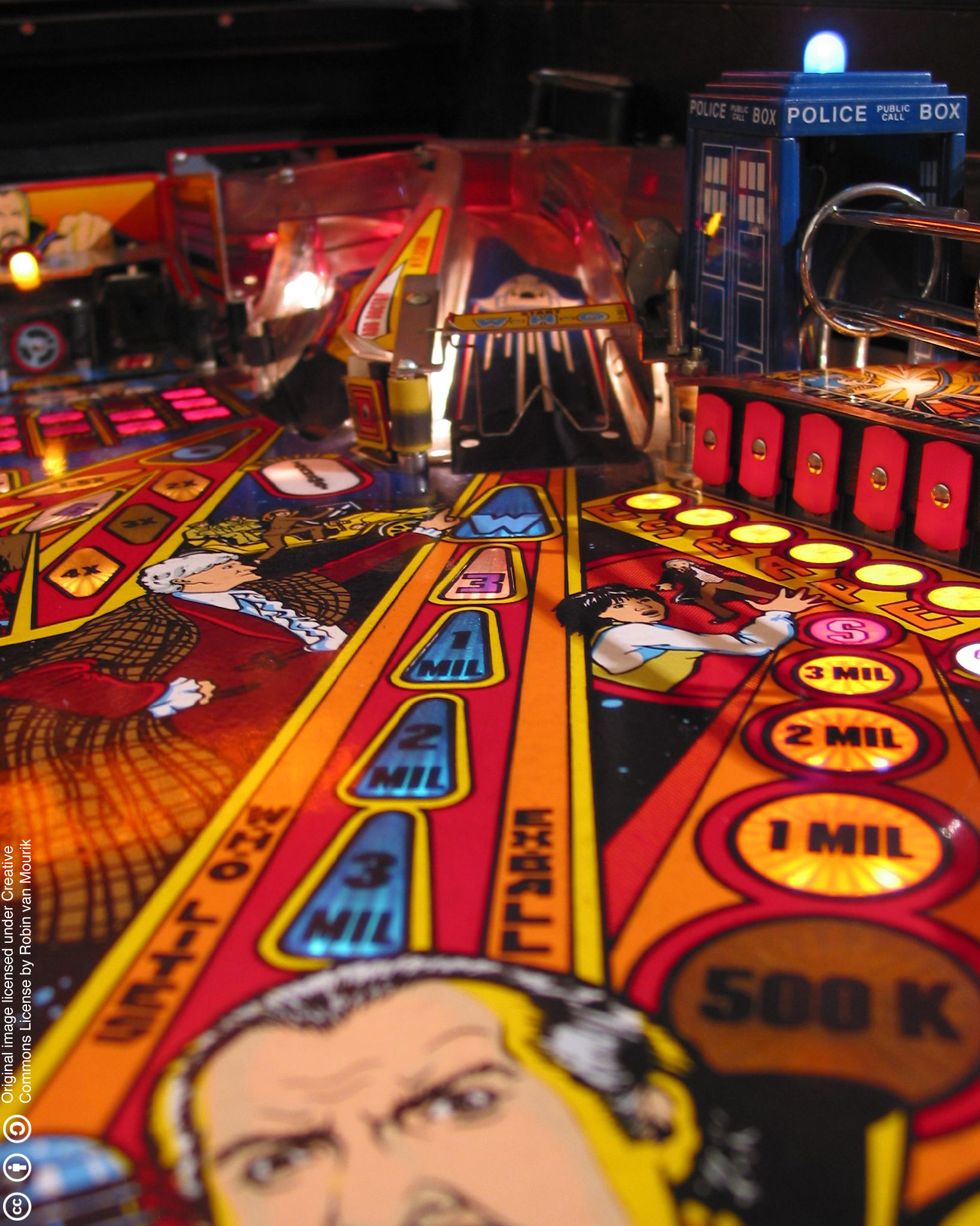
pinball image
printed at 100% scale, or shown on a screen. A blue box appears on it.
To try two targets at once without printing, open Basic and show upstream's photo of both targets on a screen.

📱 On a phone, the page must be served over HTTPS: browsers only expose the camera in a secure context (
https://orhttp://localhost). A LAN address such ashttp://192.168.x.x:8080will not work.
Get the bundle. Until the npm package is published, which is planned soon, build
dist/AframeNft.js with npm run build or copy the one committed in this repository. It is a
single script that already contains A-Frame (1.8.0) and jsartoolkitNFT, so do not load
A-Frame separately.
A page needs four things:
- The bundle.
- A
<video id="video">element. The camera feed is drawn into it. The id must bevideo. - An
<a-scene embedded arnft>.embeddedlets the canvas be sized to match the video;arnftconfigures the tracker. - An
<a-camera>at the origin withlook-controlsdisabled. Poses are relative to the camera, so the camera itself must not move.
<!DOCTYPE html>
<html lang="en">
  <head>
    <meta charset="UTF-8" />
    <meta name="viewport" content="width=device-width, initial-scale=1, maximum-scale=1" />
    <style>
      body { margin: 0; }
      /* Full-window layers. arnft sizes #video and the A-Frame canvas itself. */
      #app { position: fixed; top: 0; left: 0; width: 100%; height: 100%; }
      #video { position: absolute; top: 0; left: 0; }
      .scene-container { position: absolute; width: 100%; height: 100%; overflow: hidden; }
    </style>
    <script src="path/to/AframeNft.js"></script>
  </head>
  <body>
    <div id="app">
      <video id="video" autoplay muted playsinline></video>
    </div>

    <div class="scene-container">
      <a-scene embedded arnft="cameraParam: path/to/camera_para.dat">
        <a-nft name="pinball" url="path/to/DataNFT/pinball">
          <a-box color="#4CC3D9"></a-box>
        </a-nft>

        <a-camera position="0 0 0" look-controls="enabled: false"></a-camera>
      </a-scene>
    </div>
  </body>
</html>
The pages in examples/ are complete and use the same layout.
Notes:
urlis the descriptor set path without extension: jsartoolkitNFT appends.fset,.fset3and.iset.- Relative paths. Relative
urlandcameraParampaths resolve against the page, like any other asset URL. autoplay muted playsinlineare required on the video for mobile Safari.
Declare one <a-nft> per target. They are all tracked at the same time:
<a-nft name="pinball" url="DataNFT/pinball"><a-box color="#4CC3D9"></a-box></a-nft>
<a-nft name="kuva" url="DataNFT/kuva"><a-sphere color="#E4572E"></a-sphere></a-nft><a-nft> elements can be added and removed with ordinary DOM calls. The target loads when the
element is added, even while tracking is already running.
const nft = document.createElement('a-nft');
nft.setAttribute('name', 'kuva');
nft.setAttribute('url', 'DataNFT/kuva');
nft.innerHTML = '<a-sphere color="#E4572E"></a-sphere>';
document.querySelector('a-scene').appendChild(nft);

// Later:
nft.remove();
See examples/dynamic.html for a working page. Two caveats:
- Bring a target back by creating a new element. A-Frame does not re-initialise
components when the same element is appended again, so a re-appended
<a-nft>stays hidden (#15). - Removed targets stay loaded. jsartoolkitNFT cannot unload a target. Adding a new
<a-nft>with the sameurlreuses the loaded one instead of loading it again.
An NFT target is a descriptor set: three files (.fset, .fset3, .iset) generated from
an image, plus an ARToolKit camera parameter file (camera_para.dat). The descriptor
encodes the image's real-world size, from its pixel dimensions and DPI.
Bundled targets. The repository ships two targets, pinball and kuva, under
examples/DataNFT/, and a camera file at
examples/Data/camera_para.dat.
Your own targets. Generate descriptors with the NFT Marker Creator. Images with plenty of detail and contrast track best; flat areas, repetitive patterns and very small images do not.
The most common cause of a misaligned overlay is a badly printed target, not a code or calibration problem. The tracker solves the pose against the size encoded in the descriptor. If the print is scaled, the pose is systematically wrong and the overlay drifts to one side. "Fit to Page" is especially bad because it scales width and height differently.
For the bundled pinball target (893 × 1117 px at 120 dpi) a correct print measures:
| expected | |
|---|---|
| width | 189.0 mm (893 / 120 × 25.4) |
| height | 236.4 mm (1117 / 120 × 25.4) |
| aspect | 0.7995 |
Check it with a ruler. If width and height are off by different ratios, the print is squashed: reprint at 100% / Actual Size, with "Fit to Page" turned off.
To rule printing out entirely, show the source image on a screen at 1:1. The overlay then lands correctly, though the mesh looks oversized: the on-screen image is smaller than the 189 mm the descriptor assumes. This was diagnosed on this exact target in webarkit/jsfeatNext#142.
| Attribute | Type | Default | Description |
|---|---|---|---|
cameraParam |
string | Data/camera_para.dat |
ARToolKit camera parameter file, relative to the page |
videoWidth |
number | 640 |
Requested capture width (an ideal, not a guarantee) |
videoHeight |
number | 480 |
Requested capture height (an ideal, not a guarantee) |
lostTimeout |
number | 200 |
How long (ms) a target may go unseen before its content is hidden |
continuousDetection |
boolean | true |
Keep looking for untracked targets while others are tracked. false is cheapest, but a second target entering the view is then not found |
detectionInterval |
number | 300 |
Minimum time (ms) between searches for untracked targets while others are tracked; 0 searches every frame |
logLevel |
string | warn |
Tracker console verbosity: debug, info, warn or error. info adds ARToolKit's per-frame tracking lines ([info] Tracked page 0 …), useful when debugging detection |
continuousDetection, detectionInterval and logLevel are read once, when tracking starts
(#13). logLevel does not reach
jsartoolkitNFT's start-up lines or its webarkit-info lines
(webarkit/jsartoolkitNFT#677).
<a-nft> is an A-Frame entity with the nft-anchor component. Its children are the content
anchored to the target.
| Attribute | Component property | Type | Default | Description |
|---|---|---|---|---|
url |
markerUrl |
string | DataNFT/pinball |
Descriptor set, without extension. Always set it: the default only suits the bundled example |
name |
entityName |
string | pinball |
Label used in console messages |
The remaining properties are set through the component, for example
<a-nft nft-anchor="scaleFactor: 100; smooth: false" …>:
| Property | Type | Default | Description |
|---|---|---|---|
scaleFactor |
number | 150 |
Uniform scale for the content. Pose units are millimetres, so a 1-unit primitive would be 1 mm |
lift |
boolean | true |
Lift the content so it rests on the target. false centres it on the target plane |
offsetX |
number | 0 |
Extra X offset in target millimetres (rarely needed) |
offsetY |
number | 0 |
Extra Y offset in target millimetres (rarely needed) |
smooth |
boolean | true |
1€ pose smoothing (reduces jitter) |
smoothMinCutoff |
number | 0.0001 |
Smoothing at rest: lower is smoother but lags more |
smoothBeta |
number | 0.01 |
Speed response: higher lags less while moving |
The content is centred on the target automatically, using the target's real-world size.
At start-up the bundle logs its version, right after A-Frame's own lines:
Aframe-nft 0.2.0 (jsartoolkitNFT 1.13.0)
The same version is available from code as AframeNft.version.
When reporting a problem, include the Aframe-nft … line from the console. It identifies the
build and the jsartoolkitNFT version inside it.
arnft: camera init failed in the console
| Error | What it means |
|---|---|
NotAllowedError |
Camera permission was denied, or the page is not in a secure context (see the HTTPS note above). |
NotReadableError |
The camera could not start, usually because another application is using it. Virtual cameras that cannot start (for example those installed by Meta Quest Link) are skipped automatically. |
a TypeError mentioning srcObject |
The page has no <video id="video"> element. |
arnft: failed to load NFT marker "…". The descriptor set could not be loaded:
- check that
urlhas no extension and that the path resolves relative to the page (the Network tab shows the 404s); - a page can hold at most 20 targets.
404 (Not Found) errors for ….zft at start-up. These are expected, one per target. They
are harmless as long as no arnft: failed to load NFT marker error follows.
- Before loading a target's
.fset/.iset/.fset3files, jsartoolkitNFT checks whether a compressed.zftversion exists next to them, and falls back to the three files when it does not. - The browser logs the failed check as an error.
- See webarkit/jsartoolkitNFT#676.
The target is not detected.
- Use good, even lighting.
- Let the target fill a reasonable part of the view.
- Avoid glare on glossy prints.
- Make sure the target is the image the descriptors were made from.
The content is shifted or drifts to one side. Check the print scale first; see
Print your target at 100% scale. A tall object
standing on the target shows real perspective parallax at steep angles; lift: false centres
it on the plane instead.
The content is tiny or huge. Adjust scaleFactor: pose units are millimetres.
flowchart LR
    CAM["camera"] --> VIDEO["video element (id=video)"]
    VIDEO --> CVR["cameraViewRenderer<br/>320×240 frames"]
    CVR --> ARC["ARControllerNFT<br/>jsartoolkitNFT"]
    subgraph SYS ["arnft system"]
        ARC
        REG["MarkerRegistry"]
        LOAD["markerLoader"]
    end
    NFT["a-nft (nft-anchor)"] -- registerMarker --> REG
    LOAD -- loadNFTMarker --> ARC
    ARC -- "getNFTMarker (per target, per frame)" --> REG
    REG -- "onPose / onLost" --> NFT
-
Camera. The
arnftsystem opens the camera, preferring the rear camera on phones.cameraViewRendererdraws each frame into a 320×240 processing canvas, letterboxing non-4:3 video. -
Tracker. Once the camera is live and at least one
<a-nft>exists, the system creates a singleARControllerNFTand applies its projection to the A-Frame camera. There is one tracker per scene, not one per target. -
Targets. Each
<a-nft>registers with the system.markerLoaderloads its descriptor set with one call per target, so a badurlonly affects its own<a-nft>.MarkerRegistrytracks load state, visibility and reusable ids. -
Each frame.
process()detects and tracks every loaded target. Each pose is routed to itsnft-anchor, which:- smooths the pose (1€ filter);
- centres the content using the target's real size (DPI → mm);
- scales and lifts it.
A target not seen for
lostTimeoutms is hidden. -
Alignment. The video and the WebGL canvas are sized to the same "cover" box, so the projection maps 3D onto exactly the video's pixels.
| Module | Responsibility |
|---|---|
src/index.js |
Entry point: importing it registers everything, logs the version banner and exports version |
src/registerNFT.js |
A-Frame glue: the arnft system, the nft-anchor component, the <a-nft> primitive |
src/cameraViewRenderer.js |
Camera stream and processing frames |
src/markerRegistry.js |
Target bookkeeping: load state, visibility, reusable ids |
src/markerLoader.js |
Loads descriptor sets into the tracker |
src/nftMath.js |
Pose geometry: centring, lift, matrix normalisation |
src/poseFilter.js |
1€ pose smoothing, on top of @webarkit/oneeurofilter-ts |
src/version.js |
Version and start-up banner, injected from package.json at build time |
src/logLevel.js |
Maps the logLevel attribute to jsartoolkitNFT's ARLogLevel |
Design history and the reasons behind these choices are in DESIGN.md.
| Command | What it does |
|---|---|
npm run dev |
Vite dev server with HMR; opens the examples index |
npm test |
Unit tests (Vitest + jsdom) |
npm run build |
Builds the IIFE bundle dist/AframeNft.js |
npm run preview |
Serves a production build |
CI (GitHub Actions) runs the tests and the build on every push to main/dev and on every
pull request. It also fails if dist/ does not match a fresh build.
Conventions:
- Tests. Logic lives in DOM-free modules with a Vitest suite under
test/. The A-Frame glue inregisterNFT.jsis verified with the examples on a real camera. - Bundle.
dist/AframeNft.jsis committed. Rebuild it withnpm run buildwhen a change touchessrc/. - Commits follow the Conventional Commits style
(
feat:,fix:,docs:…). - Examples. Add new ones to
examples/index.html. Keep that index inexamples/: a rootindex.htmlwould become Vite's fallback page for every missing file, turning a mistyped marker url's 404 into a 200.
Bug reports and pull requests are welcome in the issue tracker.
- At most 20 targets per page. jsartoolkitNFT holds at most 20 targets and cannot unload one.
- Main-thread detection. Detection runs on the main thread. Moving it off the main thread is tracked in #7.
- Runtime adds stall briefly. Adding an
<a-nft>at runtime briefly stalls the main thread while its target loads (#14). - Runtime
urlchanges are ignored. Changingurlon an existing<a-nft>has no effect; replace the element instead (#15).
See the open issues for the full list.
- jsartoolkitNFT (WebARKit): NFT detection and tracking.
- A-Frame: the WebXR framework this builds on.
- AR.js: the video/canvas alignment approach.
- The 1€ filter (Casiez, Roussel and Vogel, CHI 2012), via WebARKit's OneEuroFilter-ts: pose smoothing.
LGPL-3.0-or-later. The LGPL builds on the GNU GPL, whose text is in COPYING.